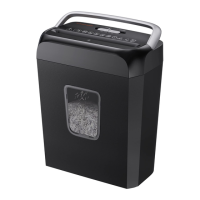
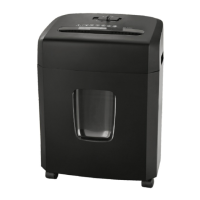
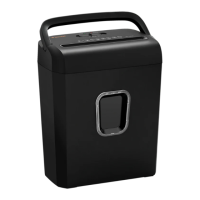
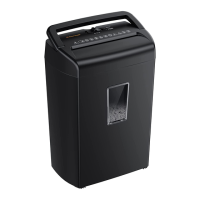
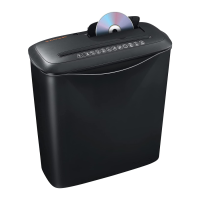
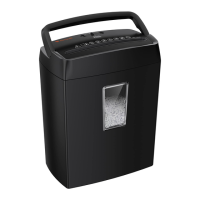
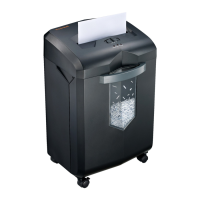
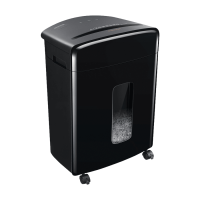
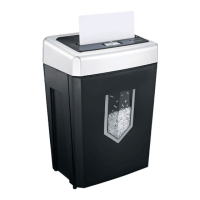
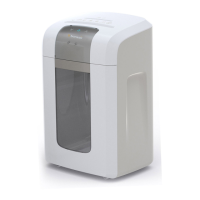
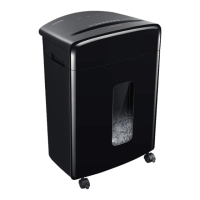
The Bonsaii DocShred C223-A is a cross-cut paper shredder designed for home and office use, capable of shredding up to 6 sheets of A4 paper (80g/m²) or 1 credit card at a time. It produces 4x12 mm cross-cut particles, achieving a P-4 security level. The shredder operates at a speed of 1.8m/min (for 6 sheets) and has a noise level of 70 dB. Its compact dimensions are 300x180x367 mm, and it features a 13-liter trash bin with a transparent window to monitor fill level. The device is powered by a 220-240VAC, 50Hz, 1.1A supply.
Function Description:
The shredder's primary function is to destroy sensitive documents, credit cards, clips, and staples by cross-cutting them into small, unreadable pieces. It features a sliding switch with four positions: FWD (Forward), AUTO (Automatic), OFF, and REV (Reverse).
- AUTO Mode: In this mode, the shredding operation starts automatically when paper is inserted into the feed slot. The "POWER" indicator light turns green. Once shredding is complete, the device automatically deactivates.
- REV Mode: This mode is used to rectify paper jams. It reverses the direction of the shredding operation to free the shredding blades. The "POWER" indicator light remains green. This is also useful if too much paper has been inserted, causing the operation to slow down, or if paper is accidentally inserted.
- OFF Mode: This position is for when the shredder is not in use for prolonged periods or when emptying the waste basket. Setting the switch to OFF and disconnecting the device from the electrical line helps avoid the risk of injuries. The indicator light switches off in this mode.
- FWD Mode: When the switch is in this position, the shredder continuously runs forward, and the "POWER" indicator light turns green. This can be used to clear paper jams that occur in AUTO mode by forcing the paper through the slot.
Important Technical Specifications:
- Cutting Capacity: Max. 6 sheets of A4 paper (80g/m²) or 1 Credit card.
- Cutting Size: 4×12 mm (Cross Cut).
- Cutting Speed: 1.8m/min (for 6 sheets).
- Security Level: P-4.
- Noise Level: 70 dB.
- Shred Functions: Paper, Credit card, Clip, Staple.
- Net Weight: 3.9 kg.
- Working Cycle: 4 minutes ON, followed by 40 minutes OFF (recommended to prevent overheating).
- Trash Bin Capacity: 13 L.
- Dimensions: 300×180×367 mm.
- Power Supply: 220-240VAC, 50Hz, 1.1A.
- Feed Slot for Paper: Accepts paper width up to 220mm.
- Overheat/Overload Indicator: Red/Flashing Red light.
Usage Features:
- Easy Setup: Unpack the shredder, place it upright on a level surface, ensure the waste bin is properly inserted, and plug the power cord into a standard 220-240V outlet (without an extension cord).
- Overheat Protection: The C223-A is equipped with a motor overheat guard. To protect the machine, it is recommended to operate it for 4 minutes, then allow it to rest for 40 minutes. If the shredder overheats due to continuous operation at maximum capacity or overrunning the shredding capacity, the automatic overheat guard will trigger, interrupting power. In such cases, disconnect the main plug, wait 40 minutes for the guard to reset, then reconnect and use REV mode to clear any remaining paper before returning to AUTO.
- Overload Protection: If more than 6 sheets of paper are inserted at once, the overheat indicator will flash, and the cutter will stop. The user should set the switch to 'REV', remove the excess paper, reduce the number of sheets, and try again.
- Credit Card Shredding: The shredder has a dedicated feed slot for credit cards.
- Small Material Shredding: When shredding small items like envelopes or receipts, insert them through the middle of the feed opening.
- Safety Features: The shredder has important safety measures, including warnings against placing hands or fingers into the shredder throat, keeping loose clothing and hair away from the feed opening, and always turning off or unplugging the shredder before moving, cleaning, or emptying the wastebasket. It is not a toy and should be kept away from children and pets.
- Prohibited Materials: Do not shred envelopes with windows, insulation, or glued flaps; adhesive materials (labels, decals, stickers, glued paper); newsprint; transparencies; laminated documents; continuous forms; cardboard; or hard and plastic materials (except credit cards), as these can cause jams.
Maintenance Features:
- Wastebasket Emptying: The wastebasket should be emptied frequently to prevent jams. Always turn off or unplug the shredder before emptying.
- Cleaning: The device should be deactivated and disconnected from the electrical line prior to cleaning. Do not spray flammable gas or oil onto the shredder, as it may cause fire.
- Troubleshooting: The manual provides a troubleshooting guide for common issues such as the equipment not functioning, cutter being blocked, cutter not stopping, or the machine sounding too loud. Solutions include checking connections, adjusting the waste collection unit, replacing the power cable (if damaged), waiting for the machine to cool down, folding thin sheets of paper, reducing the amount of paper, using REV mode to clear jams, and placing the equipment on a flat surface.
- Customer Service: For issues not resolved by the troubleshooting guide, customer support is available via email (customer-care@bonsaii.com) or phone (800 223 223 33).
- Warranty: The appliance comes with a 12-month warranty from the date of purchase, covering material and manufacturing defects. The warranty is void for abusive or improper handling, use of force, or internal tampering.
- Disposal: The device bears the WEEE symbol, indicating it should not be disposed of with household waste but must be handed in to a collection center for proper recycling.
- Compliance: The machine complies with EU Guideline 2014/30/EU (Electro-Magnetic Compatibility) and 2014/35/EU (Low-Voltage Guidelines).

 Need help?
 General

 To Next Page