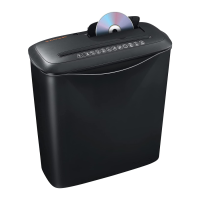
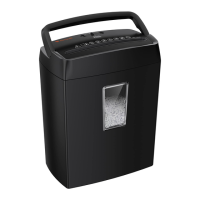
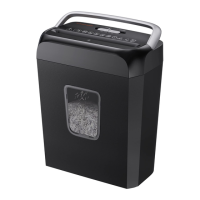
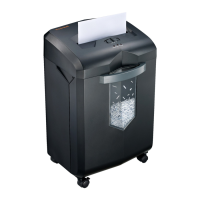
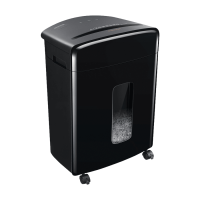
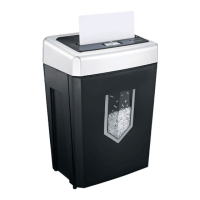
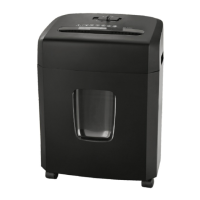
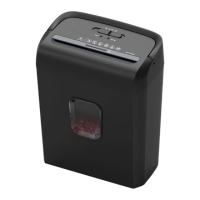
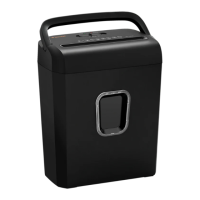
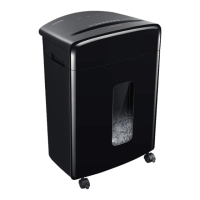
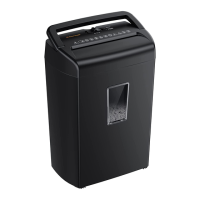
The Bonsaii S-series paper shredder is designed for efficiently destroying paper, CDs/DVDs, and credit cards, ensuring the security of your sensitive information. This user-friendly device is suitable for both home and office environments, offering a range of features to make shredding tasks simple and safe.
Function Description
The core function of the Bonsaii S-series shredder is to convert documents, optical media, and plastic cards into small, unreadable particles. It operates with a forward in-feed mechanism, where paper is automatically detected by sensors and fed into the cutter. For CDs/DVDs and credit cards, a dedicated in-feed slot is provided, ensuring these materials are shredded one at a time for optimal performance and safety. The shredder is equipped with a standby/emergency stop button for immediate cessation of operation, as well as a reverse in-feed function to help clear paper jams. An overheating light indicates when the motor has exceeded its continuous operation time, prompting a cool-down period. An overflow light signals when the collection unit is full, preventing overfilling and potential jams. The main switch at the rear of the machine controls the primary power supply, allowing for complete disconnection when not in use. The shredder is designed to handle various paper sizes, with larger pieces needing to be folded to an A4 equivalent. It's crucial to adhere to the maximum sheet capacity per operation to prevent overloading and ensure the longevity of the device.
Usage Features
The Bonsaii S-series shredder is designed for intuitive operation. To begin, simply switch on the power button at the rear of the machine to "ON." The standby mode symbol will illuminate, indicating the machine is ready for use. Paper should be inserted in portrait orientation into the designated in-feed unit. The sensors will detect the paper, and the cutter will automatically pull it through. After a short period of no paper passing through, the equipment will revert to standby mode to conserve power. To reactivate from standby, press the standby button.
For shredding CDs/DVDs and credit cards, these items should be inserted one by one into their specific in-feed slot. It's important to avoid holding onto the holes in the middle of CDs/DVDs to prevent injury. In cases where paper is too thin or transparent for automatic detection, a manual in-feed option is available by pressing the "forward" button. This feature also allows for the shredding of any excess sheets.
The shredder incorporates safety mechanisms to address common issues. If the machine is overloaded with too much paper, the overloading display will turn red, and the cutter will stop immediately. In such instances, reduce the number of sheets and try again. If the fault persists, using the up arrow button can help remove any jammed paper, resetting the machine to normal or standby mode. The overheating light, which turns red when the engine exceeds its continuous operation time, serves as a warning. During this time, the machine will cool down in standby mode, and operation can resume once the light stops flashing.
Removing excess paper or clearing jams requires a specific procedure: switch off the equipment, disconnect the power supply, and then remove the paper tray. Carefully remove any paper snippets stuck in the cutter, being mindful of the sharp blades. Once cleared, replace the paper tray, reconnect the power cable, and switch the power back on. For complete disconnection, the main switch at the rear should be turned off.
Maintenance Features
Proper maintenance is essential to ensure the longevity and optimal performance of your Bonsaii S-series paper shredder. The cutter blades are very sharp, and the engine is powerful, so appropriate precautions must be taken during daily use to prevent clothing, ties, scarves, or hair from falling into the equipment.
Regularly checking and emptying the collection unit is crucial for smooth operation. This prevents overfilling, which can lead to jams and reduce efficiency. It's also important to avoid allowing any items of clothing, plastic, or metal fragments to fall into the cutter, as these materials can damage the blades.
To optimize shredder performance, reduce blade friction, and prevent paper jams, the shredder cutter blades require lubrication. It is recommended to lubricate the blades with shredder lubricant oil or a lubricant sheet every time the collection unit has been completely filled twice. This routine maintenance helps extend the lifetime of the shredder.
When cleaning the equipment, always disconnect the plug first. The exterior of the machine should be cleaned with a damp cloth and a mild soap solution. The cloth should be damp, not wet, to prevent liquids from penetrating into the cutter. Under no circumstances should bleach, alcohol, paint stripper, or any other flammable liquids be used, as these can damage the machine or pose a safety risk.


 To Next Page
 General