10
10
5.
7.
T
B
6.
s2
T
B
s1
s1
s1
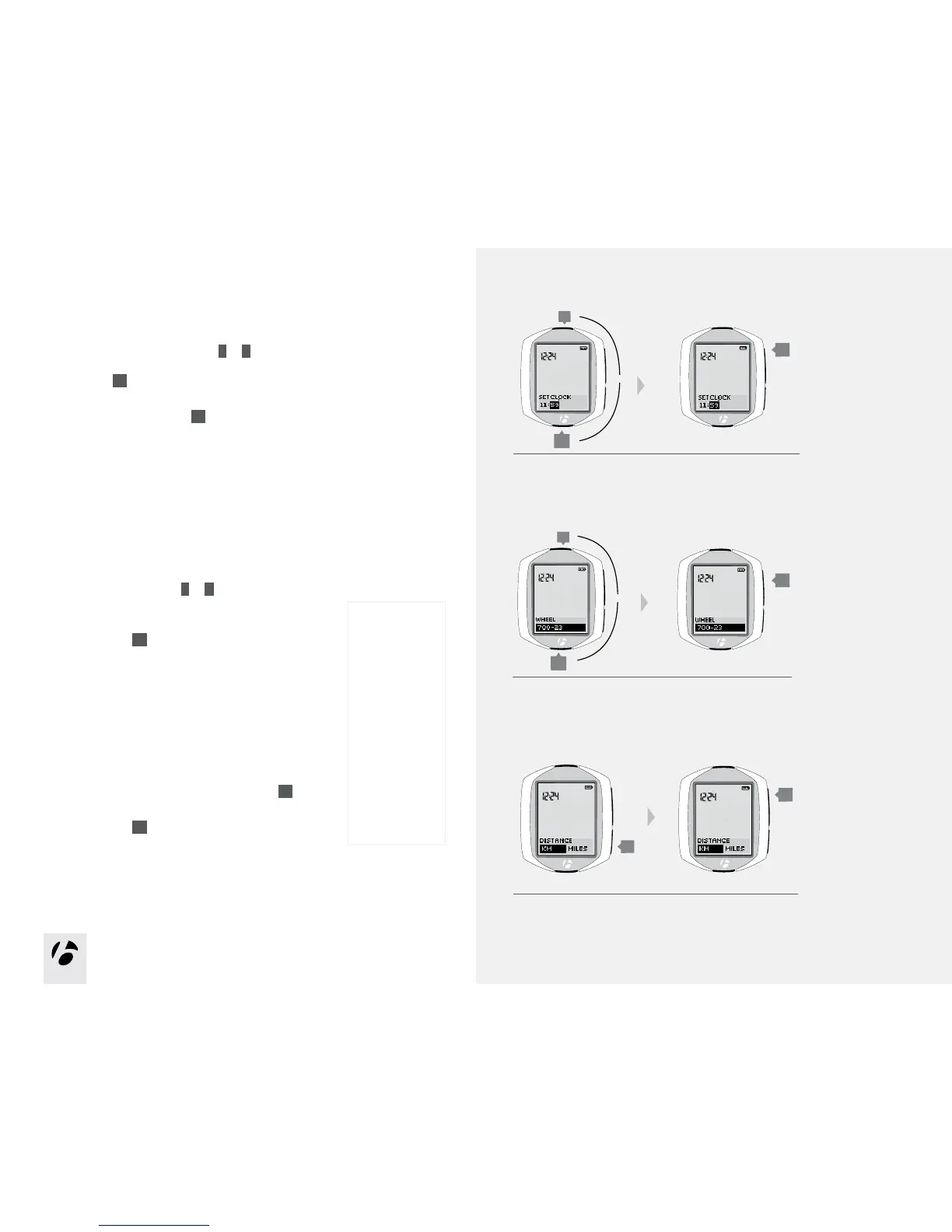
5. To the change the minutes, press
T
or
B
.
If desired, you can go back to the hours in the previous step
by pressing
s2
.
To save the Set Clock (time) and proceed to the Wheel
(wheel size) function, press
s1
.
6. To change the wheel size (choose from the Wheel size
menu on the right), press
T
or
B
.
To set a custom wheel size, see page 27.
To save the Wheel and proceed to the Distance (units)
function, press
s1
.
7. To change units (choose KM or MILES), press
s2
.
To save the Units and proceed to the Odometer
function, press
s1
.
Wheel
size menu
700 x 20
700 x 23
700 x 25
700 x 28
700 x 32
700 x 35
700 x 38
26 x 1.5
26 x 1.9
26 x 2.0
26 x 2.1
26 x 2.2
Custom
or
or











 To Next Page