16
16
RIDE Mode
16
CAD
Cadence
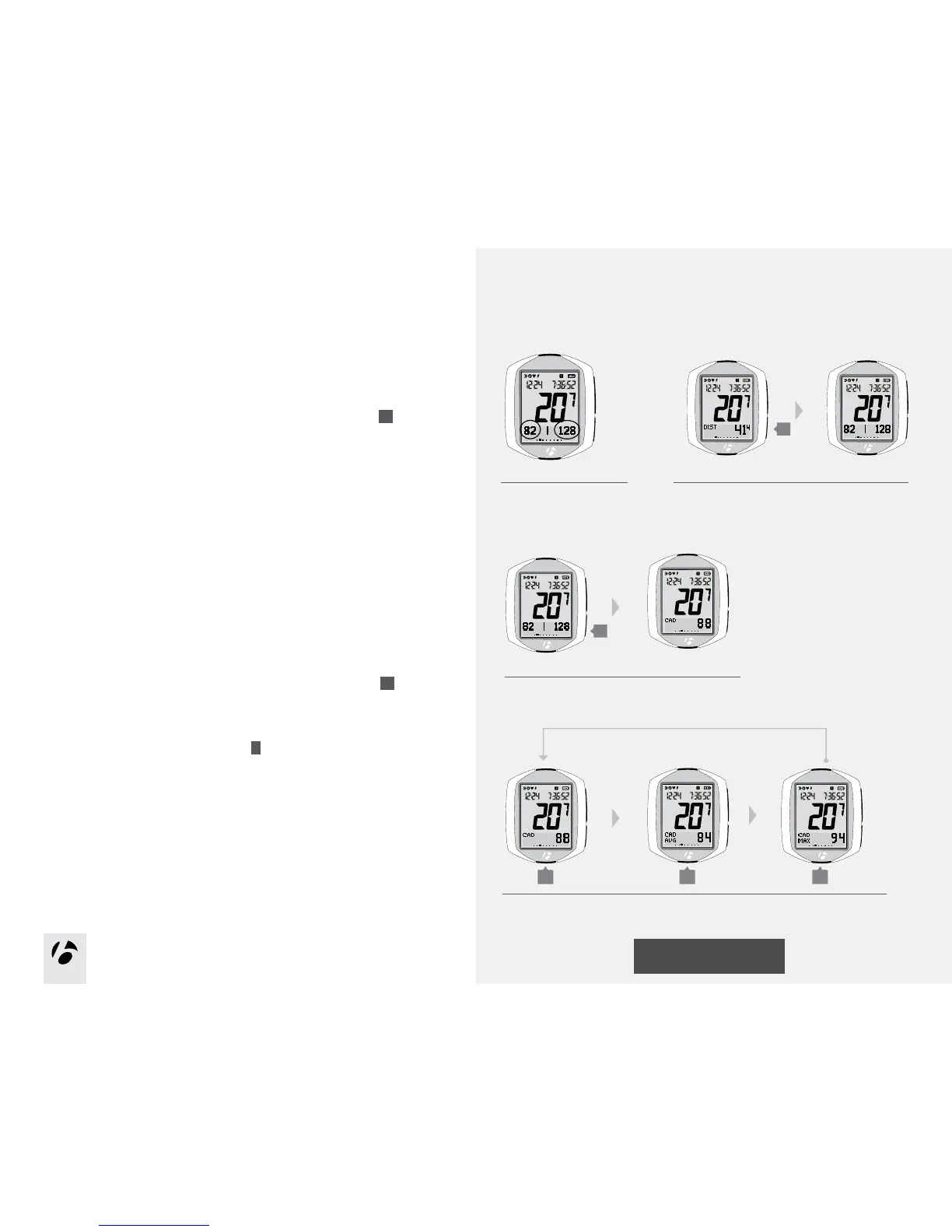
Cadence is how fast you are pedaling, counted as the number of complete
revolutions of the crankset in a minute.
1. To switch the secondary display from Dual View to Cadence, press
s2
.
If the cadence sensor is not connected and switched to On, the display will switch to
the next available function.
2. To switch from current cadence (CAD) to average cadence (CAD AVG) to
maximum cadence (CAD MAX), browse
B
.
1.
2.
B B B
Figure 29. Dual View.
Dual View
Your computer can show two secondary functions at the same time (Figure 29).
This is called Dual View. To make your computer do this, see the section Setup
Dual View on pages 42-43.
1. To switch the secondary display from Distance to Dual View, press
s2
.
1.
s2
s2











 To Next Page