58
• Start up / Stop the Second booster
Action Control panel Display
Start up the 1rst booster Press key [ P ] control light is on
Start up the 2nd booster re-press key [ P ] control light is blinking
Zone selection Press key [ + ] or [ - ] from the desired
heating zone [
]
Stop the 2nd booster Press key [ - ] [ 9 ]
Timer
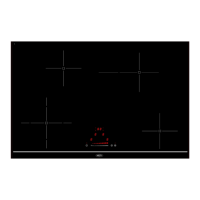
The timer is able to be used simultaneous with all 4 heating zones and this with different time
settings (from 0 to 99 minutes) for each heating zone.
• Setting and modication of the cooking time of a heating zone
Action Control panel Display
To select a heating zone Press on key [ + ] [ 4 ]
To select the power level Press on key [ + ] or [ - ] [ 1 ] to [ 9 ]
To select the « Timer » Press on timer key [ - ] and [ + ] timer control light is on
simultaneously until the
desired heating zone.
Decrease the time Press on timer key [ - ] [30] wents to 29,28..
Increase the time Press on timer key [ + ] the time increases…
The time is congured and the cooking starts until the time reaches [ 00 ]
• To stop the cooking time of a heating zone
Action Control panel Display
To select the « Timer » Press on timer key [ + ] and [ - ]
Simultaneously until the desired
heating zone The time displays
To stop the « Timer » Press on timer key [ - ] displays [01]
Press second time on timer key [ - ] displays [00]
If several timers are activated repeat the process.
• Automatic stop at the end of the cooking time
As soon as the selected cooking time is nished the timer displays blinking [00] and a sound rings
and the heating zone stops.
To stop the sound and the blinking it is enough to press the key [ - ] or [ + ] from the timer.


 To Next Page