EasyManua.ls Logo

Bosch Autodome IP 4000 HD - User Manual

Bosch Autodome IP 4000 HD
60 pages
Print Icon
To Next Page IconTo Next Page
Loading...
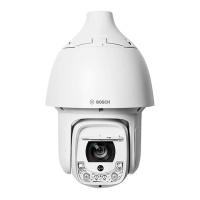
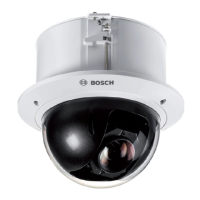
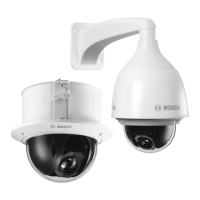
AUTODOME IP 4000 HD / AUTODOME IP
5000 HD/IR
en Operation Manual

Other manuals for Bosch Autodome IP 4000 HD

Questions and Answers

  • B
    Brenda MathisAug 1, 2025
    Why is there no video on my Bosch Security Camera?
    • D
      david65Aug 1, 2025
      If there is no video on the screen, verify that the power is connected to all components in the system and that the power switch is turned ON. Also, check the condition and connection of the cables.
  • T
    Taylor AlvarezAug 8, 2025
    What to do if my Bosch Security Camera image flickers?
    • F
      Frank CameronAug 8, 2025
      If the image on the screen flickers, check if the camera is pointed directly at the sun or a fluorescent lamp. If it is, reposition the camera. Also, check for flickers on the screen itself.
  • C
    Cameron ByrdAug 13, 2025
    How to fix poor video quality on Bosch Security Camera?
    • T
      Theresa JenningsAug 13, 2025
      To address poor video quality, start by checking the camera settings. Then, check the video quality directly at the camera using a service monitor. Inspect the quality and length of the video cables for any issues, including potential EMC interference. Verify the quality of the connectors and look for any signs of moisture or corrosion. Finally, if the lens or dome window is dirty, gently clean it with a clean cloth.
  • D
    Debra LawrenceAug 19, 2025
    What to do if my Bosch Security Camera is not working properly?
    • S
      Samuel JohnsonSep 12, 2025
      If your Bosch Security Camera isn't working correctly, including being in the wrong position, try power-cycling the camera and its power supply. You can also reset the camera using the configuration menu under Main > System > Reboot. Check the connection of the power cable and the camera's status. You might also try initializing the camera via Main > System > Initialize. Ensure the power supply's power rating is adequate and measure the voltage at the camera, ensuring it remains at 24 VAC (+/- 10%), especially during movement or when the heater is on.
  • G
    graystevenAug 26, 2025
    Why is the surface of my Bosch Security Camera dome case hot?
    • S
      Stephanie ColemanAug 26, 2025
      If the surface of the dome case is hot, check the voltage level of the dome camera and its status. Also, verify that the camera is connected to the correct power source.

Summary

Network Configuration Prerequisites

Understanding the System Overview

Live Page Functionality

Details on the Live page for viewing live video streams and controlling the unit.

Playback Functionality

Explains the Playback page for viewing recorded video sequences.

Configuration Page Usage

Instructions on using the Configuration page to set up the unit and application interface.

Browser-Based Operation Guide

Live View and Control

How to operate the camera's live view and control functions through a web browser.

Recorded Video Playback

Steps for accessing and controlling playback of recorded video sequences via the browser.

General Device Settings

Device Identification and Naming

Procedures for identifying and naming the camera, including unique identifiers.

Password Protection and Access Levels

Information on setting passwords and managing authorization levels for secure access.

Camera Configuration and Control

Installer Menu Options

Accessing and configuring initial camera settings via the installer menu.

Scene Mode Adjustments

How to select and configure scene modes for optimal image parameters.

PTZ Camera Settings

Configuration options for Pan, Tilt, and Zoom (PTZ) camera movements and behavior.

Recording Management

Storage Media Management

Managing storage devices, including iSCSI and local media, for video recording.

Recording Profile Configuration

Defining and configuring characteristics for different video recording profiles.

Alarm System Configuration

Configuring Alarm Connections

Setting up how the camera responds to alarms, including IP address connections.

Defining Alarm Rules

Creating rules to automate camera responses to various alarm inputs and triggers.

Network Access and Settings

Network Access Configuration

Steps to integrate the camera into an existing network, including IP assignment.

Network Management Options

Managing network components using protocols like SNMP and UPnP for monitoring.

Service and Maintenance

Firmware Maintenance and Updates

Procedures for updating camera firmware and managing maintenance logs.

Device Diagnostics and Logs

Running diagnostic tests and reviewing system logs for troubleshooting.

AUX Commands Reference

Bosch Autodome IP 4000 HD Specifications

General IconGeneral
IPYes
Form FactorDome
Sensor TypeCMOS
Day/NightYes
Video CompressionH.264, MJPEG
Ethernet Port10/100Base-T
Ingress ProtectionIP66
Vandal ResistanceIK10
Image SensorCMOS
Network InterfaceEthernet
Power Supply12 V DC

Related product manuals