46
Additional Features
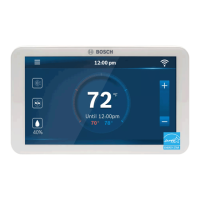
Control Your BCC110 with Amazon Alexa
Bosch offers one Smart Home Skill for integrating your BCC110 with Alexa’s voice
controls. Using the Bosch EasyAir Skill from the Skills section of the Amazon Alexa App.
Device Name
The Device Name is the name assigned to your device in the
EasyAir app. You can check the device name by opening the
EasyAir app and reading the name displayed on the main menu
of selectable devices.
You Can Control the BCC110 by Saying:
▶ Alexa, turn (Device Name) on.
▶ Alexa, turn (Device Name) off.
▶ Alexa, Increase (Device Name) by _ _ degrees.
▶ Alexa, Decrease (Device Name) by _ _ degrees.
▶ Alexa, Set (Device Name) to _ _ degrees.
▶ Alexa, what is the (Device Name) set to?
▶ Alexa, what is the temperature of the (Device Name)?
You must have a registered EasyAir account
to set up and use your thermostat with
Amazon Alexa.


 To Next Page