11
Initial Setup
User Account Setup
1. After downloading the Bosch EasyAir App, open the app on your
smartphone and accept the terms and conditions
2. Enter an e-mail address and password with which you would like to
register.
3. To begin creating your profile, select your role as “Homeowner”.
4. Input your first and last name.
5. Verify phone number by entering the phone verification code you
receive via text.
6. Your profile has been successfully created.
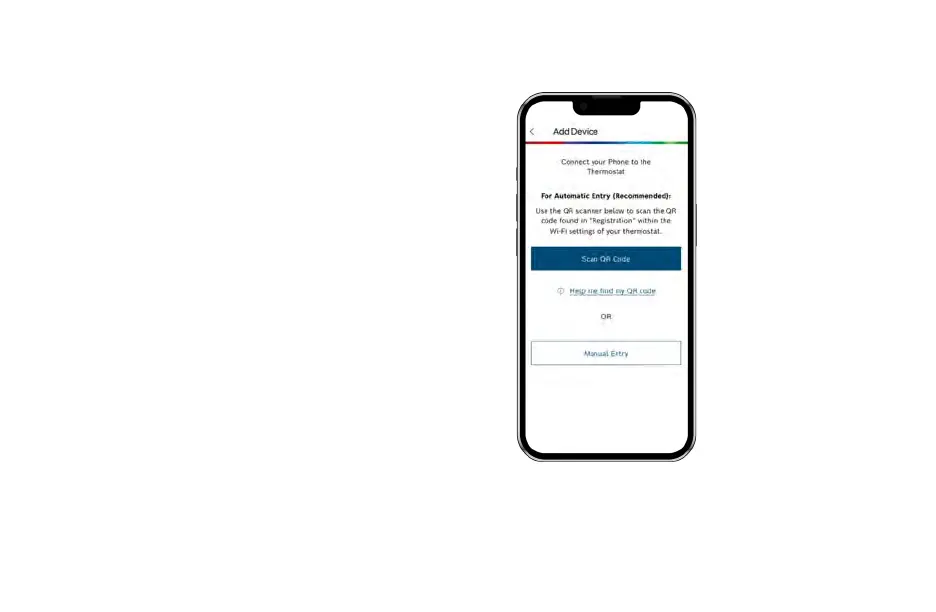
Add Device
1. After successfully creating your profile, choose the Appliance
you would like to add, in this case BCC110.
2. Return to your thermostat and click Ok to initiate the Initial
Setup.
3. Follow the on-screen instructions to name your thermostat and
connect your smartphone to the device.
4. Follow the on-screen instructions to name your thermostat and
connect your smartphone to the device.
MAC ID and Temporary
Verification Code
You can find the MAC ID and Temporary Verification Code
by navigating to the Wi-Fi Settings screen on your
thermostat and clicking the Registration button.


 To Next Page