10
Step 12 Step 13
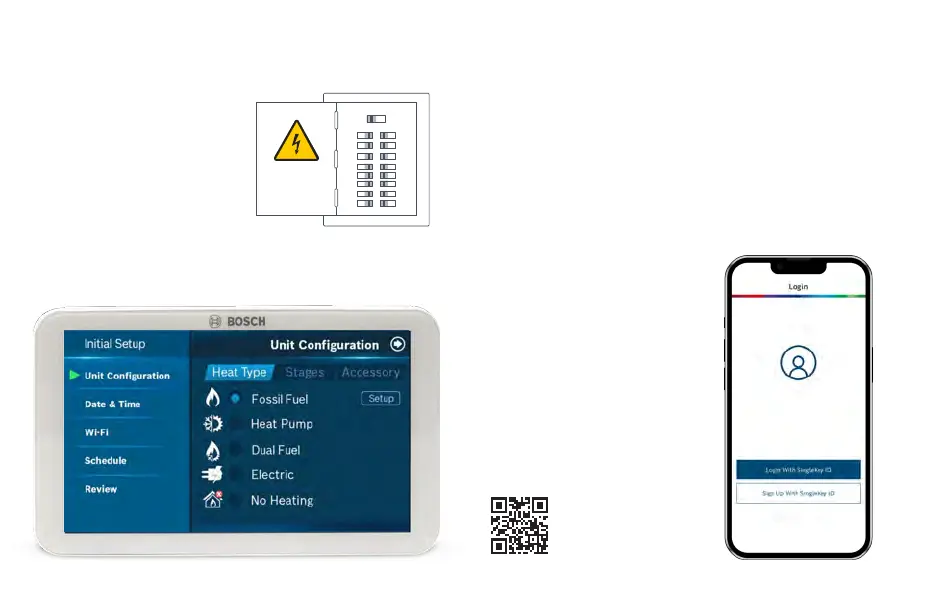
Turn ON the power to
your HVAC by using the
master equipment switch
or circuit breaker box
The thermostat will power on and
display a Bosch logo and loading
bar.
Note: After loading completes,
the thermostat will display the
following screen:
ON OFF
Great job, the hard part’s over!
Next, get your smartphone and visit your app
store. Download the Bosch EasyAir appto setup
your new BCC110
Your BCC110 Thermostat is not yet configured to your home’s HVAC
system. Go to the Apple App Store or Google Play Store to
download the app, create an account, and finish configuring your
system.
Three ways to download the
Bosch EasyAir App:
u In the Apple App Store or Google
Play, search “Bosch Connected
Control” or “BCC110” and then
download the app.
u Visit Bosch-homecomfort.us/
BCC110
u Scan QR code below.
Click the links for the app in the
Download App section.
Thermostat Installation


 To Next Page