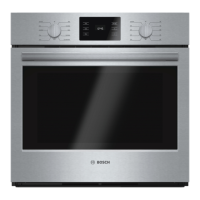
This document describes a Bosch Microwave Oven, providing comprehensive instructions for its function, usage, and maintenance.
Function Description
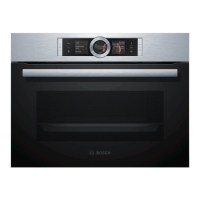
The Bosch Microwave Oven is designed for preparing meals and drinks quickly and efficiently using microwave technology. It operates as a group 2, class B product, meaning it produces microwaves for heating food and is suitable for private households. The appliance features a control panel with buttons and touch fields for intuitive operation, allowing users to switch the appliance on/off, start/pause operations, and select various functions. A control ring enables adjustment of setting values displayed on the screen. The display shows current settings, options, and notifications, with highlighted information indicating values that can be changed directly. A display ring around the outside of the main display indicates progress during operation and position within selection lists.
The microwave function allows for cooking, heating, and defrosting food. It offers various microwave power settings (90 W, 180 W, 360 W, 600 W, 900 W), each with a maximum cooking time, suitable for different food types and preparation needs. The appliance also includes pre-set programmes that automatically select optimum settings for various dishes, simplifying the cooking process. These programmes are designed for defrosting bread, meat, and fish, as well as cooking fresh and frozen vegetables, boiled potatoes, and rice.
A cooling fan operates as needed to prevent overheating, and condensation in the cooking compartment is a normal occurrence that should be wiped away after use. The appliance also features an automatic door opener for convenience.
Usage Features
The microwave oven is designed for ease of use, with several features to enhance the cooking experience.
Initial Use and Basic Operation:
Upon first connection or after a power failure, the appliance guides the user through initial setup, including language and time settings. Switching the appliance on illuminates all touch fields and displays the maximum microwave output, indicating readiness. Operations are started by pressing the designated button, and the display shows settings and a progress ring. Opening the door during operation pauses the process, which can be resumed by closing the door and pressing start. The appliance automatically switches off if no settings are applied for an extended period.
Microwave-Safe Cookware:
To ensure even heating and prevent damage, users must use microwave-safe cookware made from heat-resistant materials like glass, glass ceramic, porcelain, temperature-resistant plastic, or fully glazed ceramic without cracks. Metal cookware or items with metal decoration are not suitable for microwave-only operation as they can cause sparks and damage the appliance. A cookware test can be performed to check suitability by heating empty cookware for a short period at maximum power.
Configuring Microwave Settings:
Users can easily configure microwave settings by selecting the desired microwave output and then adjusting the cooking time using the control ring. The appliance suggests a default cooking time, which can be modified. Microwave output and cooking time can also be changed during an ongoing operation.
Programmes for Dishes:
The appliance offers a range of programmes for defrosting and cooking various foods. When using programmes, users are advised to use food in perfect condition, weigh it accurately, and use microwave-safe, heat-resistant cookware. Tips are provided for defrosting, such as freezing food flat, turning or stirring during the process, and draining liquids. For cooking vegetables, adding water and cutting them into equal pieces is recommended. Potatoes should be pricked and placed in a dish. Resting times are suggested for certain dishes after the programme ends.
Timer Function:
A separate timer function allows users to set a maximum time of 24 hours, independent of other operations. A signal tone sounds when the timer elapses, which can be ended early. The timer duration can be changed at any time.
Basic Settings:
The appliance's basic settings can be configured to suit individual needs, including language, time, audible signal duration, button tone, display brightness, and clock display options. These settings are retained even after a power failure.
Maintenance Features
Regular cleaning and servicing are crucial for maintaining the appliance's efficiency and extending its service life.
Cleaning Products:
Only suitable cleaning agents should be used. Harsh, abrasive, or high-alcohol content cleaning products, as well as hard scouring pads or metal scrapers, are explicitly prohibited as they can damage surfaces. Glass cleaners, glass scrapers, or stainless steel care products should only be used if recommended for specific parts. New sponge cloths should be thoroughly washed before use to remove production residues.
Cleaning the Appliance:
The appliance should be cleaned regularly, and food residues removed immediately to prevent fire hazards and maintain hygiene. The smooth surfaces in the cooking compartment should be cleaned with a soft, damp cloth.
Cleaning the Cooking Compartment:
For the cooking compartment, hot soapy water or a vinegar solution is recommended. For very heavy soiling, oven cleaner can be used, but only when the compartment is cold. A cleaning aid function is available, which involves heating a cup of water with lemon juice to soften dirt, making it easier to wipe away. After cleaning, the compartment should be left to dry with the door open.
Cleaning the Front of the Appliance:
The front of the appliance should be cleaned with hot soapy water and a dishcloth. For stainless steel fronts, a thin layer of stainless steel cleaning product can be applied with a soft cloth. Glass cleaner or metal scrapers are not to be used on the front.
Cleaning the Control Panel:
The control panel should be cleaned with a microfibre cloth or a soft, damp cloth, and never with a wet cloth.
Cleaning the Door Panels and Seal:
The door panels can be cleaned with a soft dishcloth and glass cleaner, while the door seal requires hot soapy water and a soft dishcloth. Metal scrapers or abrasive cleaning agents are not to be used on the door seal.
Troubleshooting:
The manual provides a troubleshooting guide for common malfunctions, such as the appliance not working, not starting, or the control ring being difficult to turn. It advises users to check basic issues like power supply and fuse breakers. For more complex issues or error messages, users are instructed to contact customer service, providing the exact error message. Improper repairs are dangerous and should only be carried out by trained specialist staff using genuine spare parts.
Disposal:
The appliance is designed for environmentally friendly disposal, with packaging materials being recyclable. Users are instructed to unplug the appliance, cut the power cord, and dispose of it according to local regulations. The appliance is labelled in accordance with European Directive 2012/19/EU for waste electrical and electronic appliances.



 To Next Page
 General