This document describes the Bosch Microwave Oven models BF.7221.1 and BF.9221.1, providing a user manual and installation instructions in English.
Function Description
The Bosch Microwave Oven is designed for preparing meals and drinks, offering quick defrosting, heating, and cooking capabilities using microwave technology. It operates under supervision, making it suitable for household use and similar applications like employee kitchens, agricultural settings, hotels, and bed and breakfasts. The appliance complies with EN 55011 and CISPR 11 standards, classified as a group 2, class B product, meaning it produces microwaves for heating food and is suitable for private households.
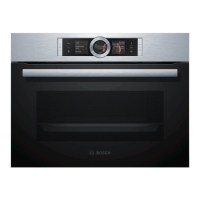
The appliance features a control panel with a digital setting ring and touch fields for intuitive operation. The touch display shows available options, current settings, and relevant information. The digital setting ring allows precise adjustment of values, while touch fields provide direct access to functions like switching on/off, microwave mode, going back a setting, starting/pausing, timer, child lock, and opening the appliance door. An automatic door opener is included, which springs the door open when pressed, allowing manual full opening.
Key operating modes and functions include:
- Microwave: For defrosting, cooking, and heating foods and liquids with power settings of 90, 180, 360, 600 watts, and a "boost" function.
- Meals: Preprogrammed settings for various dishes, automatically selecting optimum settings.
- Cleaning Aid: A quick cleaning function that softens dirt by evaporating soapy water for easier removal.
- Basic Settings: Allows customization of appliance settings such as language, time, display brightness, standby screen, clock adjustment, sound (button tone, signal tone), illumination, microwave output selection, customisation (brand logo, operation after switch-on), childproof lock, and factory settings.
Time-setting options include:
- Cooking time: Sets a duration after which heating automatically stops.
- End time: Allows delaying the operation's end time by up to 24 hours, with the appliance starting automatically to finish at the set time.
- Timer: Runs independently of other operations, with its own signal, and does not affect the appliance's cooking functions.
The appliance also features a childproof lock to prevent accidental activation or setting changes.
Important Technical Specifications
- Microwave Output Settings: 90 W, 180 W, 360 W, 600 W, and "boost" (gradually reduced to 600 W after initial minutes to protect the appliance).
- Maximum Cooking Time: Up to 1 hour 30 minutes for lower power settings (90 W, 180 W, 360 W, 600 W) and 30 minutes for "boost."
- Altitude: Operates up to a maximum altitude of 4000 m above sea level.
- Standby Power Consumption: Maximum 0.5 W with the display switched off.
- Fitted Unit Requirements: Heat-resistant up to 95 °C for fitted units, and up to 70 °C for adjacent unit fronts.
- Installation Cabinet: Must not have a back panel behind the appliance. Minimum installation height is 850 mm.
- Electrical Connection: Protection class I, requires a protective earth connection. Fuse protection must match the appliance's rating plate. The appliance must be disconnected from the power supply during installation. Uses a provided power cable, which must be freely accessible after installation or connected via an all-pole isolating switch.
Usage Features
- Intuitive Control: Digital setting ring and touch fields simplify operation and setting adjustments.
- Preprogrammed Meals: "Meals" operating mode offers automatic optimal settings for various dishes, including defrosting meat, fish, bread, vegetables, and cooking rice and potatoes.
- Flexible Time Settings: Users can set specific cooking times, delay the end time of an operation, or use an independent timer.
- Safety Features: Childproof lock, warnings against heating sealed containers, eggs, or foods with intact skins, and instructions for safe handling of hot liquids and cookware.
- Cookware Compatibility: Guidance on using microwave-safe cookware (glass, glass ceramic, porcelain, temperature-resistant plastic, fully glazed ceramic without cracks) and avoiding metal containers during microwave-only operation. A cookware test is provided to check suitability.
- QuickStart Function: Allows immediate start of microwave operation at a preset output for 1 minute.
- Cooking Compartment Features: Interior lighting for visibility, cooling fan to prevent overheating, and condensation management advice.
- Energy Saving: Instructions to heat multiple dishes simultaneously, switch off the display in basic settings, and note low standby power consumption.
Maintenance Features
- Regular Cleaning: Emphasizes regular cleaning of the appliance, cooking compartment, door seal, door, and door stop to prevent damage and ensure safety.
- Cleaning Aid Function: A dedicated program that softens dirt with soapy water vapor, making manual cleaning easier.
- Specific Cleaning Instructions: Detailed guidance on cleaning different parts of the appliance (cooking compartment, door panels, door seal, front of the appliance, control panel) using suitable cleaning agents and methods. Warnings against abrasive cleaners, harsh chemicals, metal scrapers, and steam/high-pressure cleaners are provided.
- Troubleshooting Guide: A comprehensive section to help users identify and resolve minor faults, such as the appliance not working, microwave not heating, or error messages on the display. It advises on checking power supply, circuit breakers, door closure, and demo mode activation.
- Customer Service: Provides contact information and advises users to have the product number (E-Nr.) and production number (FD) ready when contacting service for repairs or queries. It also mentions that light sources are replaceable by trained specialist staff.
- Disposal Information: Instructions for environmentally friendly disposal of the old appliance, including unplugging, cutting the power cord, and consulting local authorities for current disposal methods, in accordance with European Directive 2012/19/EU (WEEE).



 To Next Page
 General