Maintenance
45
Climate 5000M/L • Climate 5000i M/U – 6721855980 (2023/05)
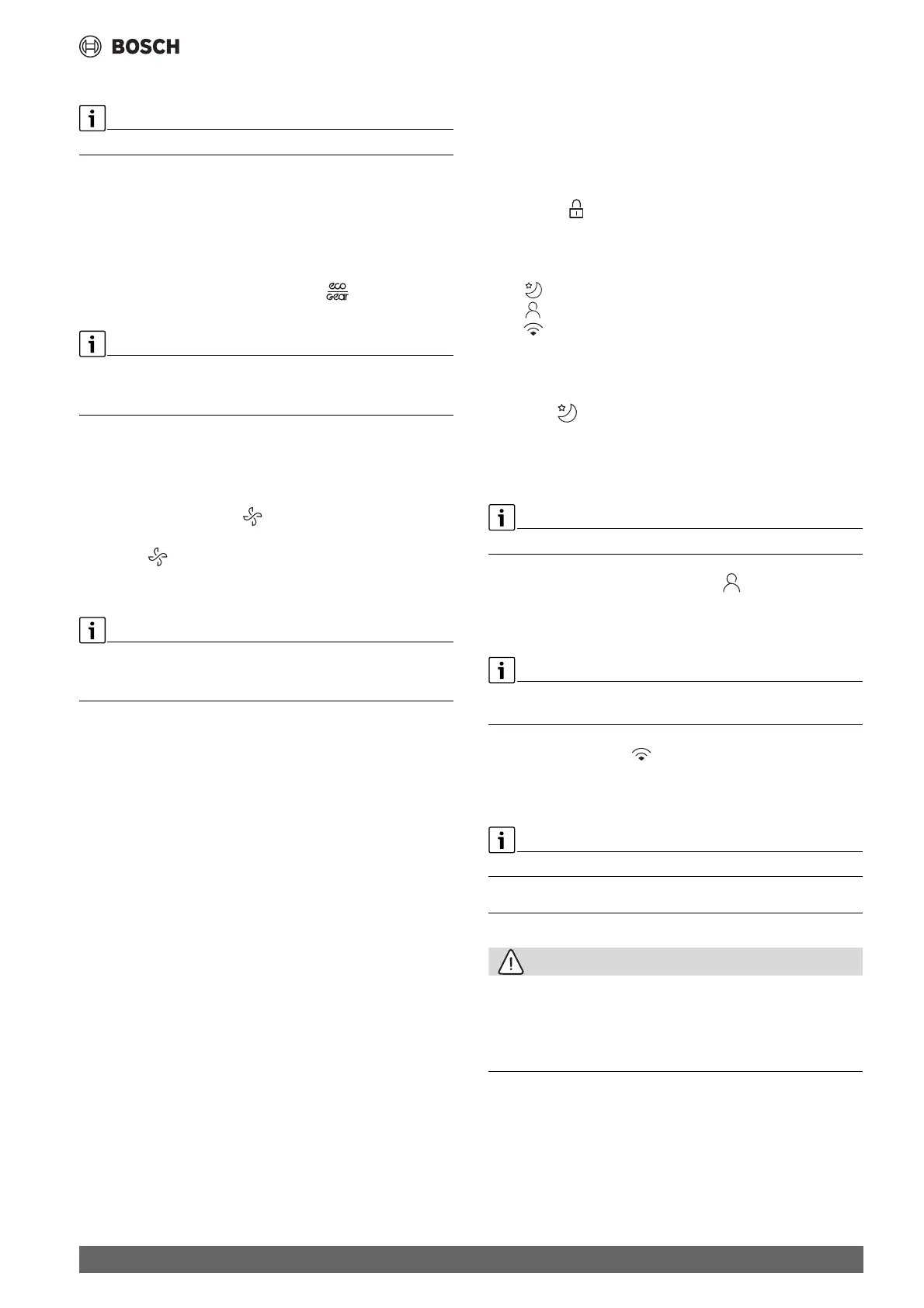
3.6.3 Energy saving functions
Energy saving functions can only be selected in cooling mode.
The following energy saving functions can be selected at the device:
• ECO: operation with fan speed AUTO and set temperature of at least
24 °C
• GEAR (75%): reduce power consumption by 25%
• GEAR (50%): reduce power consumption by 50%
• None of the above symbols: normal operation
▶ To activate an energy saving function, press key until the
required function is displayed.
The ECO function automatically sets a temperature of 24 °C if the
previously set temperature is lower. The function switches off as soon as
the temperature is lowered to less than 24 °C.
3.6.4 Noise reduction (Silent ModeSilent Mode)
This function reduces the noises emitted by the indoor and outdoor unit
when it is in operation. This is particularly advantageous at night, if you
need to show consideration for your neighbours.
▶ During operation, press the key for 2 seconds.
Exiting the function:
▶ Press the key again for 2 seconds.
-or-
▶ Press the K key, Mode key, Turbo key or Clean key.
When the outdoor unit is in quiet mode, it may not be possible to achieve
the required cooling/heating capacity because the compressor operates
at a low frequency.
3.6.5 Turbo cool/Turbo heat
When Turbo cool/Turbo heat is active, the indoor unit operates at
maximum power to heat or cool the room quickly.
▶ Turbo cool: switch on Cooling mode and press the Boost key.
▶ Turbo heat: switch on heating mode and press the Boost key.
Exiting the function:
▶ Press the Boost key again.
3.6.6 Self-cleaning (I cleanI clean)
The device has a self-cleaning function for the evaporator. The self-
cleaning freezes dust, mould and grease. Everything is then quickly
defrosted and dried with hot air.
▶ To activate the self-cleaning: press the Set key to enter the function
setting.
▶ Then press SET key or TEMP down or TEMP up key to select the
function desired.
▶ When the selected symbol flash on the display area, press the OK key
to confirm.
▶ To cancel the selected function, just perform the same procedures as
above.
3.6.7 Frost protection (8 °C Heating8 °C Heating)
The frost protection can be activated to keep the room temperature at a
minimum of 8 °C.
▶ In heating mode, press the / key 2x within 1 second.
The unit remains off until the temperature falls below 8 °C.
Exiting the function:
▶ Press the K key, Mode key, Turbo key or Clean key.
3.6.8 Key lock function
The keys of the remote control can be locked with the keylock.
▶ To switch the keylock on/off: press the Clean and Turbo keys
simultaneously for 5 seconds.
The symbol appears in the display when the keylock is active.
3.6.9 Advanced operating functions
▶ Press the Set key.
▶ Press the Set key or ., / keys to select the function.
– = Sleep mode function
– = Follow me function
– = Wireless control function
▶ Confirm selection with the OK key.
Exiting the function:
▶ Repeat the above steps.
Sleep mode
The purpose of this function is to save energy during idle times. After an
hour, the device heats or cools less intensely. To do this, the set
temperature is changed by 1 °C. After two hours, the set temperature
changes by a further 1 °C. Then it remains at the new temperature.
The function is not available in dehumidification mode and Fan Mode.
Follow me function (Follow MeFollow Me)
The function activates the remote control at the current location in order
to measure the temperature at 3-- minute - intervals. The indoor unit is
now controlled with reference to these measurements.
The Follow Me function is only available in cooling mode, heating mode
and automatic mode.
Wireless control function
The purpose of this function is to establish a connection via WLAN. If the
unit is not displaying the function, the LED key must be pressed quickly
seven times in succession instead.
To connect to WLAN an IP-Gateway (accessory) must be installed.
4 Maintenance
CAUTION
Danger due to electric shock or moving parts
▶ Disconnect the power supply before carrying out any maintenance
work.
▶ Have any maintenance steps that are not listed here carried out by an
approved installer.
4.1 Replacing the batteries
You require 2 size AAA batteries. Using rechargeable batteries is not
recommended.
▶ Remove the battery cover ( Fig. 5).
▶ Insert new batteries, ensuring correct polarity.
▶ Reinstall the cover.


 To Next Page
 Loading...