EasyManua.ls Logo

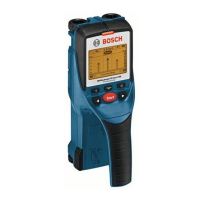
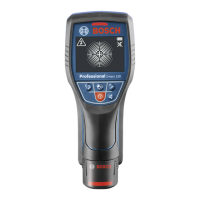
Bosch D-tect 150 - User Manual

Bosch D-tect 150
17 pages
Print Icon
To Next Page IconTo Next Page
Loading...
Robert Bosch GmbH
Power Tools Division
70745 Leinfelden-Echterdingen
Germany
www.bosch-pt.com
1 609 929 R51 (2009.07) T / 352 XXX
OPEN
OPEN
Start
Setup
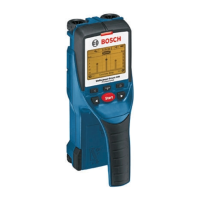
Wallscanner D-tect 150
Professional
D-tect 150 Professional
de Originalbetriebsanleitung
en Original instructions
fr Notice originale
es Manual original
pt Manual original
it Istruzioni originali
nl Oorspronkelijke
gebruiksaanwijzing
da Original brugsanvisning
sv Bruksanvisning i original
no Original driftsinstruks
fi Alkuperäiset ohjeet
el Πρωτότυπο οδηγιών χρήσης
tr Orijinal işletme talimat
pl Instrukcja oryginalna
cs Původní návod k používání
sk Pôvodný návod na použitie
hu Eredeti használati utasítás
ru Оригинальное руководство по
эксплуатации
uk Оригінальна інструкція з
експлуатації
ro Instrucţiuni originale
bg Оригинална инструкция
sr Originalno uputstvo za rad
sl Izvirna navodila
hr Originalne upute za rad
et Algupärane kasutusjuhend
lv Instrukcijas oriģinālvalodā
lt Originali instrukcija
cn 正本使用说明书
tw 正本使用說明書
ko 사용 설명서 원본
ar
fa
ΕΎϤϴϠόΗϞϴϐθΘϟ΍ΔϴϠλϷ΍
Ϡλ΍ έΎ ίήσ ΎϤϨϫ΍έ
OBJ_BUCH-844-005.book Page 1 Tuesday, July 14, 2009 9:09 AM

Other manuals for Bosch D-tect 150

Questions and Answers

  • J
    Jacob LopezAug 13, 2025
    What to do if my Bosch Measuring Instruments shows 'Strong radio signal detected'?
    • M
      Matthew WardAug 13, 2025
      If your Bosch Measuring Instrument displays the “Strong radio signal detected” message, the device will automatically switch off. If possible, try to eliminate any interfering radio waves, such as those from WLAN, UMTS, radar, transmitter antennas, or microwaves. Afterward, switch the detection tool on again.
  • J
    Jason MedinaAug 17, 2025
    What to do if my Bosch Measuring Instruments displays 'Speeding'?
    • K
      Kevin FreemanAug 17, 2025
      If your Bosch Measuring Instrument displays the “Speeding” message, it means the detection tool has been moved too quickly. Press the start button and move the detection tool slowly over the wall.
  • C
    Corey McdanielAug 21, 2025
    What to do if my Bosch Measuring Instruments displays “Slipping Wheel”?
    • M
      mcdowellrandallAug 21, 2025
      If your Bosch Measuring Instrument displays the “Slipping Wheel” message, it indicates that the wheel is losing contact with the surface. Press the start button and make sure that the two bottom wheels have contact with the wall while moving the detection tool. If you are working with uneven walls, position a thin piece of cardboard between the wheels and the wall.
  • D
    debra26Aug 25, 2025
    What to do if my Bosch Measuring Instruments displays 'Temperature over range'?
    • J
      Justin BarrettAug 26, 2025
      If your Bosch Measuring Instrument displays “Temperature over range”, wait until the operating temperature range is reached.
  • S
    smithbobbyAug 28, 2025
    What to do if my Bosch Measuring Instruments displays 'Temperature under range'?
    • C
      Chase DorseyAug 28, 2025
      If your Bosch Measuring Instrument displays “Temperature under range”, wait until the operating temperature range is reached.
  • R
    reginaldsimsSep 1, 2025
    What to do if Bosch Measuring Instruments is too warm or too cold?
    • T
      Thomas MillerSep 1, 2025
      If your Bosch Measuring Instrument is too warm or too cold, wait until the operating temperature range is reached.
  • M
    Melissa FullerSep 5, 2025
    What to do if my Bosch Measuring Instruments is switched on but does not react?
    • K
      kristinaortizSep 5, 2025
      If your Bosch Measuring Instrument is switched on but does not react, take out the batteries and reinsert them again.
  • E
    eforbesSep 8, 2025
    What to do if the batteries are empty in my Bosch Measuring Instruments?
    • M
      michael87Sep 8, 2025
      Replace the batteries in your Bosch Measuring Instruments.

Summary

Display Elements

Operating Mode and Object Identification

Indicates operating mode and object material.

Technical Data

Article Number and Accuracy

Provides article number and measurement accuracy specifications.

Operating Conditions and Power

Specifies operating temperature, storage, batteries and life.

Protection, Dimensions and Weight

Details degree of protection, dimensions, and weight.

General Operation Guidelines

Environmental Protection and Temperature

Protect device from moisture, sun, and extreme temperatures.

Method of Operation

Measuring Tool Movement and Contact

Ensures proper contact and movement for accurate detection.

Object Detection and Display Interpretation

Understanding how detected objects appear on the display.

Detectable Objects

List of Detectable Objects

Identifies specific items like pipes, wiring, and metal objects.

Measuring Procedure

Switching On and Off

Instructions for switching the measuring tool on and off.

Performing a Measurement

Steps for positioning and moving the tool for measurement.

Indicator Lights for Object Detection

Meaning of LED indicator lights for object detection.

Object Identification and Marking

Object Material and Drilling Depth

Interpreting object material and allowable drilling depth.

Indications for Live Wires

Understanding the indication for live wires and voltage status.

Localising and Marking Objects

Methods for precise object localisation and marking.

Operating Modes

Changing Operating Modes

How to switch between different measuring modes.

Examples for Measuring Results

Interpreting Live Wire Results

Understanding results for live wires and drilling depth.

Maintenance and Service

Maintenance and Cleaning Procedures

Instructions for checking, cleaning, and maintaining the tool.

Troubleshooting

Tool Cannot Be Switched On

Troubleshooting steps for when the tool does not power on.

Bosch D-tect 150 Specifications

General IconGeneral
BrandBosch
ModelD-tect 150
CategorySecurity Sensors
LanguageEnglish

Related product manuals