42 en | Subsystem Maintenance and Upgrading RAID Subsystem DVA-12T | Installation Manual
F.01U.027.798 | V1 | 2006.06 Bosch Security Systems
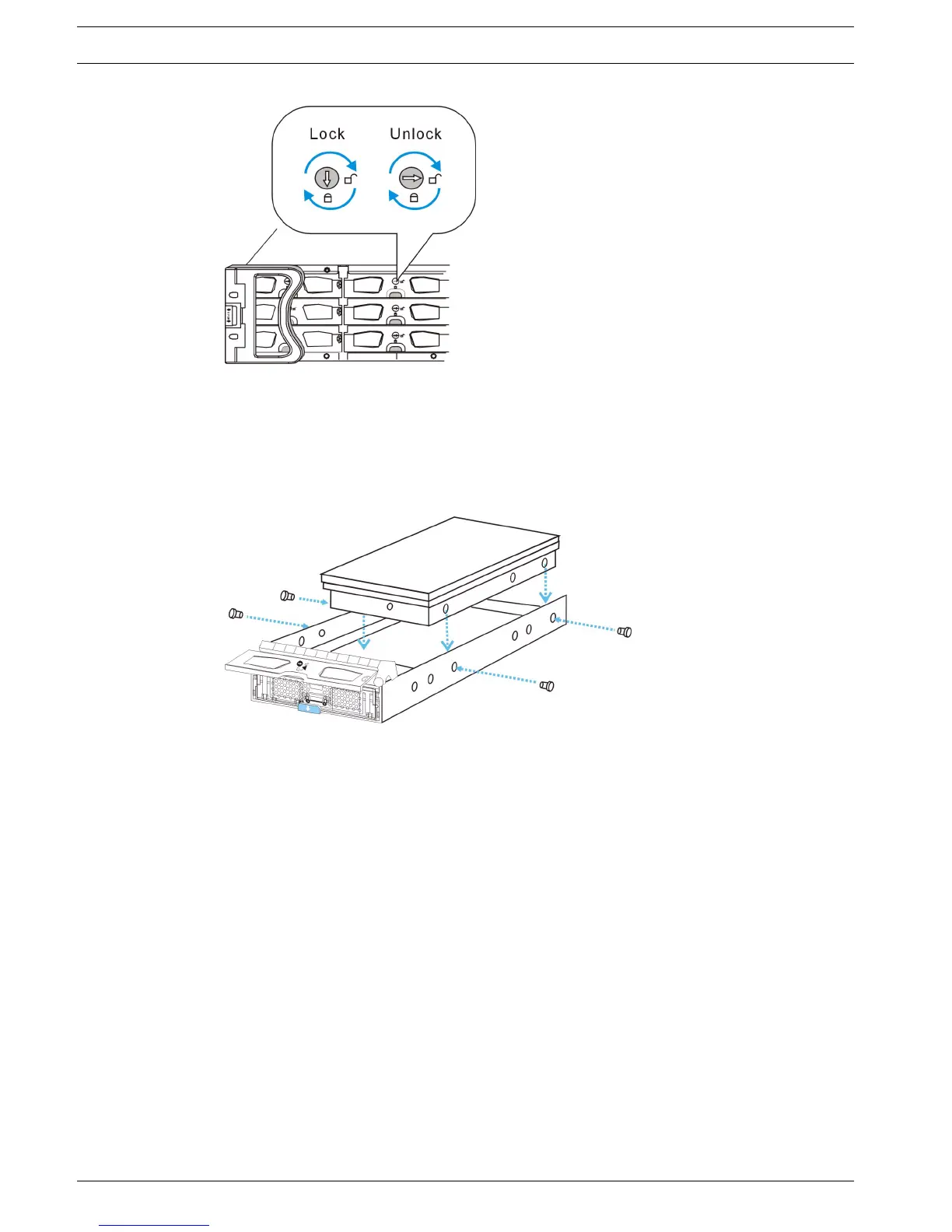
Fig. 6.12 Drive Tray Key-Lock Rotation
4. Remove the drive tray with the hard drive. Once the drive tray is dislodged from the chas-
sis, gently and carefully withdraw the drive tray with hard drive from the chassis.
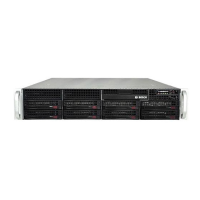
5. Remove the retention screws. The hard drive is secured to the drive tray with four (4)
retention screws (two on each side.) To remove the hard drive, these retention screws
must be removed. (See Figure 6.13)
Fig. 6.13 Removing the SATA Hard Drive
6. Install the new hard drive.



 To Next Page