8 | English
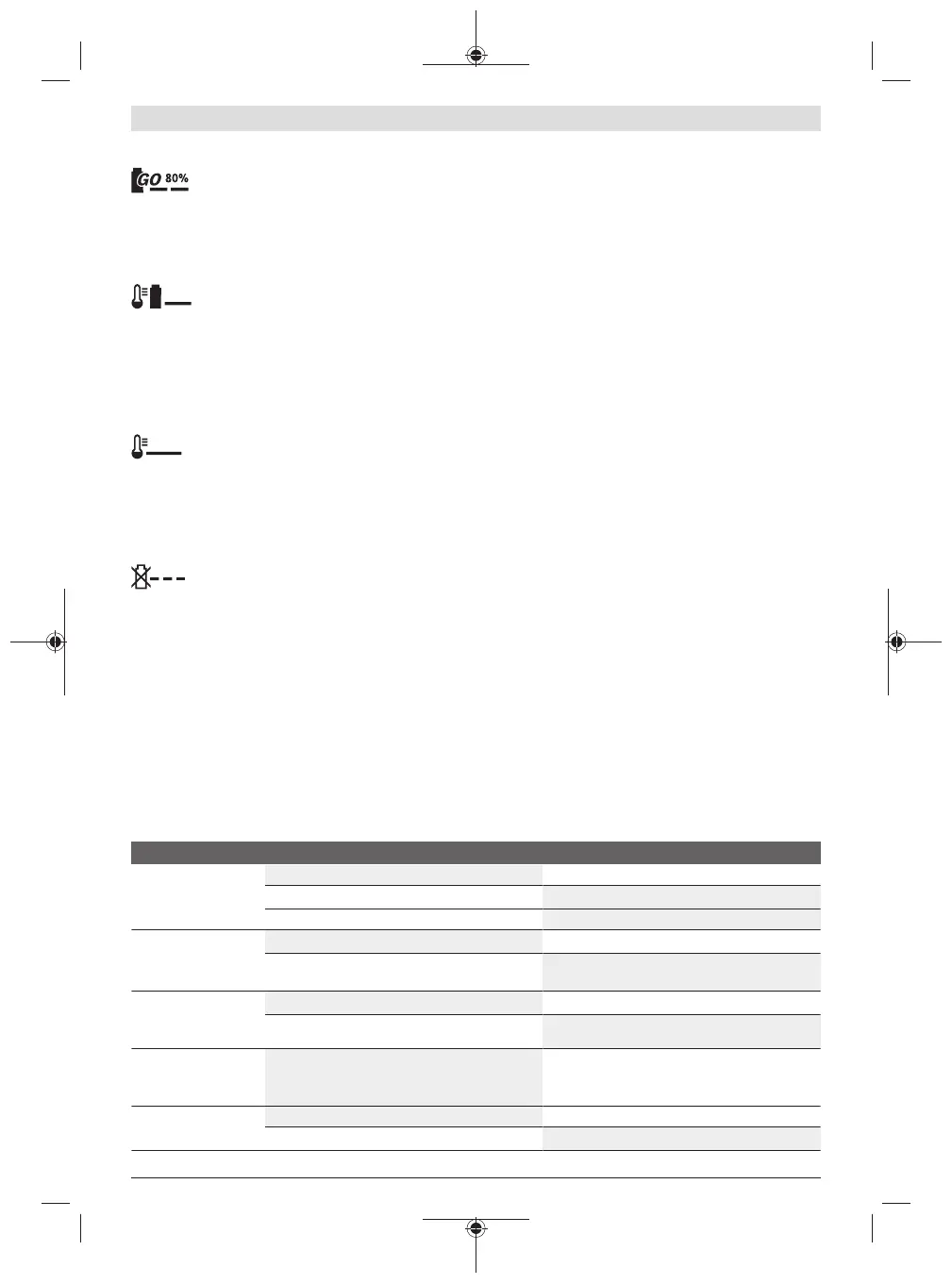
(Slow) Flashing of the Green Battery Charge Indicator
When the charging condition of the battery is
80%, the green battery charge indicator
flashes slowly.
The battery can be removed for immediate use.
Continuous Lighting of the Green Battery Charge
Indicator
Continuous lighting of the green battery
charge indicator indicates that the battery is
fully charged.
When the battery is not inserted, continuous lighting of the
battery charge indicator indicates that the mains plug is in-
serted in the socket outlet and that the battery charger is
ready for operation.
Continuous Lighting of the Red Battery Charge Indicator
Continuous lighting of the red battery charge
indicator indicates that the temperature of the
battery is not within the allowable charging temperature
range, see section “Technical Data”. As soon as the allowable
charging temperature range is reached, the battery charger
automatically switches to rapid charging.
Flashing Red Battery Charge Indicator
A flashing red battery charge indicator indic-
ates a different malfunction of the charging
procedure, see section “Troubleshooting – Causes and Cor-
rective Measures”.
Operation
Starting
Always use fresh water to fill the internal tank either directly
or via the water connection. Check if the fillter (10) is inser-
ted and undamaged (see figures C1 and C2).
Connect the hose (4) to the water outlet (9) and the spray
gun (18) (see figure F).
Select the desired spray pattern by rotating the nozzle head
(1) (see figure I).
Select the desired jet strength with the pressure selector
(12) (see figure H).
Press the On/Off switch (13) and pull and hold the trigger
(2) until water comes out (see figure G).
Note: It can take up to 10 seconds for water to come out
when the product is first used after the water tank has been
emptied.
Autostop Function
The machine is designed to switch off the motor as soon as
the spray-gun trigger (2) is released.
Auto-off Function
The motor switches off when the product runs continuously
for 30 minutes.
Autosleep Function
The machine automatically switches off after 5 minutes
without operation.
Mounting/dismounting the brush (see figure J)
The brush (5) mounts onto the spray gun and makes clean-
ing more effective.
Slide the brush straight onto the spray gun (18). Guide the
upper and bottom clip of the brush into the corresponding
openings on the spray gun.
Remove the brush by pressing the bottom clip upward and
pulling the brush off the spray gun.
Troubleshooting
Cordless pressure cleaner
Problem Possible Cause Corrective Measure
Machine does not
power up
Battery discharged Recharge battery
Battery too hot/cold Allow to cool/warm
Machine frozen Wait until machine has defrosted
Pressure pulsating Blocked nozzle Clean nozzle
Air in pump Operate machine in turbo-pressure mode with
nozzle set to shower jet until system is air-free
Motor running but no
or limited working
pressure
Water tank empty Refill water tank
Pump not vented Press and hold trigger to vent air
Power indication lights
up but pump no longer
running
The auto-off function has been activated Switch machine off and then on again
Machine switches off The autosleep function has been activated Press On/Off switch for activation
Battery discharged Recharge battery
F 016 L94 145 | (09.12.2020) Bosch Power Tools


 To Next Page