EasyManua.ls Logo

Bosch LTC 8600 - User Manual

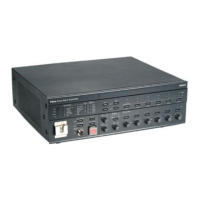
Bosch LTC 8600
126 pages
Print Icon
To Next Page IconTo Next Page
Loading...
EN
Instruction Manual
Allegiant Microprocessor-
based Video Switcher/Con-
trol Systems
CPU Firmware
Version 10.0
LTC 8600, LTC 8800 Series

Table of Contents

Questions and Answers

  • S
    Sean StewartAug 20, 2025
    Why does the Bosch LTC 8600 light turn red indicating high or low CPU temperature?
    • A
      Amanda ThompsonAug 20, 2025
      To address the issue of red lights indicating extremely high or extremely low CPU temperature on your Bosch Controller, it might be due to the system being in an unsuitable environment or a serious fault causing the CPU to overheat.
  • J
    Jacob JohnsonAug 21, 2025
    How to fix '?? ?? ??' on Bosch LTC 8600 display and low battery LED?
    • C
      Charles BauerAug 22, 2025
      If the Time and Date portion of the on-screen display alternates with “?? ?? ??”, and the LED on the front panel indicates a low battery condition, replace the CPU batteries in your Bosch Controller.
  • V
    Victor WatsonAug 25, 2025
    What to do if Bosch LTC 8600 keyboard is lit but not working?
    • V
      vgarrettAug 25, 2025
      If the keyboard indicators are lit but the keyboard is inoperative on your Bosch Controller, verify the keyboard is logged-on to the system (if log-on feature has been enabled). Also, check the interconnect cable for cut or broken wires between the keyboard and the main CPU bay. Replace the cable if necessary. Try relocating the keyboard connector on the main CPU bay to another keyboard input port. If none of these steps work, consider replacing the keyboard.
  • S
    smithjillAug 26, 2025
    How to troubleshoot intermittent video on Bosch Controller?
    • H
      hurleymelissaAug 26, 2025
      If you are experiencing intermittent video output or system operation with your Bosch Controller, verify that all circuit card modules are properly seated in their respective rack connectors.
  • R
    robertbeltranAug 28, 2025
    How to fix limited keyboard functions on Bosch LTC 8600?
    • A
      Anne HowardAug 28, 2025
      If you have limited keyboard functions on your Bosch Controller, perform a local keyboard test to verify the operation of all keys, if possible. If a local test cannot be performed, replace the keyboard.
  • M
    Michael StoneAug 30, 2025
    What to do if Bosch LTC 8600 system alarms are not working?
    • S
      Stephen OrtizAug 30, 2025
      If no system alarms are operative on your Bosch Controller, verify the power LED indicator on the Alarm Interface Unit is lit. If not, check the fuses on the front of the main CPU bay power supply. Also, verify that the Alarm LED indicator lights and the audible buzzer sounds (if enabled) only when an 'alarm' is applied to the unit. If not, replace the Alarm Interface unit.
  • M
    Michael FisherSep 1, 2025
    How to fix Bosch LTC 8600 Controller when power is on but LED is off?
    • J
      Jonathan VillanuevaSep 1, 2025
      If the main power switch is ON but the power LED indicator is not lit on your Bosch Controller, check the main line fuse on the rear of the main bay. Refer to the Maintenance Information Section for replacement instructions.
  • D
    Daniel FieldsSep 3, 2025
    Why Bosch Controller power LEDs are on but no power to modules?
    • T
      Todd EstradaSep 3, 2025
      If the Power Supply LEDs are lit, but there is no power indication on modules or accessory devices for your Bosch Controller, verify proper seating of the power supply within the card cage and that the supplied retaining screws are installed.
  • C
    Courtney WallaceSep 5, 2025
    What to do if green LED indicators are out on Bosch LTC 8600 Controller power supply?
    • D
      Diana RaySep 5, 2025
      If any of the green LED indicators located on the front of the main power supply is out on your Bosch Controller, replace the blown fuses associated with any unit fuse indicators.
  • L
    lhillSep 7, 2025
    How to troubleshoot inoperative receiver/drivers on Bosch LTC 8600 Controller?
    • E
      Erica CraigSep 7, 2025
      If all receiver/drivers and functions are inoperative on your Bosch Controller, verify the power LED indicator on the Signal Distribution Unit is lit. If not, check the fuses on the front of the main CPU bay power supply. Verify the Code LED indicator flickers when control is activated by the keyboard. If not, replace the Signal Distribution Unit.

Bosch LTC 8600 Specifications

General IconGeneral
BrandBosch
ModelLTC 8600
CategoryController
LanguageEnglish

Related product manuals