en Accessories
8
Symbol Function Use
50–275 Temperature range Set the temperature in the cooking compartment in°C.
1, 2, 3
or
I, II, III
Grill settings Set the grill settings for Full-surface grill and Grill, small area (depending on
the appliance model).
1 = low
2 = medium
3 = high
Heating-up control
The heating-up indicator for the oven remains lit while
the appliance is heating.
Note:Due to thermal inertia, the temperature displayed
may differ slightly from the actual temperature inside
the cooking compartment.
Heating-up indicator
When the main oven heats up, the symbol also
lights up in the display. This symbol goes out when
heating is paused.
4.5 Cooking compartment
The functions in the cooking compartment make your
appliance easier to use.
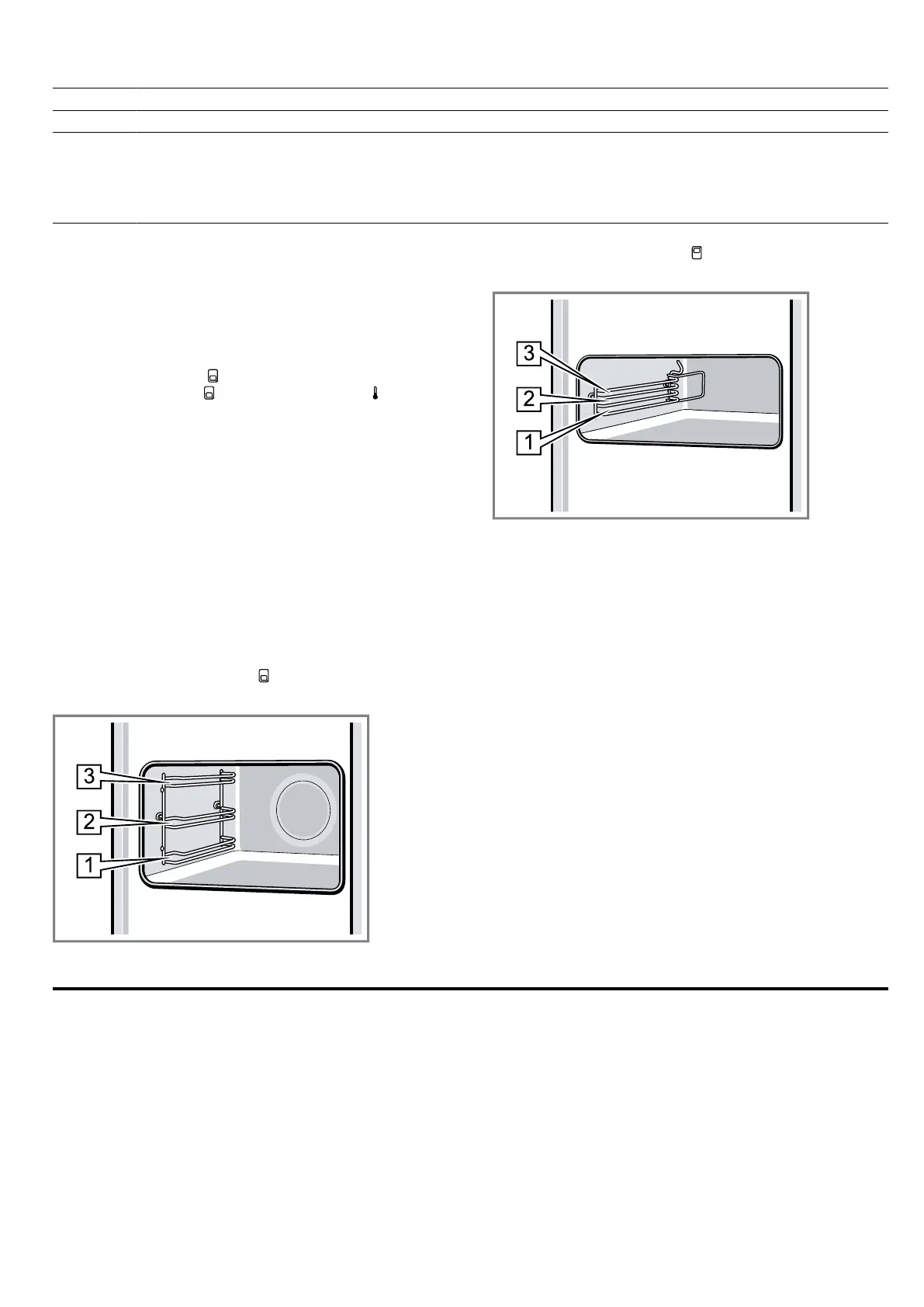
Rails
The rails in the cooking compartment enable you to
place accessories at different heights.
→"Accessories", Page8
The shelf positions are numbered from bottom to top.
You can remove the rails, e. g. for cleaning.
→"Shelf supports", Page15
Main cooking compartment
The cooking compartment has three shelf positions.
Top cooking compartment
The cooking compartment has three shelf positions.
Lighting
The oven lamp lights up the cooking compartment.
With most types of heating and functions, the lighting
lights up during operation. When the function selector
is turned to bring operation to an end, the lighting goes
out.
The Oven light setting on the function selector can be
used to switch on the light without heating.
Note:The cooling fan also runs at position Oven light.
Cooling fan
The cooling fan switches on automatically during oper-
ation. The hot air escapes above the door.
ATTENTION!
Do not cover the ventilation slot above the appliance
door. The appliance overheats.
▶ Ensure that the ventilation slots are unobstructed.
To ensure that the appliance cools down more quickly
after operation, the cooling fan continues to run for a
certain period afterwards.
Appliance door
If you open the appliance door during operation, the
operation continues.
5 Accessories
Use original accessories. These have been made espe-
cially for your appliance.
Note:Accessories may become deformed if they get
hot. Deformation has no effect on function. As the ac-
cessory cools down, it will regain its original shape.
The accessories supplied may differ depending on the
appliance model.







 To Next Page