16
|
Quick Start Guide English
575610 Rev B | 03.2016
Bosch Automotive Service Solutions Inc.
Function Menu Description
State OBD
Check
Special Tests Displays a basic status of the
vehicle’s OBD system. This func-
tion only applies to OBD II compli-
ant vehicles.
System Setup Main, Diagnostic,
Datastream, Diag-
nostic Codes, On
Demand Tests
Changes tool settings, displays tool
information, and performs tool
self-tests.
Tool Informa-
tion
System Setup Allows the user to view specific
tool information that may be
needed when contacting customer
service.
Vehicle
Diagnostics
Main Use this function to select a vehicle
and then proceed to the Diagnostic
Menu. This function only applies to
OBD II compliant vehicles.
Vehicle
Information
Special Tests Scan tool displays the vehicle’s VIN
number, Calibration ID(s) and CVN
that identify the software version
in the vehicles control module(s.)
The tool also displays In-Use Per-
formance Tracking of important
readiness monitors. This function
only applies to OBD II compliant
vehicles.
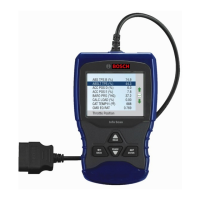
View Data Datastream Views vehicle Parameter Identifica-
tion Data (PIDs) in real time. PIDs
are displayed in either a text for-
mat or graph format when avail-
able.


 To Next Page