EasyManua.ls Logo

Bosch POPEX B299 - User Manual

Bosch POPEX B299
2 pages
Print Icon
To Next Page IconTo Next Page
Loading...
1 | Overview
3.4 | Wire to the POPIT devices
To show the fi rmware version using an LED fl ash pattern:
- If the optional tamper switch is installed:
With the enclosure door open, activate the tamper switch
(push and release the switch).
- If the optional tamper switch is NOT installed:
Momentarily short the tamper pins.
Refer to Figure 5.1 for an example of fl ash pattern
s.
5 | Show the fi rmware version
Figure 5.1: Firmware LED fl ash patterns
When the tamper switch is activated (closed to open), the
heartbeat LED stays OFF for 3 sec before indicating the
rmware version. The LED pulses the major, minor, and
micro digits of the fi rmware version, with a 1 sec pause after
each digit.
Flashing patterns do not start until the tamper is open (short
is removed). In the following example, the version 1.4.3
shows as LED fl ashes:
[3 sec pause] *___****___*** [3 sec pause, then normal
operation].
4 | LED descriptions
The module includes one blue heartbeat LED to indicate
that the module has power and to indicate the module’s
current state. Refer to Table 4.1.
Flash Pattern Function
Flashes once
every 1 sec
Normal state. Indicates normal operation
state.
3 quick fl ashes
every 1 sec
x3
Communication error state. Indicates
(the module is in a “no communication
state”) resulting in an SDI2
communication error.
ON Steady LED trouble state. Module is not
powered (for OFF Steady only), or some
other trouble condition prohibits the
module from controlling the heartbeat
LED.
OFF Steady
Table 4.1: LED descriptions
3.3 | Wire to the control panel
You can connect modules to the SDI2 data bus by parallel wire
run from the control panel to each module, wire from module to
module, or a combination of the two techniques. Refer to
Figure 3.4.
Refer to Figure 3.4 to wire a zone expansion loop. Wire
resistance on each sensor loop must be less than 100 Ω with
the detection devices connected. The terminal strip supports
12 to 22 AWG (2.0 to 0.65 mm) wires.
+ + - -
TMPR
POPEX
- - + + - +
- - + + - +
1 2
3
3
4
5
4
6
Figure 3.4: Wiring a zone expansion loop
Callout ― Description
1 ― B299
2 ― POPIT module (D9127U/T shown)
3 ― D9127 sensor loop
4 ― 33 kΩ EOL resistor (P/N: 15-03130-022)
5 ― POPEX loop 2 (electrically identical to loop 1)
6 ― POPEX loop 1 (electrically identical to loop 2)
2.1 | Valid addresses and point numbers per
control panel
Valid B299 addresses are dependant on the number of points
allowed by a particular control panel.
Control panel Valid B299
addresses
Corresponding point
numbers
B9512G
B9512G-E
0 - 5 9 - 99, 100 - 199, 200 -
299, 300 - 399, 400 - 499,
500 - 599
B8512G
B8512G-E
0 9 - 99
3 | Installation
Set the address switch for the proper address and then install
the module into the enclosure. Wire the module to the control
panel.
CAUTION!
Remove all power (AC and battery) before making any
connections. Failure to do so might result in personal
injury and/or equipment damage.
3.1 | Mount the module in the enclosure
Mount the module into the enclosure’s 3-hole mounting pat-
tern using the mounting screws and mounting bracket. Refer
to Figure 3.1.
Figure 3.1: Mounting the module in the enclosure
Callout ― Description
1 ― Module with mounting bracket installed
2 ― Enclosure
3 ― Mounting screws (3)
NOTICE!
Use either the terminal strip wiring or interconnect
wiring connector to the control panel. Do not use
both. When connecting multiple modules, you can
combine terminal strip and interconnect wiring
connectors in series.
SDI2
RESET
RESET
ZONEX
ZONEX
TAMP ER
TAMPER
SDI2
SDI2
PWR+/R
PWR+/R
A/Y
A/Y
B/G
B/G
COM/B
COM/B
PWR+/R
PWR+/R
A/Y
A/Y
B/G
B/G
COM/B
COM/B
24
25
26
27
28
29
23
26
W
ARNI
ARNIN
G!
G!
Multi-B
Multi-Batter
y
y
in
inst
all
alla
tion
tion req
ui
uire
s
s
Model D122
Model D122
or
or
D122L
D122L
Dual B
Dual Battery
Ha
Harnes
s.
s.
Impr
oper in
oper inst
all
alla
tion
tion
can
can
be a
be a fir
e haza
e hazard
.
Battery
: Replace
: Replace
ever
y 3
y 3 t
o
o
5
5 year
s wi
s wit
h
h
one or t
one or tw
o Model
o Model
D126 or D1218 12 V
D126 or D1218 12 V
Lea
d Acid B
d Acid Batterie
s.
s.
Battery
: Replace
: Replace
ever
y 3
y 3 t
o
o
5
5 year
s wi
s wit
h
h
one or t
one or tw
o Model
o Model
D126 or D1218 12 V
D126 or D1218 12 V
Lea
d Acid B
d Acid Batterie
s.
s.
Battery
: Replace
: Replace
ever
y 3
y 3 t
o
o
5
5 year
s wi
s wit
h
h
one or t
one or tw
o Model
o Model
D126 or D1218 12 V
D126 or D1218 12 V
Lea
d Acid B
d Acid Batterie
s.
s.
POPEX
PWR A B COM
SDI2
TMPR
B
G
Y
R
1
2
Callout ― Description
1 ― Bosch control panel
2 ― B299 POPEX module
Figure 3.2: SDI2 terminal wiring from control panel to B299
3.2 | Mount and wire the tamper switch
You can connect an optional tamper switch for one module in
an enclosure.
Installing the optional tamper switch:
1. Mount the ICP-EZTS Tamper Switch (P/N: F01U009269)
into the enclosure’s tamper switch mounting location.
For complete instructions, refer to EZTS Cover and Wall
Tamper Switch Installation Guide (P/N: F01U003734).
2. Plug the tamper switch wire onto the module’s tamper
switch connector. Refer to Figure 1.1.
SDI2
RESET
RESET
ZONEX
ZONEX
TAMPE R
TAMPER
SDI2
SDI2
PWR+/R
PWR+/R
A/Y
A/Y
B/G
B/G
COM/B
COM/B
PWR+/R
PWR+/R
A/Y
A/Y
B/G
B/G
COM/B
COM/B
24
25
26
27
28
29
23
26
W
ARNI
ARNIN
G!
G!
Multi-B
Multi-Batter
y
y
in
inst
all
alla
tion
tion req
ui
uire
s
s
Model D122
Model D122
or
or
D122L
D122L
Dual B
Dual Battery
Ha
Harnes
s.
s.
Impr
oper in
oper inst
all
alla
tion
tion
can
can
be a
be a fir
e haza
e hazard
.
Battery
: Replace
: Replace
ever
y 3
y 3 t
o
o
5
5 year
s wi
s wit
h
h
one or t
one or tw
o Model
o Model
D126 or D1218 12 V
D126 or D1218 12 V
Lea
d Acid B
d Acid Batterie
s.
s.
Battery
: Replace
: Replace
ever
y 3
y 3 t
o
o
5
5 year
s wi
s wit
h
h
one or t
one or tw
o Model
o Model
D126 or D1218 12 V
D126 or D1218 12 V
Lea
d Acid B
d Acid Batterie
s.
s.
Battery
: Replace
: Replace
ever
y 3
y 3 t
o
o
5
5 year
s wi
s wit
h
h
one or t
one or tw
o Model
o Model
D126 or D1218 12 V
D126 or D1218 12 V
Lea
d Acid B
d Acid Batterie
s.
s.
1
2
3
Callout ― Description
1 ― Bosch control panel
2 ― Innerconnect cable (P/N: F01U79745, included)
3 ― B299 POPEX module
Figure 3.3: SDI2 innerconnect cable wiring from control panel
to B299
Use the control panel terminals labeled R, Y, G, B (PWR, A, B,
COM) when wiring to the module. Connect them to the module
terminals labeled R, Y, G, B (PWR, A, B, COM). You can also use
the SDI2 innerconnect cable. Refer to Figures 3.2 and 3.3.
2 | SDI2 address settings
The address switch determines the address for the module.
The control panel uses the address to establish communication
between itself and the module. The address also determines
the associated point numbers. Refer to Section 6 Confi guration
for information related to the address switch. Use a slotted
screwdriver to set the address switch.
NOTICE!
The module reads the address switch setting during
power up. If you change the switches after you apply
power to the module, cycle the power to the module in
order for the new setting to be enabled.
Set the address switch per the control panel confi guration. If
multiple B299 modules reside on the same system, each B299
module must have a unique address. Figure 2.1 shows the
address switch settings for address 0.
Figure 2.1: Address switch
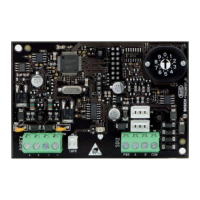
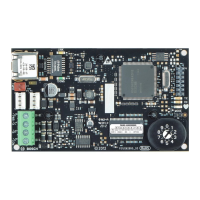
The B299 POPEX Module is an SDI2 compatible, POPIT
expansion module that communicates to the control panel
over the SDI2 bus. The B299 supports up to 100 POPIT
devices by wiring to the POPEX terminal strip and providing
one or two addressable POPIT busses.
1
2
3
4
5
6
7
Figure 1.1: POPEX module
Callout ― Description
1 ― 3-hole mounting pattern
2 ― Address switch
3 ― SDI2 interconnect wiring connectors (to control panel
or additional modules)
4 ― SDI2 terminal strip (to control panel or additional
modules)
5 ― Heartbeat LED (blue)
6 ― Tamper switch (optional) connector
7 ― POPEX terminal strip (POPIT Bus))
Question and Answer IconNeed help?

Do you have a question about the Bosch POPEX B299 and is the answer not in the manual?

Summary

SDI2 Address Settings

Valid Addresses and Point Numbers

Lists valid B299 addresses and corresponding point numbers based on control panel type.

Address Switch Configuration

Explains how to set the module's address using the address switch for panel communication.

Installation and Wiring

Module Mounting

Details mounting the POPEX module in an enclosure using provided screws and bracket.

Tamper Switch Installation

Describes connecting an optional tamper switch to the module's connector for security.

Control Panel Wiring

Outlines wiring the module to the control panel via SDI2 terminals or interconnect cable.

POPIT Device Wiring

Explains how to wire POPIT devices to the POPEX module's terminal strip for zone expansion.

Module Status and Diagnostics

LED Indicators

Describes the blue heartbeat LED and its functions for power and operational status.

Firmware Version Display

Explains how to display the module's firmware version using LED flash patterns.

Configuration and Specifications

POPIT Programming Configuration

Details the POPIT programming table for configuring the POPIT switch block settings.

Certifications

Lists various regional and UL/CSA certifications for the B299 POPEX module.

Technical Specifications

Provides key technical details including dimensions, voltage, current, temperature, and wiring.

Summary

SDI2 Address Settings

Valid Addresses and Point Numbers

Lists valid B299 addresses and corresponding point numbers based on control panel type.

Address Switch Configuration

Explains how to set the module's address using the address switch for panel communication.

Installation and Wiring

Module Mounting

Details mounting the POPEX module in an enclosure using provided screws and bracket.

Tamper Switch Installation

Describes connecting an optional tamper switch to the module's connector for security.

Control Panel Wiring

Outlines wiring the module to the control panel via SDI2 terminals or interconnect cable.

POPIT Device Wiring

Explains how to wire POPIT devices to the POPEX module's terminal strip for zone expansion.

Module Status and Diagnostics

LED Indicators

Describes the blue heartbeat LED and its functions for power and operational status.

Firmware Version Display

Explains how to display the module's firmware version using LED flash patterns.

Configuration and Specifications

POPIT Programming Configuration

Details the POPIT programming table for configuring the POPIT switch block settings.

Certifications

Lists various regional and UL/CSA certifications for the B299 POPEX module.

Technical Specifications

Provides key technical details including dimensions, voltage, current, temperature, and wiring.

Overview

The B299 POPEX Module is an SDI2 compatible POPIT expansion module designed to communicate with a control panel via the SDI2 bus. It supports up to 100 POPIT devices by connecting to its terminal strip, providing one or two addressable POPIT busses.

Function Description

The B299 POPEX Module acts as an interface, allowing a control panel to expand its capacity for POPIT devices. It receives power and data from the SDI2 bus and relays signals to and from connected POPIT devices. The module's address is set via a physical address switch, which the control panel uses to establish communication. This address also determines the associated point numbers for the connected POPIT devices.

Usage Features

Installation:

The module is designed for easy installation within an enclosure. It mounts using a 3-hole pattern with screws and a mounting bracket. Before making any connections, it is crucial to remove all power (AC and battery) to prevent personal injury or equipment damage.

Wiring:

The B299 can be wired to the control panel using either its terminal strip or interconnect wiring connectors. For multiple modules, a combination of terminal strip and interconnect wiring can be used in series. The SDI2 data bus can be connected in a parallel wire run from the control panel to each module, or from module to module. The terminal strip supports 12 to 22 AWG (2.0 to 0.65 mm) wires for connecting to POPIT devices. The total wire resistance on each sensor loop, including detection devices, must be less than 100 Ω.

Address Setting:

The module features an address switch that determines its unique address on the SDI2 bus. This address must be set according to the control panel's configuration. If multiple B299 modules are used in the same system, each must have a unique address. The module reads the address switch setting during power-up; therefore, if the address is changed after power is applied, the module's power must be cycled for the new setting to take effect. A slotted screwdriver is used to adjust the address switch.

POPIT Device Configuration:

The module includes a POPIT programming table that allows configuration of the POPIT switch block. Switches are designated as "ON" or "OFF" to define the behavior of connected POPIT devices.

Optional Tamper Switch:

An optional tamper switch (ICP-EZTS) can be installed in the enclosure. This switch provides an additional layer of security by detecting when the enclosure door is opened. The tamper switch wire plugs directly into the module's tamper switch connector.

LED Indicators:

The B299 POPEX Module incorporates a blue heartbeat LED that provides visual feedback on its operational status:

  • Flashes once every 1 second: Indicates normal operation.
  • 3 quick flashes every 1 second: Signifies a communication error state, indicating a "no communication state" due to an SDI2 communication error.
  • ON Steady: Indicates an LED trouble state, meaning the module is not powered (if OFF Steady) or another trouble condition is preventing the module from controlling the heartbeat LED.
  • OFF Steady: Indicates the module is not powered.

Maintenance Features

Firmware Version Display:

The module allows users to display its firmware version using an LED flash pattern. This feature is activated by either opening the enclosure door (if an optional tamper switch is installed) or momentarily shorting the tamper pins (if no tamper switch is installed).

When the tamper switch is activated (closed to open), the heartbeat LED will remain OFF for 3 seconds before displaying the firmware version. The LED then pulses the major, minor, and micro digits of the firmware version, with a 1-second pause after each digit. The flashing patterns only begin once the tamper is open (or the short is removed). For example, a version 1.4.3 firmware would be indicated by a 3-second pause, followed by one flash, a 1-second pause, four flashes, a 1-second pause, three flashes, and then a return to normal operation. This diagnostic feature aids in troubleshooting and verifying the module's software version.

Bosch POPEX B299 Specifications

General IconGeneral
TypeControl Unit
ModelPOPEX B299
ManufacturerBosch
Voltage24 VDC
Protection ClassIP65

Related product manuals