EasyManua.ls Logo

Bosch D8125 - User Manual

Bosch D8125
48 pages
Print Icon
To Next Page IconTo Next Page
Loading...
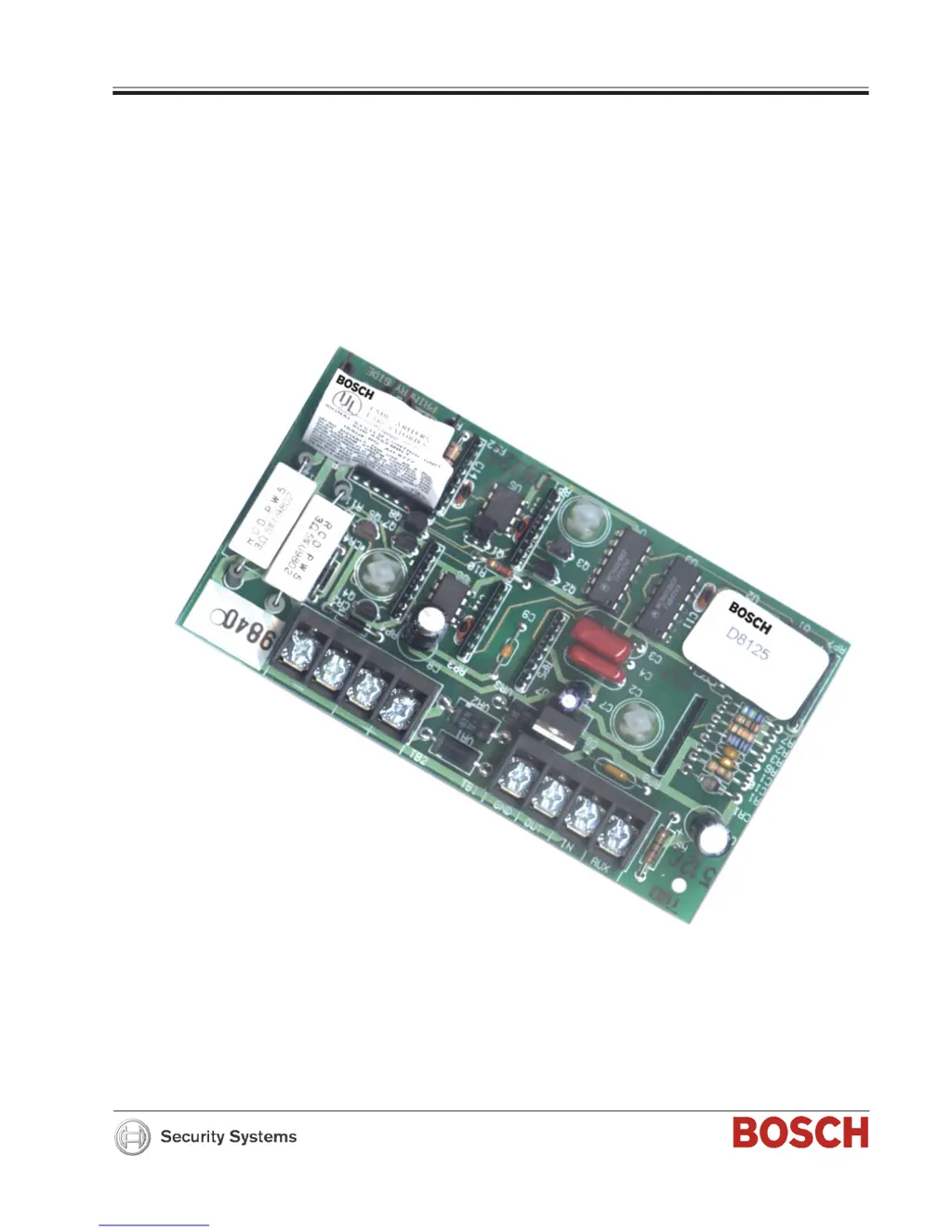
Zone Expansion Module D8125
Operation and Installation Guide

Table of Contents

Other manuals for Bosch D8125

Questions and Answers

  • S
    Shawn GarrettAug 13, 2025
    Why does my Bosch D8125 Control Unit transmit PT BUS TROUBLE reports?
    • N
      nicole65Aug 13, 2025
      A short on either the Data Expansion Loop or the ZONEX data terminals generates a PT BUS TROUBLE report on the Bosch Control Unit. While the short remains, the control panel responds as though the sensor loop for each point connected to the POPEX module was shorted. Check the wiring for shorts. Also, ensure all POPIT and OctoPOPIT address switches are set correctly. POPITs cannot be used for Points 128 or 248, and OctoPOPITs cannot be used for Points 121 through 128 or 241 through 248.
  • S
    swilliamsAug 17, 2025
    What to do if one or more points remain in trouble or alarm with all devices connected to the sensor loops normal on my Bosch Control Unit?
    • C
      clarkeshawnAug 17, 2025
      If the sensor loop is open, shorted, or grounded, it may cause troubles or alarms depending on point programming of your Bosch Control Unit. Remove the sensor loop from the D9412/D9112 or POPIT and use a meter to check its continuity. The resistance should be no more than 100 Ω, plus the value of the end-of-line resistor on the wires. If the resistance is less than the value of the end-of-line resistor, inspect the wiring for shorts. With the wires for the loop removed, check them for continuity to ground. A ground before the end-of-line resistor on an on-board point’s sensor loop is interpreted as a short. A ground on a sensor loop for a POPIT point is interpreted as an open.
  • R
    Robert StantonAug 20, 2025
    Why do points intermittently appear as missing on my Bosch D8125 Control Unit?
    • M
      Matthew GonzalezAug 21, 2025
      If points intermittently appear as missing or are erratic on your Bosch Control Unit, it could be due to a problem with the data expansion loop. Also, ensure that the Debounce Count parameter is set at the default of 2, except for Interior Follower Points, where it should be 3. Decreasing the Debounce Count to 1 may cause points to appear as missing, while increasing it may cause missed alarms.
  • N
    Nicholas SextonAug 25, 2025
    How to fix all off-board points showing as MISSING on my Bosch D8125?
    • F
      Frank SmithAug 26, 2025
      If all off-board points are showing as MISSING on your Bosch Control Unit, there may be a short on Aux Power, Terminal 3, or ZONEX power, Terminal 24, as these terminals share a common circuit breaker. Check the wiring and devices connected to these terminals for shorts or grounds. Also, if only one POPEX module is connected to the control panel, verify that the POPEX module is correctly connected to the D9412/D9112 and the Data Expansion Loop.
  • J
    Jasmine EdwardsAug 28, 2025
    How to troubleshoot a missing point on my Bosch Control Unit?
    • T
      Timothy GonzalesAug 28, 2025
      If a point appears as missing at keypads and in reports to the receiver on your Bosch Control Unit, it could be because the POPIT is not connected or is incorrectly connected to the data expansion loop. Verify that a POPIT module programmed for the missing point number is connected to the data expansion loop of the correct ZONEX module (Points 9 to 127 connect to ZONEX module 1, and Points 129 to 247 connect to ZONEX module 2). Meter each POPIT to verify the polarity of the data expansion loop; voltage should be 9 to 13 VDC at each POPIT. Also, ensure that the sensor loop switch on the OctoPOPIT is not turned off for a programmed point. Finally, verify that the switches on the POPIT are set for the missing POPIT number, as incorrect switch settings can cause both missing and extra POPITs.
  • A
    Angela GreenSep 1, 2025
    What to do if keyswitch points report as MISSING on my Bosch D8125?
    • M
      Marcus WhiteSep 1, 2025
      If keyswitch points report as MISSING on your Bosch Control Unit, the point may be disconnected from the SDI data bus. The POPIT cover may have been removed and not replaced, or the cover may not be seated properly. Ensure the SDI bus is reconnected or the POPIT cover is seated firmly on the POPIT to restore the point.
  • M
    martinezamySep 4, 2025
    Why don't faulted points generate alarms on my Bosch D8125?
    • E
      Eric DavisSep 5, 2025
      If faulted points do not generate alarms or troubles as programmed on your Bosch Control Unit, it could be because the Sensor Reset was pressed when the alarm or trouble was generated. The D9412/D9112 ignores input from all points in the same area programmed for sensor reset during sensor reset. Also, check that two points are not programmed with the same address, as this can prevent them from functioning correctly.
  • A
    Anthony ShafferSep 8, 2025
    Why does my Bosch Control Unit service walk test show extra points?
    • D
      Dylan CookSep 8, 2025
      If the Bosch Control Unit's service walk test displays extra points, it means the switches on a POPIT were incorrectly set to a point number not in your program. This causes the default text for that # PTS UNTESTED point number (PT ###) to display when the point is faulted.

Summary

Introduction to the D8125 Module

Guide Organization

Describes the structure of the guide, detailing its four main sections for clarity.

Documentation Conventions

Explains special type styles and notations used for clarity throughout the guide.

D8125 Overview and Specifications

Specifications

Details technical specifications including operating voltage, current, temperature, and resistance.

D9412 G;D7412 G Point Expansion

Explains how to use POPIT modules with D9412G/D7412G control panels for zone expansion.

D7212 G Point Expansion

Details POPIT module usage with the D7212G control panel for expanding monitoring points.

D9112 B1;D7212 B1 Point Expansion

Describes POPIT module use for point expansion with D9112B1 and D7212B1 control panels.

D8112 G1;D8112 G2 Point Expansion

Explains POPIT module integration for zone expansion with D8112G1/G2 control panels.

Installation Procedures

Panel Mounting

Provides step-by-step instructions for physically mounting the D8125 module within the panel enclosure.

Panel Wiring

Details the wiring procedures for connecting the D8125 module to the control panel.

POPIT Data Expansion Loop Wiring

Explains how to connect POPIT modules to the data expansion loop for zone expansion.

D9112 B1;D7212 B1 POPIT Wiring

Details wiring POPITs to the data expansion loop for D9112B1/D7212B1 panels.

D8112 G1;G2 POPIT Module Installation

Covers the installation of POPIT modules for the D8112G1/G2 system.

Local Status Test

Guides on performing a local status test using the D1252A Command Center.

Troubleshooting Guide

Service Walk Test Shows Extra Points

Explains how to troubleshoot extra POPIT points identified during a service walk test.

Problems with Points

Provides a table of common point-related issues and their suggested remedies.

D8112 G1;G2 Troubleshooting

Addresses specific troubleshooting for D8112G1/G2 systems.

Additional Troubleshooting Tips

Offers further advice for resolving complex POPEX/POPIT module issues.

Bosch D8125 Specifications

General IconGeneral
Housing color-
Input voltage12 V
Connectivity technologyWired
Weight and Dimensions IconWeight and Dimensions
Depth80 mm
Width130 mm
Height20 mm

Related product manuals