EasyManua.ls Logo

Bosch Starlight 7000 HD - User Manual

Bosch Starlight 7000 HD
112 pages
Print Icon
To Next Page IconTo Next Page
Loading...
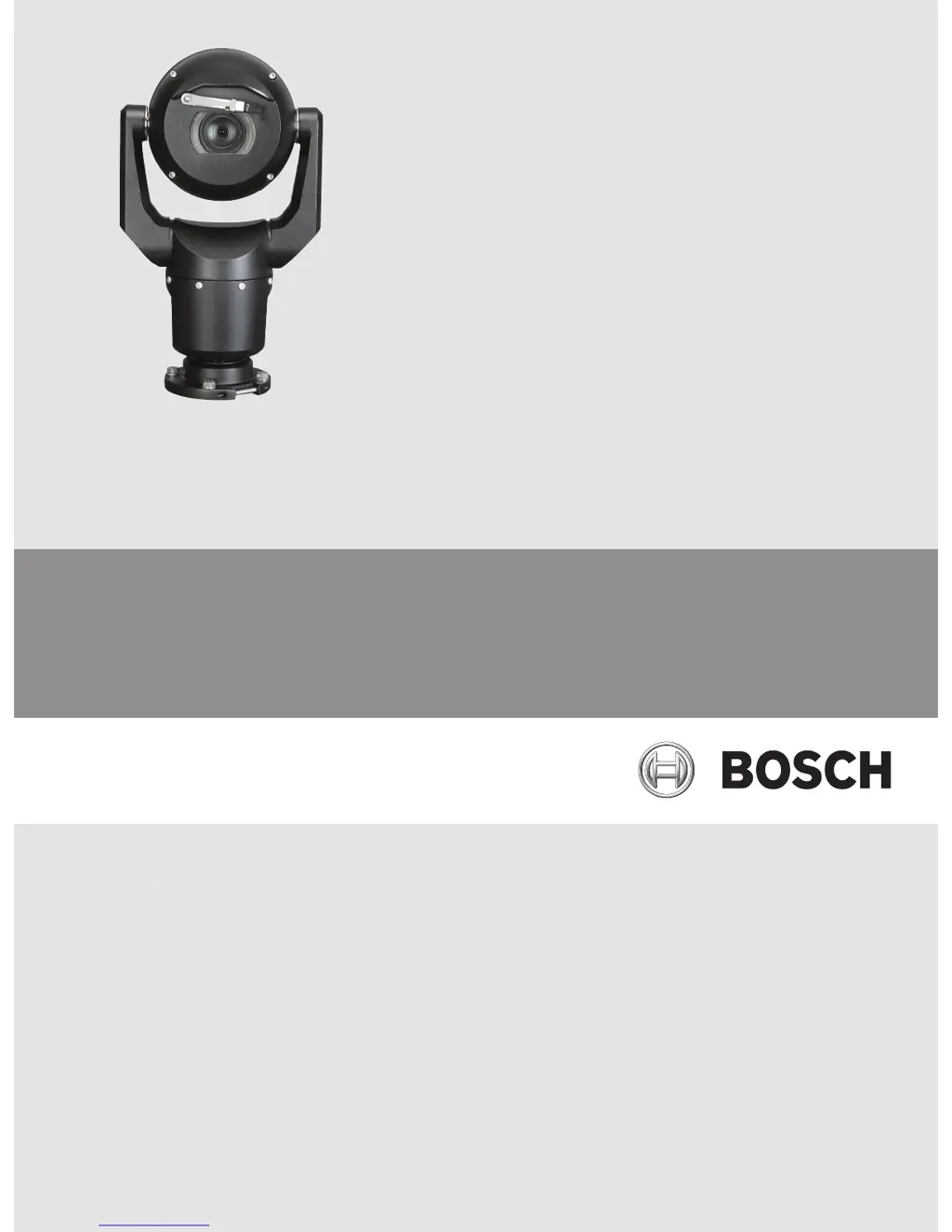
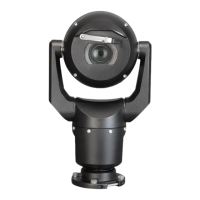
MIC IP starlight 7000 HD, MIC IP dynamic
7000 HD
MIC-71xx, MIC-72xx
en Operation Manual

Table of Contents

Questions and Answers

  • B
    Brian OconnorAug 19, 2025
    What to do if there is no video on my Bosch Security Camera?
    • J
      jeremy70Aug 20, 2025
      If you are experiencing no video on your Bosch Security Camera, first check that the main power to the power supply is on and that you have a web page. Try cycling the camera’s power off and on. If that doesn't work, use Configuration Manager to identify the correct IP address. Also, check that there is 24 V output from the transformer and verify the integrity of all wires and connectors to the camera.
  • J
    Jessica KeithAug 21, 2025
    Why is the picture dark on my Bosch Security Camera?
    • D
      Deanna BarnesAug 22, 2025
      If your Bosch Security Camera image is dark, verify that the Gain Control is set to High, the Auto Iris Level is appropriately adjusted, and the camera lens cover has been removed. Also, ensure that you have not exceeded the maximum Ethernet cable distance and consider restoring all camera settings to their defaults.
  • J
    Jason DavisAug 25, 2025
    How to fix no network connection on Bosch Security Camera?
    • K
      Kristin HarrisAug 25, 2025
      If your Bosch Security Camera has no network connection, check all network connections and ensure that the distance between any two Ethernet connections is 100 m (328 ft) or less. If you are behind a firewall, make sure that the Video Transmission mode is set to UDP.
  • A
    andrealopezAug 26, 2025
    Why does my Bosch Security Camera move when attempting to move other cameras?
    • D
      Debra PierceAug 26, 2025
      To resolve the issue of a Bosch Security Camera moving when attempting to move other cameras, use the Configuration Manager to ensure that the cameras do not have the same IP address. If they do, change the address of one of the cameras.
  • C
    Charles HarrisonAug 28, 2025
    What to do if Bosch Security Camera doesn't operate after exposure to low temperatures?
    • C
      Christopher PorterAug 28, 2025
      If your Bosch Security Camera does not operate at all or does not operate as expected after being subjected to extremely low temperatures, allow the camera to warm up for 60 minutes before attempting PTZ operations. If the camera still does not operate after this warm-up period, reset the camera by typing “/reset” at the end of the camera's IP address in your web browser.
  • O
    Oscar LopezAug 30, 2025
    Why is the video rolling, noisy, or distorted on my Bosch Security Camera?
    • M
      Michael MartinezAug 30, 2025
      If the video on your Bosch Security Camera is rolling, noisy, or distorted, check the integrity of all connectors and splices of the Ethernet cable.
  • K
    Katherine HodgeSep 1, 2025
    How to fix no camera control on Bosch Security Camera?
    • J
      Jim BurgessSep 1, 2025
      To address the issue of no camera control on your Bosch Security Camera, first ensure that the LAN cable has a secure connection. If the issue persists, refresh the browser and ensure that the video is updated. As a last resort, cycle the camera's power off and on.
  • R
    Raymond ParkerSep 3, 2025
    Why is the image on my Bosch Security Camera distorted?
    • K
      Kevin MooreSep 4, 2025
      If the image on the screen of your Bosch Security Camera is distorted, set the synchronization mode to INT. (NTSC Model power frequency in LL mode: 60 Hz.) This is because the power frequency is not set correctly.
  • C
    Carol GilbertSep 5, 2025
    How to fix a background that is too bright on my Bosch Security Camera?
    • N
      Noah VargasSep 5, 2025
      If the background is too bright to see the subject on your Bosch Security Camera, turn on backlight compensation.
  • R
    Roger ParkerSep 7, 2025
    What to do if nothing appears on the screen of my Bosch Security Camera?
    • S
      sariasSep 7, 2025
      If nothing appears on the screen of your Bosch Security Camera, check that the power cord and line connection between the camera and monitor are properly connected.

Summary

Safety

About this Manual

Provides information about the manual's compilation and verification process.

Legal Information

Covers copyright and trademark details relevant to the product manual.

Safety Precautions and Warnings

Explains safety symbols, instructions, notices, and precautions for safe operation.

Customer Support and Service

Contact information for technical support, service centers, and repair.

Unpacking and Product Overview

Unpacking and Parts List

Lists camera components and required additional tools for installation.

Product Description

Details the features and optional accessories of the MIC7000 camera.

Installation Process

Overview of Installation Steps

Outlines the sequential process for installing the MIC7000 camera.

Configuration Programming

Guides on configuring the camera in its box or on a temporary stand.

Mounting Location and Orientation

Selects and defines camera mounting position and orientation for optimal viewing.

Overview of Mounting Options

Details various mounting brackets and configurations for different installation scenarios.

Install the Camera

Provides instructions and cautions for physically installing the MIC camera unit.

Connections and Wiring

Power and Network Connections

Covers power sources, Ethernet, camera connections, and network integration.

Camera Operation

Cant the Camera

Explains how to adjust the camera's tilt angle for specific viewing needs.

Typical System Configurations

Illustrates common system setups with different accessories like midspans and interface units.

Configuration Basics

Covers system requirements, camera setup, and optional audio configuration.

Basic IP Configuration

Configures device access, date/time, network, encoder, audio, and recording.

Advanced IP Configuration

Detailed settings for general, web interface, camera, recording, alarm, and network.

Service and Diagnostics

Covers maintenance, firmware updates, licenses, and device diagnostics.

Live Operation Modes

LIVE Page Operations

Displays live video, status information, and controls like View Control and AUX Control.

Video Recording and Playback

Saves and plays back video sequences from the camera.

Intelligent Tracking

Utilizes IVA to continuously follow objects in the scene for advanced surveillance.

Recommended Use and Troubleshooting

Recommended Use

Advice for optimizing camera life, scene settings, and PoE usage.

Troubleshooting

Identifies common issues like no control, distorted video, and connectivity problems with solutions.

Maintenance and Decommissioning

Maintenance

Instructions for cleaning, on-site inspection, and illuminator removal.

Decommissioning

Guidelines for unit transfer and environmentally compatible disposal of electronic devices.

Technical Data and Commands

Technical Data

Directs users to datasheets for detailed camera specifications and product information.

Keyboard Commands

Lists keyboard commands for controlling various camera functions by number.

Bosch Starlight 7000 HD Specifications

General IconGeneral
BrandBosch
ModelStarlight 7000 HD
CategorySecurity Camera
LanguageEnglish

Related product manuals