EasyManua.ls Logo

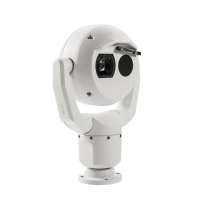
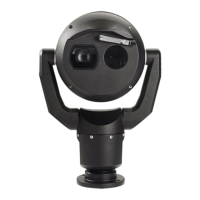
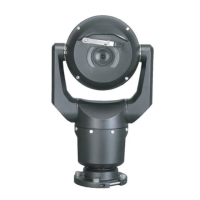
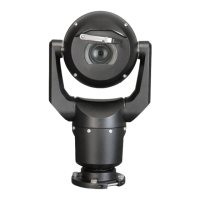
Bosch MIC IP dynamic 7000 HD - User Manual

Bosch MIC IP dynamic 7000 HD
112 pages
Print Icon
To Next Page IconTo Next Page
Loading...
MIC IP starlight 7000 HD, MIC IP dynamic
7000 HD
MIC71xx, MIC72xx
en Operation Manual

Table of Contents

Other manuals for Bosch MIC IP dynamic 7000 HD

Questions and Answers

  • S
    sherrikellerAug 19, 2025
    Why is the picture dark on my Bosch MIC IP dynamic 7000 HD?
    • S
      Steve AlvaradoAug 19, 2025
      If the picture from your Bosch Security Camera is dark, verify that the Gain Control is set to High and the Auto Iris Level is appropriately adjusted. Also, make sure the camera lens cover is removed and the maximum Ethernet cable distance is not exceeded. If the issue continues, restore all camera settings.
  • C
    Charles OrrAug 21, 2025
    Why is the image dim on my Bosch MIC IP dynamic 7000 HD?
    • D
      Daniel ReyesAug 21, 2025
      If the image on the screen of your Bosch Security Camera is dim, check if the lens is dirty. If it is, clean the lens with a soft, clean cloth.
  • J
    John HillAug 25, 2025
    Why does my Bosch MIC IP dynamic 7000 HD have no network connection?
    • V
      Victoria Hahn MDAug 25, 2025
      If your Bosch Security Camera has no network connection, verify all network connections are properly established. Ensure that the distance between any two Ethernet connections does not exceed 100 m (328 ft). If you're using a firewall, check that the Video Transmission mode is configured to UDP.
  • D
    daviskatieAug 26, 2025
    What to do if my Bosch MIC IP dynamic 7000 HD has no video?
    • M
      Maria HodgesAug 26, 2025
      If your Bosch Security Camera shows no video, first, ensure that the main power supply is on. If you have an IP-enabled camera and have a web page, try cycling the camera’s power off and on. If there is no web page, verify the IP address using Configuration Manager. Also, check for 24 V output from the transformer and inspect all wires and connectors leading to the camera for integrity.
  • T
    Theresa ConnerAug 28, 2025
    How to fix no camera control on Bosch Security Camera?
    • J
      Jenna SmithAug 28, 2025
      If there is no camera control for your Bosch Security Camera, ensure the LAN cable is securely connected. Refresh the browser and check if the video updates. If the issue persists, try cycling the camera's power off and on.
  • S
    simsgeorgeAug 30, 2025
    Why does my Bosch Security Camera move when trying to move other cameras?
    • A
      Angela CarrollAug 30, 2025
      If your Bosch Security Camera moves when you attempt to move other cameras, check that the camera’s IP address is properly set. Use the Configuration Manager to confirm that two cameras do not have the same IP address, and if they do, change the address of one of the cameras.
  • J
    jordanscottSep 1, 2025
    What to do if video is rolling, noisy, or distorted on Bosch MIC IP dynamic 7000 HD?
    • A
      ataylorSep 1, 2025
      If the video from your Bosch Security Camera is rolling, noisy, or distorted, check the integrity of all connectors and splices of the Ethernet cable.
  • C
    Crystal GarzaSep 3, 2025
    How to fix weak contrast on Bosch MIC IP dynamic 7000 HD?
    • T
      Timothy FowlerSep 3, 2025
      If the contrast on the screen of your Bosch Security Camera is too weak, adjust the contrast feature of the monitor. Also, check if the camera is exposed to strong light; if so, change the camera position.
  • R
    Raymond PhillipsSep 5, 2025
    Why does my Bosch MIC IP dynamic 7000 HD Security Camera reboot frequently?
    • E
      Elizabeth DavisSep 6, 2025
      If your Bosch Security Camera reboots frequently or intermittently, test the camera with another power supply.
  • K
    Kevin RomeroSep 7, 2025
    Why is the image flickering on my Bosch Security Camera?
    • M
      Manuel PerezSep 8, 2025
      If the image on the screen of your Bosch Security Camera flickers, check if the camera faces directly into the sun or fluorescent lighting. If so, reposition the camera.

Bosch MIC IP dynamic 7000 HD Specifications

General IconGeneral
Sensor TypeCMOS
Lens TypeVarifocal
Digital Zoom12x
Minimum Illumination0.01 Lux
Low Light PerformanceYes
Video CompressionH.264, MJPEG
Frame Rateup to 60 fps
Ingress ProtectionIP66
IK RatingIK10
Pan Range360°
ApertureF1.6
Day/NightYes
IR Range30 m
Network InterfaceEthernet (RJ-45)
Power SupplyPoE+ (IEEE 802.3at)
Operating Temperature-40°C to +60°C

Related product manuals