
 Need help?
Do you have a question about the Bosch FLEXIDOME IP micro 3000i-outdoor and is the answer not in the manual?
Lists hardware, OS, and software required for browser connection.
Details steps to connect to the device via a web browser using its IP address.
Explains password requirements for device access, including length and character types.
Describes network access control using RADIUS and configuring identity and password.
Describes the live video stream display and control interface accessible via the browser.
Explains the playback page for viewing and managing recorded video sequences.
Details the configuration page for device settings and application interface adjustments.
Explains the dashboard page for displaying detailed system information about the device.
Describes viewing and controlling live video streams, including image selection and ROI features.
Explains how to view, search, and export recorded video sequences from the device.
Guides users on how to search for specific recorded video segments by time and parameters.
Explains the process of exporting recorded video sequences from the device.
Details how to control video playback, including navigation and speed adjustments.
Covers general device settings, including identification, user management, date/time, and display stamping.
Explains how to assign names and IDs for device identification and management.
Details user account management, authentication modes, and password settings.
Covers date format, time synchronization with PC, and time zone settings for accurate recording.
Explains how to add text, date, time, and logo overlays to the video image.
Covers parameters for GB/T 28181 national standard conformance, specific to China.
Covers settings related to the web interface appearance and its functions.
Explains how to customize the web interface appearance and language settings.
Details options for customizing Live page functions, controls, and information display.
Covers network connectivity settings for cloud services and remote access.
Covers connectivity to cloud services like Bosch Remote Portal and Stratocast.
Details configuration for FTP and Dropbox accounts for posting and exporting data.
Explains dynamic DNS for remote access via a host name without knowing the current IP address.
Covers camera-specific settings including installer menu, color, ALC, and enhancement features.
Basic camera settings including sensor mode, image rotation, and positioning.
Details image color adjustments like brightness, contrast, saturation, and white balance.
Covers automatic light-level control (ALC) and exposure settings for varying light conditions.
Details image enhancement features like HDR, backlight compensation, noise reduction, and sharpness.
Explains how to configure encoder profiles for video streams, including bit rate and resolution.
Describes how to select stream profiles and resolutions for different recording and streaming needs.
Covers parameters for M-JPEG streams, including resolution, quality, and frame rate.
Explains how to define regions to adjust encoding quality for specific image areas.
Details how to block specific areas of the scene using privacy masks to prevent viewing.
Covers audio settings, including input/output volume, recording format, and transmission options.
Covers settings related to video recording, storage management, and profiles.
Manages local SD card and iSCSI storage for recording media and device configuration.
Defines and assigns recording profiles to schedules for automated recording based on time.
Sets the duration for recordings before they are automatically overwritten.
Schedules recording profiles for specific days and times, covering weekdays and holidays.
Displays information about the current recording status, which cannot be changed.
Shows graphic data on bit rates for recorded video, audio, and metadata.
Configures saving and sending individual JPEG images to an FTP server at specific intervals.
Provides details about the installed SD card, including product, size, state, and lifespan.
Covers alarm configurations, including connections, VCA, audio alarms, and email notifications.
Configures automatic IP connections upon an alarm event, specifying destination addresses and passwords.
Explains integrated VCA for detecting and analyzing scene changes for alarms and metadata.
Configures alarms based on audio signals, including signal strength, frequency ranges, and thresholds.
Sets up automatic e-mail notifications for alarm events to a specified recipient.
Configures alarm triggers for the unit based on input contacts (NC, NO, supervised).
Configures the switching behavior of alarm outputs, defining their idle state and operating mode.
Allows editing of alarm functions using script language, overriding other alarm settings.
Covers network settings for services, access, management, and advanced configurations.
Provides an overview and activation/deactivation of available network services on the device.
Covers network access settings including IP/subnet/gateway, DNS, and Ethernet options for device connectivity.
Covers advanced network settings like RTSP port, TCP metadata input, and syslog configuration.
Details SNMP settings for managing and monitoring network components, including trap configurations.
Explains multicast streaming for enabling multiple receivers to get video signals simultaneously.
Restricts IP address ranges for connecting to the device, enhancing network security.
Covers service functions including maintenance, licenses, certificates, and logging.
Covers firmware updates, server settings, and accessing upload history for device maintenance.
Shows installed licenses, activation keys, and the unit's installation code for feature activation.
Lists installed certificates and their usage for secure communication protocols.
Details log levels, software sealing, debug logging, and diagnostics for system monitoring and troubleshooting.
Provides informational data about the system for technical support purposes.
Explains how to perform a hardware reset to restore the camera to factory default settings.
Lists copyright information for fonts and software used in the device firmware.
 General
| Camera Type | IP Camera |
|---|---|
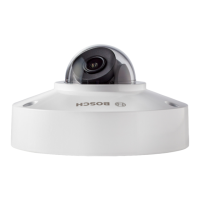
| Model | FLEXIDOME IP micro 3000i-outdoor |
| Lens Type | Fixed |
| Focal Length | 2.8 mm |
| Aperture | F2.0 |
| Frame Rate | Up to 30 fps |
| Ingress Protection | IP66 |
| Vandal Resistance | IK10 |
| Environment | Outdoor |
| Form Factor | Dome |
| Sensor Type | CMOS |
| Day/Night | Yes |
| WDR | 120dB |
| Compression | H.265, H.264, MJPEG |
| Network Interface | 10/100 Mbps Ethernet (RJ-45) |
| Power Supply | PoE (802.3af) |
| Operating Temperature | -30 °C to +60 °C |




 To Next Page