EasyManua.ls Logo

Bosch FLEXIDOME IP starlight 8000i - User Manual

Bosch FLEXIDOME IP starlight 8000i
52 pages
Print Icon
To Next Page IconTo Next Page
Loading...
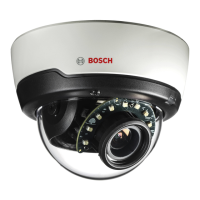
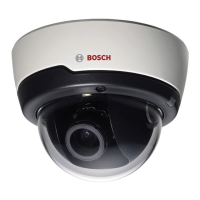
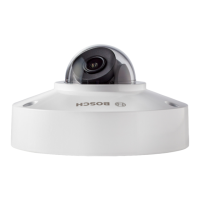
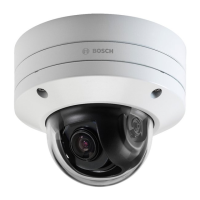
FLEXIDOME IP starlight 8000i
NDE‑8512‑R | NDE‑8512‑RT | NDE‑8513‑R | NDE‑8513‑RT |
NDE‑8514‑R | NDE‑8514‑RT | NDE‑8512‑RX | NDE‑8512‑RXT |
NDE‑8513‑RX | NDE‑8513‑RXT
en
Installation manual

Questions and Answers

  • S
    Sarah EspinozaJul 27, 2025
    Why my Bosch FLEXIDOME IP starlight 8000i Security Camera has no connection?
    • D
      Dustin GarnerJul 28, 2025
      If your Bosch Security Camera isn't connecting or transmitting images, several factors could be responsible. The unit configuration might be incorrect, so check all configuration parameters, and reset to factory default if necessary. There may be a faulty installation, so check all cables, plugs, contacts, and connections. Also, the IP address could be wrong, so verify the IP addresses. Faulty data transmission within the LAN can be a cause, so check the data transmission with ping. Finally, the maximum number of connections might have been reached, so wait until there is a free connection and call the transmitter again.
  • C
    Cassandra WrightAug 1, 2025
    How to fix Bosch FLEXIDOME IP starlight 8000i that does not operate?
    • R
      Rachel GreenAug 1, 2025
      If your Bosch Security Camera isn't operating, the issue could stem from a power failure. Check the power supply. Alternatively, faulty cable connections could be the culprit, so check all cables, plugs, contacts, and connections.
  • K
    Kristin TerryAug 6, 2025
    What to do if there is no audio transmission to remote station on Bosch FLEXIDOME IP starlight 8000i Security Camera?
    • J
      Jorge JohnsonAug 6, 2025
      If you're experiencing no audio transmission to a remote station with your Bosch Security Camera, several factors could be at play. There might be a hardware fault, so check that all connected audio units are operating correctly. Faulty cable connections could also be the cause, so check all cables, plugs, contacts, and connections. An incorrect configuration might be the issue, so check audio parameters on the Audio configuration and LIVE page functions pages. Finally, the audio voice connection might already be in use by another receiver, so wait until the connection is free and then call the sender again.
  • M
    Molly LeeAug 12, 2025
    What to do if Bosch FLEXIDOME IP starlight 8000i is not operational after firmware upload?
    • B
      Barry SimsAug 12, 2025
      If your Bosch Security Camera isn't operational after a firmware upload, it could be due to a power failure during programming by firmware file. Have the unit checked by Customer Service and replace if necessary. Another possibility is an incorrect firmware file. In this case, enter the IP address of the unit followed by /main.htm in your Web browser and repeat the upload.
  • C
    Cheryl WhiteheadAug 16, 2025
    Why Bosch FLEXIDOME IP starlight 8000i does not report an alarm?
    • J
      jjonesAug 16, 2025
      If your Bosch Security Camera isn't reporting an alarm, it might be because the alarm source is not selected. Select possible alarm sources on the Alarm sources configuration page. It could also be that no alarm response is specified. Specify the desired alarm response on the Alarm connections configuration page; if necessary change the IP address.
  • C
    charles04Aug 21, 2025
    How to fix empty fields in web browser for Bosch Security Camera?
    • R
      Rita SalazarAug 22, 2025
      If your web browser contains empty fields when accessing your Bosch Security Camera, it may be due to an active proxy server in the network. Create a rule in the local computer's proxy settings to exclude local IP addresses.

Summary

1 Safety

1.2 Safety precautions

Outlines installation compliance requirements and potential liabilities.

1.3 Important safety instructions

Provides essential safety guidelines for device operation and placement.

1.4 Power connection in applications

4 Preparing for installation

4.3 Wiring

Details network and PoE power connections.

4.3.1 Network and PoE power

Explains how to connect the camera using Ethernet and PoE.

4.3.2 24 V AC; 12-26 V DC power input

Instructions for connecting the camera using AC/DC power.

5 In-box configuration

6 Hardware installation

6.1 Installing the mounting plate

Instructions for mounting the camera plate to a surface.

6.1.1 Installing the mounting plate without conduit

Step-by-step guide for mounting without conduit.

6.1.2 Installing the mounting plate with conduit

Step-by-step guide for mounting with conduit.

6.2 Installing the camera base

Instructions for preparing and installing the camera base.

6.2.2 Installation steps

Detailed steps for installing the camera base and grommet.

7 Commissioning

8 Connection via the web browser

9 Troubleshooting

9.1 Resolving problems

A table of common issues, causes, and solutions.

10 Maintenance

Bosch FLEXIDOME IP starlight 8000i Specifications

General IconGeneral
TypeIP security camera
CertificationCE, cULus, WEEE, RCM, EAC
Alarm input/outputYes
Placement supportedIndoor & outdoor
Connectivity technologyWired
IK codeIK10+
Form factorDome
Mounting typeCeiling
Product colorWhite
Housing materialAluminum
Protection featuresImpact resistant
International Protection (IP) codeIP66
Storage temperature (T-T)-30 - 70 °C
Operating temperature (T-T)-50 - 60 °C
Storage relative humidity (H-H)5 - 95 %
Operating relative humidity (H-H)5 - 93 %
Pan range0 - 361 °
White balanceAuto, Manual
Tilt angle range-3.5 - 89 °
Camera pan control-
Camera shutter typeElectronic
Camera shutter speed1/25 - 1/15000 s
Minimum illumination0.0059 lx
Built-in HDDNo
Compatible memory cardsSD, SDHC, SDXC
Security algorithms128-bit AES, 256-bit AES, TLS
Ethernet LAN (RJ-45) ports1
Ethernet interface typeFast Ethernet
Supported network protocolsIPv4, IPv6, UDP, TCP, HTTP, HTTPS, RTP/ RTCP, IGMP V2/V3, ICMP, ICMPv6, RTSP, FTP, ARP, DHCP, APIPA (Auto-IP, link local address), NTP (SNTP), SNMP (V1, V3, MIB-II), 802.1x, DNS, DNSv6, DDNS (DynDNS.org, selfHOST.de, no-ip.com), SMTP, iSCSI, UPnP (SSDP), DiffServ (QoS), LLDP, SOAP, Dropbox™, CHAP, digest authentication
Voice codecsG.711
Signal-to-Noise Ratio (SNR)50 dB
Total megapixels6 MP
Maximum resolution3264 x 1840 pixels
Video compression formatsH.264, M-JPEG, H.265, HEVC
Supported graphics resolutions1920 x 1080 (HD 1080), 1280 x 1024 (SXGA), 1280 x 720 (HD 720), 704 x 480, 854 x 480 (WVGA), 3072 x 1728, 1920 x 1440
Sensor typeCMOS
Optical sensor size1/1.8 \
AC input voltage24 V
DC output voltage12, 24
Power source typeAC, DC, PoE
Power consumption (max)16 W
Power consumption (typical)7.1 W
Power consumption (Power over Ethernet (PoE))7 W
Sustainability certificatesRoHS
FocusMotorized
Focal length range3.9 - 10 mm
Weight and Dimensions IconWeight and Dimensions
Height145 mm
Weight2300 g
Diameter175 mm

Related product manuals