EasyManua.ls Logo

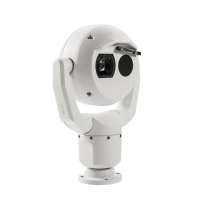
Bosch MIC-9502 - User Manual

Bosch MIC-9502
93 pages
Print Icon
To Next Page IconTo Next Page
Loading...
MIC IP fusion 9000i
MIC-9502
en
User Manual

Table of Contents

Other manuals for Bosch MIC-9502

Questions and Answers

  • M
    Michael KimSep 6, 2025
    Why is the picture dark on my Bosch Security Camera?
    • M
      Mr. James StewartSep 6, 2025
      If the picture on your Bosch Security Camera is dark, ensure that the Gain Control is set to High, the Auto Iris Level is set to the appropriate level, and the maximum Ethernet cable distance has not been exceeded. If these settings are correct, try restoring all camera settings.
  • E
    Elizabeth JensenAug 25, 2025
    What to do if my Bosch MIC-9502 Security Camera has no network connection?
    • E
      Erin LeeAug 25, 2025
      If your Bosch Security Camera has no network connection, check all network connections. Ensure that the distance between any two Ethernet connections does not exceed 100 meters (328 feet). If behind a firewall, verify that the Video Transmission mode is set to UDP.
  • D
    David PalmerAug 25, 2025
    Why Bosch IP Camera has no video?
    • S
      shelley38Aug 26, 2025
      If your Bosch IP Camera shows no video, first check that the main power to the power supply is switched on. If you're using 24VAC, ensure the voltage at the camera is between 21VAC and 30VAC. When using High PoE, verify that the lights on the midspan indicate correct operation, consulting the midspan manual if needed. Also, check if you can access a web page.
  • J
    John GreenSep 15, 2025
    How to improve poor thermal image quality on Bosch MIC-9502 Security Camera?
    • S
      Shane RobbinsSep 15, 2025
      If the thermal image from your Bosch Security Camera is of poor quality, adjust the thermal camera settings to optimize the image quality. Refer to the section on Thermal Camera Settings in the Operation Manual.
  • J
    Jennifer Newman DDSSep 23, 2025
    Why does my Bosch Security Camera thermal image look grainy?
    • S
      spencerrobinSep 23, 2025
      If your Bosch Security Camera thermal image appears grainy, wait for the camera to perform a flat-field correction (FFC). This often occurs when the temperature of the camera fluctuates, such as after the camera is powered on, or when ambient temperature is changing.
  • S
    Stephanie AndersonSep 12, 2025
    What to do if nothing appears on my Bosch Security Camera screen?
    • B
      Bethany ChangSep 12, 2025
      If nothing appears on the screen of your Bosch Security Camera, check if the power cord and line connection between the camera and monitor are properly connected.
  • E
    Eileen JonesSep 2, 2025
    How to improve weak contrast on Bosch Security System screen?
    • R
      Ryan RobinsonSep 2, 2025
      Adjust the contrast feature of the monitor. If the camera is exposed to strong light, change the camera position. You can also adjust the Optical or thermal camera picture settings for your scene.
  • T
    Tiffany Gilmore MDSep 3, 2025
    Why is the picture dark on my Bosch Security System (optical image)?
    • J
      Janet CraigSep 3, 2025
      Check that the Gain Control is set to High and that the Auto Iris Level is set to the appropriate level.
  • G
    gilmoredawnSep 23, 2025
    Why is the picture dark on my Bosch Security Camera (optical image)?
    • S
      Stephen ChavezSep 23, 2025
      If the picture from your Bosch Security Camera (optical image) is dark, check that the Gain Control is set to High and the Auto Iris Level is set to the appropriate level.
  • B
    Brooke WilliamsAug 29, 2025
    How to fix weak contrast on Bosch IP Camera?
    • M
      Michael RobertsAug 29, 2025
      If the contrast on the screen of your Bosch IP Camera is too weak, adjust the contrast feature of the monitor. If the camera is exposed to strong light, change the camera position. You can also adjust the Optical or thermal camera picture settings for your scene as described in Picture Settings or Picture Settings Thermal in the User Manual.

Bosch MIC-9502 Specifications

General IconGeneral
BrandBosch
ModelMIC-9502
CategorySecurity Camera
LanguageEnglish

Related product manuals