EasyManua.ls Logo

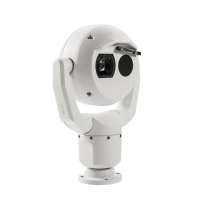
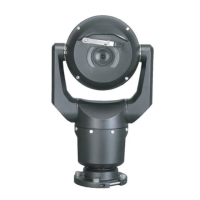
Bosch MIC-9502 - User Manual

Bosch MIC-9502
93 pages
Print Icon
To Next Page IconTo Next Page
Loading...
MIC IP fusion 9000i
MIC-9502
en
User Manual

Table of Contents

Other manuals for Bosch MIC-9502

Questions and Answers

  • M
    masontaylorAug 26, 2025
    What to do if Bosch IP Camera has no network connection?
    • T
      trobinsonAug 26, 2025
      If your Bosch IP Camera has no network connection, check all network connections to ensure they are properly established. Confirm that the distance between any two Ethernet connections doesn't exceed 100 m (328 ft). If you're behind a firewall, ensure that the Video Transmission mode is set to UDP.
  • V
    vbarronAug 26, 2025
    How to fix Bosch IP Camera reboots frequently?
    • F
      frederick80Aug 27, 2025
      If your Bosch IP Camera reboots frequently, it might have an improper network connection. Try testing the camera with another power supply. Also, check the Bosch website for a software update that might address the issue.
  • M
    Michael CameronAug 27, 2025
    What to do if Bosch IP Camera moves when attempting to move other cameras?
    • M
      moorematthewAug 27, 2025
      If your Bosch IP Camera moves when you attempt to move other cameras, check that the camera’s IP address is properly set. If the camera’s IP address is not set, use Configuration Manager to confirm that two cameras do not have the same IP address. If they do, change the address of one of the cameras.
  • M
    meltonleslieAug 27, 2025
    Why is Bosch IP Camera picture dark?
    • K
      Kristin CrawfordAug 27, 2025
      If the optical image from your Bosch IP Camera is dark, check that the Gain Control is set to High and that the Auto Iris Level is set to the appropriate level.
  • M
    Michael HullAug 27, 2025
    How to fix no camera control on Bosch IP Camera?
    • W
      waynepeckAug 28, 2025
      If you have no control over your Bosch IP Camera, ensure that the LAN cable has a secure and good connection. Try refreshing the browser and make sure the video is updated. You can also cycle the camera's power off and on, or reboot the computer. For further assistance, refer to Status Code 17 in Error Codes.
  • K
    Krista WilsonAug 28, 2025
    What to do if Bosch IP Camera does not operate at low temperatures?
    • J
      josephmurphyAug 28, 2025
      If your Bosch IP Camera doesn't operate as expected after exposure to extreme low temperatures, allow the camera to warm up. If the camera still doesn't operate after warming up, reset it by typing “/reset” at the end of the camera's IP address in your web browser. For further assistance, refer to Status Code 7 in Error Codes.
  • B
    Brooke WilliamsAug 29, 2025
    How to fix weak contrast on Bosch IP Camera?
    • M
      Michael RobertsAug 29, 2025
      If the contrast on the screen of your Bosch IP Camera is too weak, adjust the contrast feature of the monitor. If the camera is exposed to strong light, change the camera position. You can also adjust the Optical or thermal camera picture settings for your scene as described in Picture Settings or Picture Settings Thermal in the User Manual.
  • L
    Larry KaiserAug 29, 2025
    Why is background too bright on Bosch IP Camera?
    • G
      Gerald MayAug 29, 2025
      If the background is too bright to see the subject in your Bosch IP Camera's optical image, turn on backlight compensation.
  • M
    Michelle McdanielAug 30, 2025
    How to improve poor quality thermal image on Bosch IP Camera?
    • M
      Michele RosalesAug 30, 2025
      If the thermal image from your Bosch IP Camera is of poor quality, adjust the thermal camera settings to optimize the image quality. Refer to section on Thermal Camera Settings in Operation Manual.
  • S
    Stephanie LongAug 30, 2025
    What to do if there is no video on my Bosch Security System?
    • J
      Jennifer ReynoldsAug 30, 2025
      First, ensure the main power supply is on. If using 24VAC, verify the voltage at the camera is between 21VAC and 30VAC. If using High PoE, check the midspan lights for correct operation, consulting the midspan manual if needed. Check if you can access a web page. If you can, cycle the camera's power and ensure the optical camera iris isn't closed. If the problem persists, switch the stream to M-JPEG or reinstall the latest Video SDK. If you cannot access a web page, use Configuration Manager to identify the correct IP address. Also, verify that there is 24 V output from the transformer and check the integrity of all wires and connectors to the camera.

Bosch MIC-9502 Specifications

General IconGeneral
BrandBosch
ModelMIC-9502
CategorySecurity Camera
LanguageEnglish

Related product manuals