EasyManua.ls Logo

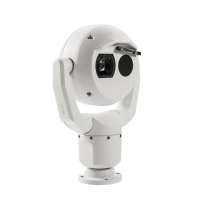
Bosch MIC-9502 - User Manual

Bosch MIC-9502
93 pages
Print Icon
To Next Page IconTo Next Page
Loading...
MIC IP fusion 9000i
MIC-9502
en
User Manual

Table of Contents

Other manuals for Bosch MIC-9502

Questions and Answers

  • S
    Stephanie ChristensenAug 31, 2025
    How to troubleshoot no network connection on Bosch Security System?
    • S
      Sharon CampbellAug 31, 2025
      Check all network connections to ensure they are properly connected. Also, make sure that the maximum distance between any two Ethernet connections is 100 m (328 ft) or less. If everything seems OK, and you are behind a firewall, ensure that the Video Transmission mode is set to UDP.
  • S
    Sarah McdonaldAug 25, 2025
    How to fix no network connection on Bosch MIC-9502 Security Camera?
    • L
      lynnlopezAug 25, 2025
      If you have no network connection with your Bosch Security Camera, check all network connections and ensure that the maximum distance between any two Ethernet connections is 100 m (328 ft) or less. If you are behind a firewall, ensure that the Video Transmission mode is set to UDP.
  • J
    James HawkinsSep 1, 2025
    Why does my Bosch Security System camera reboot frequently?
    • K
      Kristy PerezSep 1, 2025
      Try testing your camera with another power supply. Also, check the Bosch website for a software update that might address the issue.
  • D
    David GrahamSep 1, 2025
    What to do if my Bosch Security System camera moves when attempting to move other cameras?
    • H
      hstevensonSep 2, 2025
      Verify that the camera’s IP address is properly set. Use Configuration Manager to confirm that two cameras do not have the same IP address. If they do, change the address of one of the cameras.
  • E
    Eileen JonesSep 2, 2025
    How to improve weak contrast on Bosch Security System screen?
    • R
      Ryan RobinsonSep 2, 2025
      Adjust the contrast feature of the monitor. If the camera is exposed to strong light, change the camera position. You can also adjust the Optical or thermal camera picture settings for your scene.
  • T
    Tiffany Gilmore MDSep 3, 2025
    Why is the picture dark on my Bosch Security System (optical image)?
    • J
      Janet CraigSep 3, 2025
      Check that the Gain Control is set to High and that the Auto Iris Level is set to the appropriate level.
  • A
    Alicia RobertsSep 3, 2025
    What to do if Bosch Security System camera doesn't work after extreme cold?
    • E
      Elizabeth HillSep 3, 2025
      Allow the camera to warm up for 60 minutes before attempting PTZ operations. If the camera still does not operate after this warm-up period, reset the camera by typing “/reset” at the end of the IP address of the camera in your web browser. For additional help, refer to Status Code 7 in Error Codes.
  • S
    Sarah WestSep 4, 2025
    How to fix too bright background on Bosch Security System (optical image)?
    • M
      Michael NicholsSep 4, 2025
      Turn on backlight compensation.
  • M
    milleraprilSep 4, 2025
    Why no OSD messages appear on my Bosch Security System?
    • K
      Kathryn RyanSep 4, 2025
      Bosch’s Video SDK is required to display OSD messages. Video management software from third parties does not use the SDK.
  • D
    Deborah McphersonSep 5, 2025
    What to do if “High Shock Event” appears on my Bosch MIC-9502?
    • P
      Pamela CurrySep 5, 2025
      If the Bosch Security Camera experienced a high shock event, inspect the mechanical parts and screws, especially on the yoke arms. If there's severe damage, discontinue use and contact the Bosch Service Center. If no damage is visible, either cycle the power on the camera or send the command AUX OFF 65 to remove the OSD message.

Bosch MIC-9502 Specifications

General IconGeneral
BrandBosch
ModelMIC-9502
CategorySecurity Camera
LanguageEnglish

Related product manuals