1 695 656 135 2011-01-12| Robert Bosch GmbH
Introduction | WBE 4100 | 19WBE 4100 | 19 | 19
en
2. Introduction
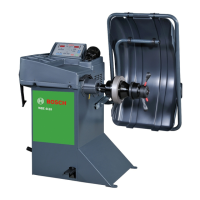
2.1 Digital balancing machine WBE 4100
The WBE 4100 balancing machines belong to the en-
try level in the range of products offered by BOSCH,
as they have a small size and a low price. Although
they are considered as entry level products, they have
many elaborated functions such as: dynamic and static
balancing programmes, aluminium, optimization, light
weight, PAX and self-placing of the adhesive weight
through the ALU-EASY gauge. You can also find the
configuration menu for the user, the calibration and the
auto-diagnosis menu.
3. How to use the machine
and surfing menu
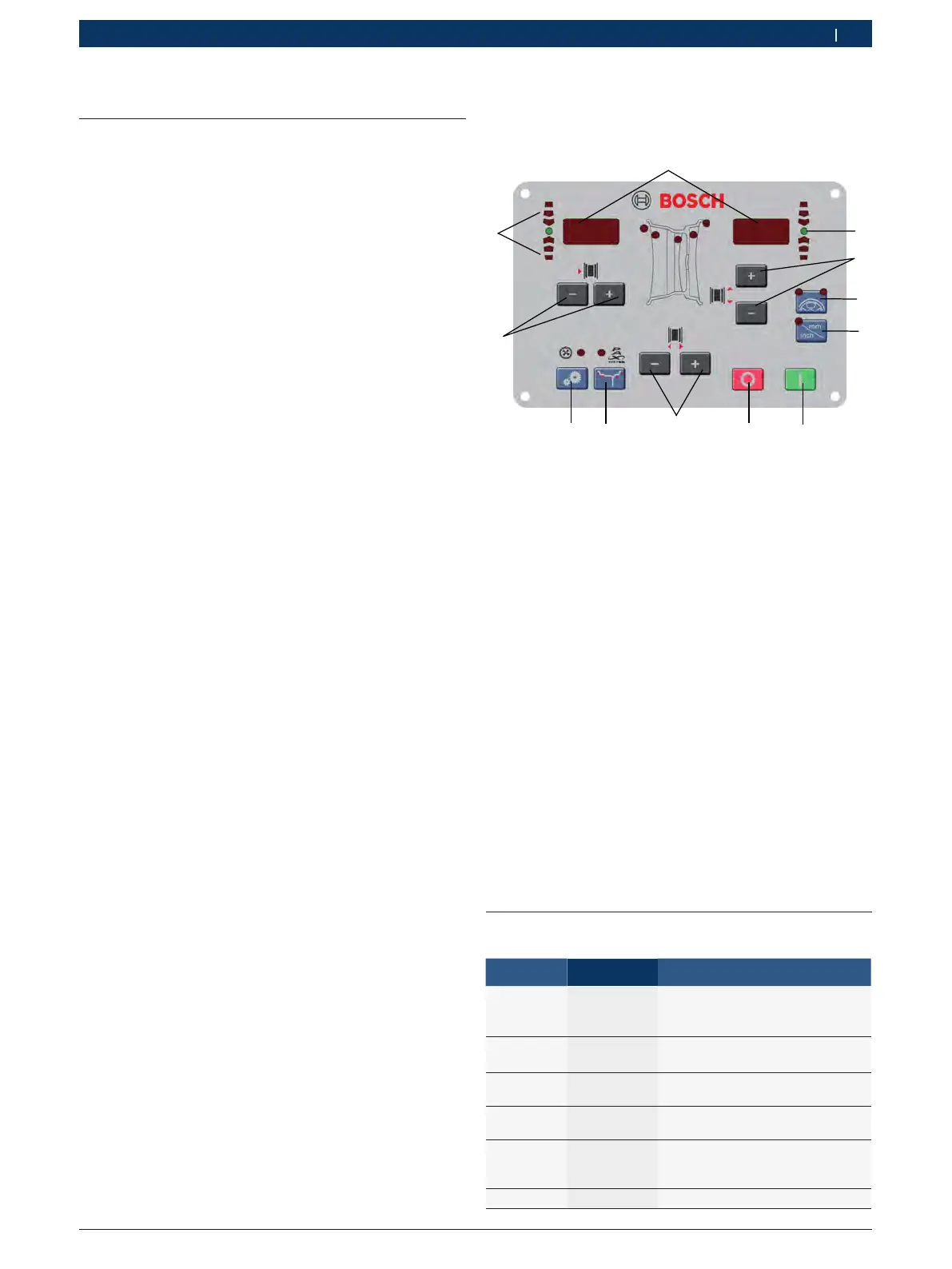
Fig. 1: Control panel
1. Data display
2. Direction LEDs unbalance point
3. Unbalance point (LED)
4. Setting button (-/+ )of the DISTANCE of the circle
5. Setting buttons (-/+ )of the DIAMETER of the circle
6. Setting buttons (-/+ )of the WIDTH of the circle
7. SPLIT button
8. Button to select the unit of measurement for the width or the
diameter of the circle (MM/INCH)
9. Button for the control functions (SET)
10 Setting button for the balancing programme (MODE)
11. STOP button
11. START button
We can divide the balancing machine menu in several
submenus:
$ Configuration of the use
$ Configuration of the board
$ Self-calibration
$ Auto-diagnosis
Press the button "SET“ and all the options will be
shown; to confirm, press the button "MM/INCH” by 1.5
second.
3.1 Configuration of the use
Press “SET” until the notice “TOL” is shown.
Left Display
Right Display
Description
TOL 5 It indicates the thresh-
old of the recalibration of
the balancing machine
RES 5 Identification of the unbal-
ance, rounded off to 5g or real
UNB GRA Selection of the weight
(grams or once)
SND ON It indicates the acous-
tic sound (beep)
CAR ON It indicates the possibili-
ty to use the wheel protect-
ing carter for the launch
MOT OFF It starts the motorcycle programme
1
2
3
4
5
6
7
8
9
10
11
12


 To Next Page