EasyManua.ls Logo

Bose FreeStyle - User Manual

Bose FreeStyle
20 pages
Print Icon
To Next Page IconTo Next Page
Loading...
Bose
®
FreeStyle
®
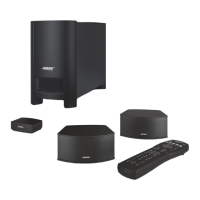
Speaker System
Owner’s Guide
July 24, 2002
AM267190_00_V.pdf

Other manuals for Bose FreeStyle

Questions and Answers

  • A
    Anthony TuckerJul 29, 2025
    Why do I have no audio or intermittent audio with my Bose Headsets?
    • T
      Tim MullinsJul 29, 2025
      If you are experiencing no audio or intermittent audio with your Bose Headsets, make sure the headphone plug is securely connected to the headphone jack. If the issue persists, try another audio device to isolate the problem.
  • W
    Wayne ScottAug 2, 2025
    How to reduce excessive bass on Bose Headsets?
    • J
      Jonathan CarterAug 2, 2025
      If you're experiencing excessive bass with your Bose Headsets, try turning off any audio enhancement features on the audio source.
  • T
    Tracy Thompson DDSAug 6, 2025
    What to do if the microphone is not picking up sound on my Bose Headsets?
    • Z
      Zoe WestAug 6, 2025
      If your Bose Headsets' microphone isn't picking up sound, ensure the headphone plug is securely connected to the headphone jack. Also, verify that the microphone is not blocked or covered.
  • L
    Linda DavisAug 10, 2025
    What to do if my phone is not responding to button presses on my Bose Headsets?
    • J
      johnsonrachelAug 10, 2025
      If your phone is not responding to button presses on your Bose Headsets, first ensure that the headphone plug is securely connected to the headphone jack. If you're using multi-press functions, try varying the speed of your presses.
  • M
    Matthew StoneAug 14, 2025
    Why is the sound muffled from my Bose Headsets earpiece?
    • M
      Mark TurnerAug 15, 2025
      If the sound from your Bose Headsets earpiece is muffled, ensure the eartips and earbud nozzles are clear of any debris or wax build-up. Unplug the earbuds from the audio source, then plug them back in securely. If the problem continues, try another audio device.
  • M
    Martha PattersonAug 19, 2025
    Why is my iPhone, iPod, or iPad not responding to the remote on my Bose Headsets?
    • M
      Michael MyersAug 19, 2025
      If your iPhone, iPod, or iPad is not responding to the remote on your Bose Headsets, note that full controls may not be available for some iPhone, iPod, and iPad models.
  • R
    Richard HamptonAug 23, 2025
    How to stop eartips falling off from Bose Headsets?
    • L
      Laura MillerAug 25, 2025
      To prevent eartips from falling off your Bose Headsets, ensure they are securely attached to the earpiece and nozzle hook.

Summary

Safety Information

System Setup

Positioning Speakers and Interface Module

Guidelines for placing speakers and the interface module for optimal performance.

Speaker Placement Details

Specific recommendations for speaker orientation and placement to ensure sound quality.

Acoustimass Module Location

Advice for choosing a safe, convenient, and ventilated spot for the Acoustimass module.

Making System Connections

Step-by-step guide for connecting the Acoustimass, speakers, and interface modules.

Connecting Audio Sources

How to connect game consoles, TVs, VCRs, and other audio components to the system.

Operation

Reference

Troubleshooting Common Issues

Solutions for problems like no sound, remote control errors, or distorted audio.

Bose FreeStyle Specifications

General IconGeneral
Carrying caseYes
Headset typeBinaural
Product typeHeadset
Product colorIndigo
Wearing styleIn-ear
Connectivity technologyWired
Ear couplingIntraaural
Weight and Dimensions IconWeight and Dimensions
Weight18 g

Related product manuals