ENGLISH - 11
BATTERY CHARGING
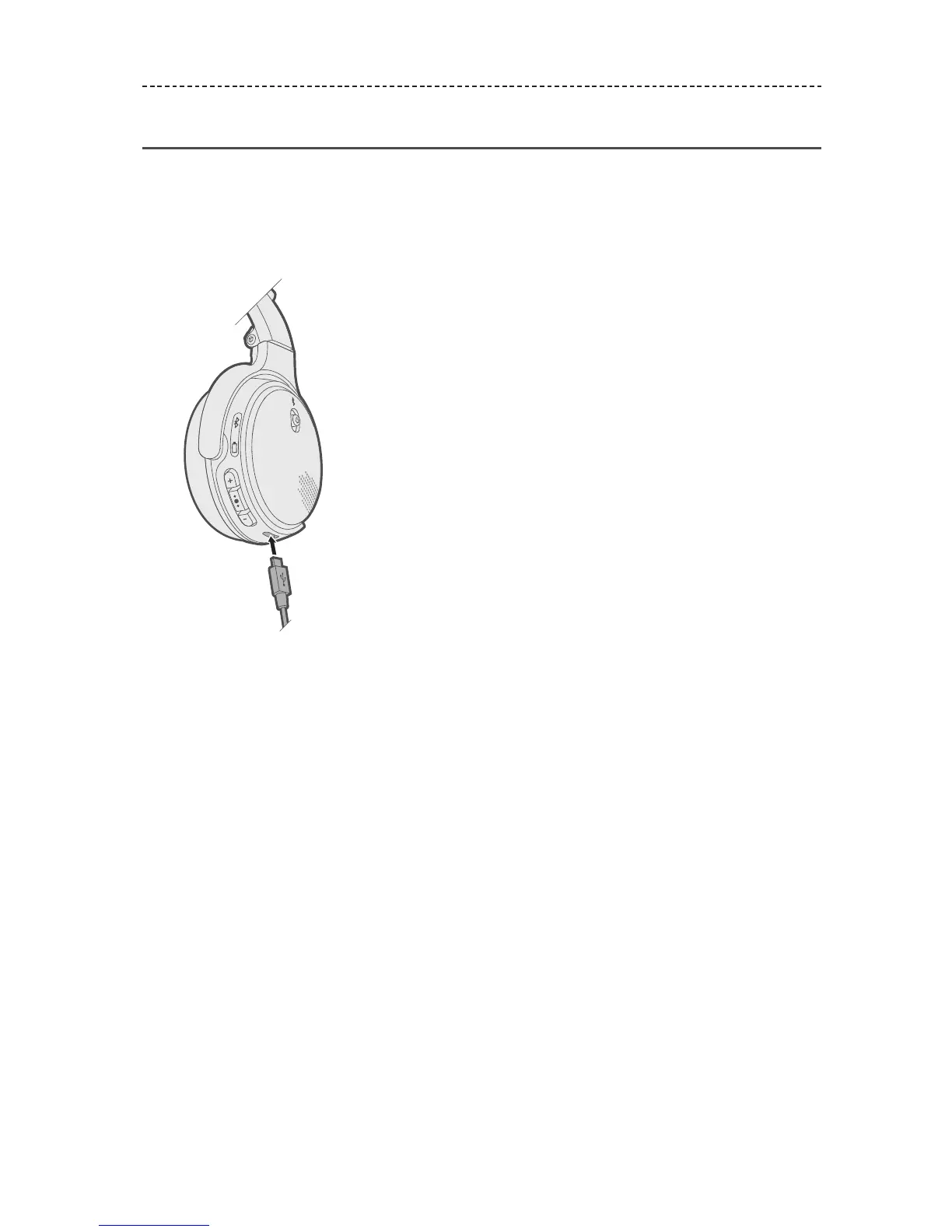
Connect the USB cable
CAUTION: Use this product only with an agency-approved power supply that meets
local regulatory requirements (for example: UL, CSA, VDE, CCC).
1. Plug the small end of the USB cable into the micro-USB connector on the
right earcup.
2. Plug the other end of the USB cable into a wall charger or computer that is
powered on.
Notes:
• The headphones do not play while charging.
• While charging, the battery indicator glows amber.
• When the battery is fully charged, the battery indicator glows green.
• Allow up to three hours to fully charge the battery. A full charge will power the
headphones for up to 15 hours. A 15-minute partial charge will power the headphones
for 2 hours.






 To Next Page