ENGLISH - 15
BLUETOOTH CONNECTIONS
Bluetooth wireless technology lets you stream music from mobile devices such as
smartphones, tablets and laptop computers. Before you can stream music, pair the
device with your headphones.
Pairing your mobile device
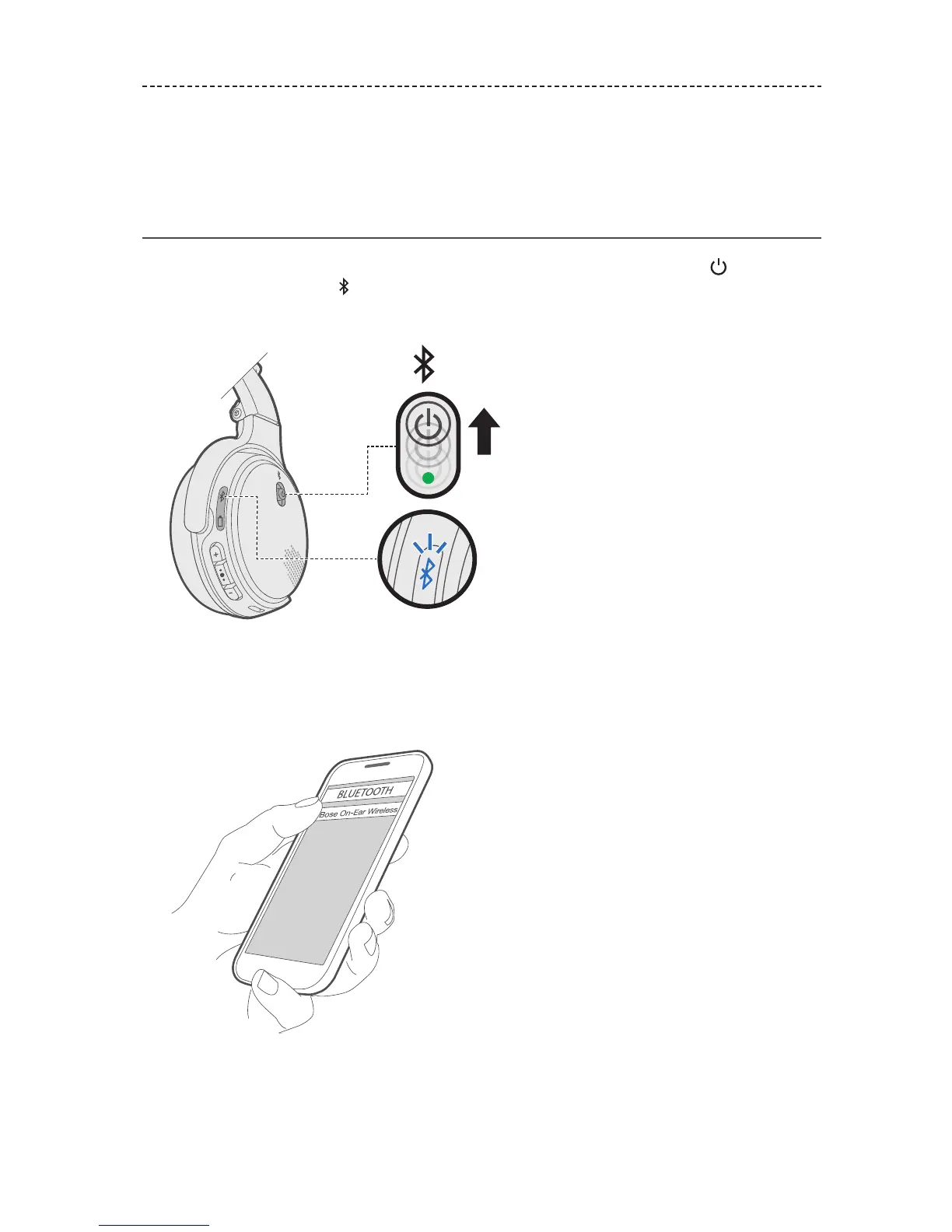
1. With your headphones powered on, slide the Power/Bluetooth button up to
the Bluetooth symbol and hold until you hear “Ready to pair” (if wearing the
headphones) or you see the Bluetooth indicator blink blue (if holding
the headphones).
2. On your mobile device, enable the Bluetooth feature.
Tip: The Bluetooth feature is usually found in the Settings menu.
3. Select your headphones from the device list.
Once paired, you hear “Connected to <device name>” or see the Bluetooth indicator
glow solid white.






 To Next Page