EasyManua.ls Logo

Bose SOLO - User Manual

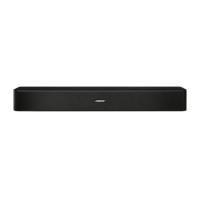
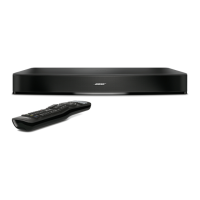
Bose SOLO
136 pages
Print Icon
To Next Page IconTo Next Page
Loading...
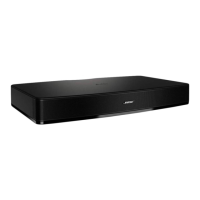
Solo
TV Sound System
Owner’s Guide | Brugervejledning | Bedienungsanleitung | Gebruikershandleiding
Guía del usuario | Käyttöohje

Table of Contents

Other manuals for Bose SOLO

Questions and Answers

  • K
    Keith ReeseJul 29, 2025
    Why won't my Bose Stereo System turn on?
    • S
      Sarah ChavezJul 29, 2025
      First, make sure the power cord is securely connected to both the Bose Stereo System and the power outlet. Ensure the outlet is active by testing it with a lamp or another device. If the outlet is controlled by a switch, make sure the switch is turned on. If the system still doesn't turn on, reset it by unplugging the power cord for at least one minute, then plug it back in. Listen for two tones to confirm the system has power.
  • D
    Dr. Carol BradshawAug 2, 2025
    What to do if there is no sound from my Bose Stereo System?
    • Z
      Zachary DayAug 2, 2025
      First, ensure the Bose Stereo System is powered on and the power indicator shows a solid green light. Then, check if the system is muted and increase the volume. Verify that the audio cable is correctly and securely connected to both the sound system and the TV. Also, confirm that your TV is on and set to the correct input. If you're using a digital audio connection, ensure it's enabled in your TV settings. If issues persist, try an analog stereo audio connection. If connected to a TV output labeled VARIABLE (VAR), turn off the TV's internal speakers, increase the TV volume, and ensure the TV is not muted. Finally, turn off all devices connected to the system except the one you want to hear.
  • A
    Angela PearsonAug 7, 2025
    What to do if the sound from my Bose Stereo System is distorted?
    • M
      mmcguireAug 7, 2025
      Ensure that all cable connections are securely connected to both the Bose Solo system and your TV. If the sound system is connected to a TV output labeled VARIABLE (VAR), try reducing the TV volume. Alternatively, bypass the TV and connect directly to the source using one of the Alternate setup methods.
  • T
    Timothy MaciasAug 11, 2025
    Why is sound coming from the TV instead of my Bose Stereo System?
    • C
      Carlos DuncanAug 11, 2025
      Turn off the internal speakers of your TV and adjust the TV volume.
  • D
    Daniel ArnoldAug 15, 2025
    How to fix a Bose Stereo System remote that is inconsistent or not working?
    • B
      Brad JimenezAug 15, 2025
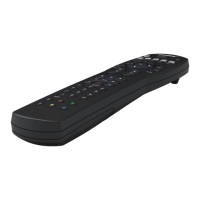
      Check the remote's battery to ensure it's correctly installed or replace it if needed. Point the remote directly at the Bose Stereo System when pressing buttons. Also, verify that the system status indicator flashes when you press the volume or mute button on the remote.
  • J
    Jon PowersAug 19, 2025
    How to reduce too much bass on my Bose Stereo System?
    • U
      uwallaceAug 19, 2025
      Adjust the bass setting to decrease the amount of bass. You may also want to change the position or orientation of the Bose Stereo System, as its placement can sometimes increase bass output.
  • P
    Pamela OwenAug 25, 2025
    What to do if the TV base is too large to place on the Bose Stereo System?
    • W
      Willie HinesAug 25, 2025
      Place the Bose sound system in an alternative location, such as an open shelf beneath the TV. If possible, mount the TV on the wall above the sound system.

Summary

Safety Information

General Safety Precautions

Covers electrical shock, magnetic material, small parts, unstable placement, and TV tipping risks.

Battery Safety and Warnings

Addresses risks associated with remote control batteries, including ingestion and mishandling.

Important Safety Instructions

Lists crucial instructions for safe operation, installation, and environmental considerations.

System Setup

Step 1: Place the system

Provides guidelines and cautions for positioning the Bose Solo system and TV.

Step 2: Connect the Solo system to power

Details how to connect the sound system to an AC power outlet.

Step 3: Choose the type of audio cable to use

Explains the different audio output options (optical, coaxial, analog) for connecting to the TV.

Step 4: Plug the audio cable into the Solo system

Instructs on connecting the chosen audio cable to the correct input on the Solo system.

Care and Maintenance

Troubleshooting common problems

Offers solutions for issues like no sound, remote control problems, or distorted audio.

Bose SOLO Specifications

General IconGeneral
Audio decoders-
RMS rated power- W
Audio output channels- channels
Subwoofer includedNo
Cables includedAC, Coaxial, TOSLINK Digital Optical
Number of products included1 pc(s)
Product colorBlack
Recommended usageTV
Apple docking compatibilityNot supported
Soundbar dimensions (WxDxH)527 x 311 x 76 mm
Audio (L/R) in1
Connectivity technologyWired
Weight and Dimensions IconWeight and Dimensions
Soundbar weight4600 g

Related product manuals