How to stop ear tips falling off from Bose SoundTrue Ultra?
- SSteven FigueroaSep 23, 2025
To prevent ear tips from falling off your Bose Headphone, make sure to securely attach the eartips to the earpiece and nozzle hook.
How to stop ear tips falling off from Bose SoundTrue Ultra?
To prevent ear tips from falling off your Bose Headphone, make sure to securely attach the eartips to the earpiece and nozzle hook.
Why is the microphone not working on my Bose SoundTrue Ultra?
If the microphone on your Bose Headphone isn't picking up sound, first ensure you're using a compatible device and that the headphone plug is securely connected to the headphone input. Check that the microphone opening on the back of the Answer/End button is not blocked. You may also want to try making another phone call or using another device to troubleshoot.
What to do if Bose SoundTrue Ultra has no audio?
If your Bose Headphone has no audio or the audio is intermittent, securely connect the headphone cable to the 3.5 mm headphone connector on your device. Also, try another eartip size or test the headphones with another device.
What to do if Bose SoundTrue Ultra microphone is not picking up sound?
If the microphone on your Bose Headphone isn't picking up sound, ensure you're using a compatible device and that the headphone plug is securely connected. Verify that the microphone opening on the back of the Answer/End button isn't blocked. Try making another phone call or using another device.
How to fix no audio issue with Bose Headphone?
If you're experiencing no audio or intermittent sound with your Bose Headphone, make sure the headphone cable is securely connected to the 3.5 mm headphone connector on your device. You might also want to try a different eartip size or test the headphones with another device.
How to stop ear tips from falling off my Bose Headphone?
If the eartips are falling off your Bose Headphone, make sure to securely attach the eartips to the earpiece and nozzle hook.
What to do if my Bose SoundTrue Ultra sound is muffled?
If your Bose Headphone sound is muffled, start by clearing any debris or wax build-up from the eartips and headphone nozzles. Then, unplug the headphones from your audio source and plug them back in, ensuring they are securely connected. As a last resort, test with another device.
What to do if the device is not responding to remote presses on my Bose SoundTrue Ultra?
If your device isn't responding to remote presses on your Bose Headphone, ensure the headphone cable is securely connected to the 3.5 mm headphone connector on your device. For multi-press functions, try varying the speed of your presses.
How to prevent ear tips from falling off Bose SoundTrue Ultra Headphone?
To prevent ear tips from falling off your Bose Headphone, securely attach the eartips to the earpiece and nozzle hook.
What to do if sound is muffled from earpiece of Bose Headphone?
If the sound from your Bose Headphone earpiece is muffled: * Clear any debris or wax build-up from the eartips and headphone nozzles. * Unplug the headphones from the audio source and then plug them back in, ensuring they are securely connected. * Try using the headphones with another device.
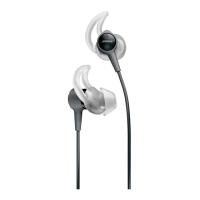
An overview of the Bose SoundTrue Ultra in-ear headphones and their key features.
Guidance on how to insert and position the headphones for optimal comfort and audio performance.
How to use the clothing clip for cable management and stability during movement.
Instructions for using only the right earpiece to hear surrounding sounds.
Details the duration and scope of the warranty against manufacturing defects.
Provides instructions for obtaining warranty service, including product return procedures.
Legal disclaimers and limitations of liability, superseding other warranties.
An overview of the Bose SoundTrue Ultra in-ear headphones and their key features.
Guidance on how to insert and position the headphones for optimal comfort and audio performance.
How to use the clothing clip for cable management and stability during movement.
Instructions for using only the right earpiece to hear surrounding sounds.
Details the duration and scope of the warranty against manufacturing defects.
Provides instructions for obtaining warranty service, including product return procedures.
Legal disclaimers and limitations of liability, superseding other warranties.
| Cable length | 1.2 m |
|---|---|
| Headset type | Binaural |
| Product type | Headset |
| Product color | Gray |
| Wearing style | In-ear |
| Recommended usage | Calls/Music |
| Carrying case | Yes |
| Brand compatibility | Apple |
| Number of products included | 1 pc(s) |
| Connectivity technology | Wired |
| Headset connectors supported | 2.5mm |
| Ear coupling | Intraaural |
| Microphone type | In-line |
| Weight | 17.9 g |
|---|


Loading...