EasyManua.ls Logo

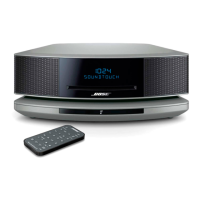
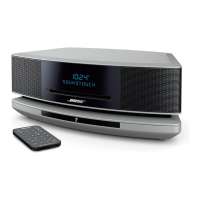
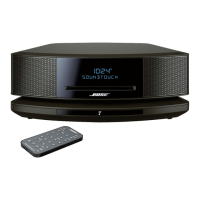
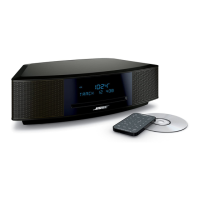
Bose WAVE IV - User Manual

Bose WAVE IV
212 pages
Print Icon
To Next Page IconTo Next Page
Loading...
Wave
®
Music System IV
Owner’s Guide • Brugervejledning • Bedienungsanleitung
Gebruikershandleiding • Guía del propietario • Käyttöopas • Notice d’utilisation
Manuale di istruzioni • Kezelési útmutató • Brukerveiledning
Podręcznik użytkownika • Manual do proprietário • Bruksanvisning
®

Table of Contents

Questions and Answers

  • U
    usnowJul 31, 2025
    What to do if CD does not play on Bose WAVE IV?
    • D
      Deanna WadeJul 31, 2025
      If a CD does not play on your Bose Stereo System, try the following: * Select the CD source or press the play button to ensure the CD icon appears on the display. * Load the CD with the label-side up. * Check that the disc surface is clean; if not, try cleaning it. * Try another disc.
  • A
    Alicia MillerAug 4, 2025
    What to do if my Bose WAVE IV has no sound?
    • N
      Nicholas EspinozaAug 4, 2025
      If your Bose Stereo System has no sound, here are a few things to check: * Increase the volume. * Eject and reload the CD. * Ensure headphones are disconnected, as connecting headphones mutes the speakers.
  • A
    April IbarraAug 8, 2025
    How to improve poor sound quality on Bose WAVE IV Stereo System?
    • A
      Alexis DavisAug 9, 2025
      To improve poor sound quality on your Bose Stereo System: * If the bass is too heavy or low, adjust the bass level of the system using the setup menu. * If listening to an external AUX source, use a stereo cable and make sure it is fully inserted.
  • M
    mannvictorAug 13, 2025
    Why is my Bose WAVE IV remote control not working?
    • R
      Riley SpencerAug 13, 2025
      If your Bose Stereo System remote control is inconsistent or not working, try the following: * Operate the remote control closer to the system. * Ensure the remote control battery is installed with the positive (+) polarity facing up. * Replace the remote control battery. * Check for interference from fluorescent room lighting, sunlight, or dust or dirt on the lens. * Try the system in a different location.
  • M
    michellegordonAug 18, 2025
    How to fix a Bose WAVE IV Stereo System that does not function?
    • R
      Rebecca CoxAug 18, 2025
      If your Bose Stereo System isn't functioning, try these steps: 1. Connect the system to AC (mains) power. 2. Unplug the power cord from the AC wall outlet for 10 seconds and then reconnect it to reset the system. 3. Tap the touch pad on the top of the system.
  • K
    Kendra LeeAug 22, 2025
    How to improve weak FM reception on Bose WAVE IV?
    • S
      starkjessicaAug 22, 2025
      To improve weak FM reception on your Bose Stereo System, extend the power cord as much as possible. The power cord acts as an FM antenna.
  • M
    Mr. Benjamin Turner MDAug 26, 2025
    How to fix weak AM reception on Bose Stereo System?
    • B
      Bailey GriffithAug 27, 2025
      To fix weak AM reception on your Bose Stereo System: * Turn the system slightly one way and then the other to change the direction of the internal AM antenna. * Move the unit farther from a TV, refrigerator, halogen lamps, dimmer switches, or other electronic equipment that generates electrical noise. * If neither suggestion works, you may be in an area of weak AM signal coverage.

Summary

Setting Up the Bose System

System Placement Guidance

Guidance on optimal placement for audio performance and cautions.

Connecting to Power Source

Steps to connect the system to an AC power outlet.

Using the Bose Wave System

Remote Control Functions

Description of remote control buttons and their functions.

Powering System On and Off

Methods for turning the system on and off, including standby mode.

Volume Adjustment

Instructions for adjusting the system's volume level.

Listening to Other Audio Sources

FM and AM Radio Operation

Tuning, storing presets, and improving reception for FM/AM radio.

Digital Radio Reception

Tuning, browsing, and storing digital radio stations.

Playing Standard Audio CDs

Instructions for inserting and playing standard audio CDs.

Setting and Using Alarms

Connecting External Equipment

Care and Maintenance

Troubleshooting Common Issues

Solutions for common problems encountered with the system.

Bose WAVE IV Specifications

General IconGeneral
OutputsHeadphone jack
CD PlayerYes
AM/FM RadioYes
BluetoothNo
TypeStereo System
Tuner bandsAM/FM
ClockYes
Remote controlYes
Audio Output ChannelsStereo
Product TypeStereo System
BrandBose
ModelWave IV
InputsAuxiliary input
Media typeCD
Audio formatsMP3

Related product manuals