EasyManua.ls Logo

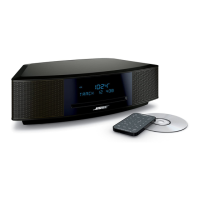
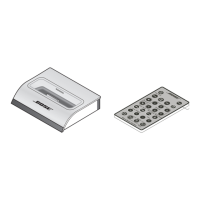
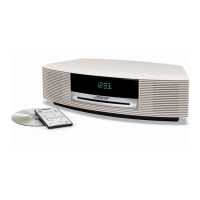
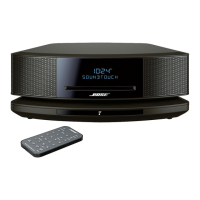
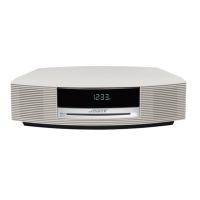
Bose Wave Radio CD - User Manual

Bose Wave Radio CD
31 pages
Print Icon
To Next Page IconTo Next Page
Loading...
The Bose
®
Wave
®
Radio/CD
Owner’s Guide

Questions and Answers

  • C
    chelseaedwardsJul 31, 2025
    What to do if my Bose Wave Radio CD Stereo System has no sound?
    • A
      Andre CoxJul 31, 2025
      If your Bose Stereo System isn't producing sound, try these steps: First, increase the volume. Then, check if the system is muted by pressing the Mute button on the remote. Ensure the CD is correctly loaded. Verify the connections for any auxiliary components. If using the AUX input, select 'AUX' and confirm the connected component is powered on.
  • J
    Jason SalazarAug 5, 2025
    What to do if my Bose Stereo System CD does not play?
    • P
      Peter FloresAug 5, 2025
      If your Bose Stereo System isn't playing CDs, check if the play/pause indicator in the display is lit. If it's flashing, the disc is paused, so press CD Play. Make sure there's a disc in the player with the label-side up. Clean the CD if there's dust or dirt on it. Try another disc in case the current one is defective. Also, verify that the disc is not a DVD.
  • B
    Brenda White DDSAug 11, 2025
    Why is AM reception weak on my Bose Wave Radio CD?
    • J
      Jacqueline MooreAug 12, 2025
      If the AM reception on your Bose Stereo System is weak, adjust the internal AM antenna by slightly turning the system to one side or the other. Also, move the system away from TVs, refrigerators, fluorescent lights, halogen lamps, dimmer switches, or other electronic equipment that generates electrical noise. If the problem persists, you may be in an area with weak AM signal coverage.
  • D
    deanmarkAug 17, 2025
    Why is FM reception weak on my Bose Wave Radio CD?
    • K
      Krystal HansonAug 17, 2025
      If you're experiencing weak FM reception on your Bose Stereo System: * Check the antenna connection if you're using the supplied antenna. * Straighten and extend the antenna arms as far from the radio as possible. * Try moving the FM antenna near a window. If you're using a coaxial cable, ensure it's securely connected. For further assistance, contact your cable radio company.
  • P
    priceronaldAug 23, 2025
    Why is my Bose Wave Radio CD Stereo System remote control inconsistent?
    • K
      Kim OrtizAug 23, 2025
      If your Bose Stereo System remote control is acting up, start by checking the battery and its polarity (+ and –). Replace the battery if needed. Try operating the remote closer to the system. Also, check for interference from room lighting, sunlight, dust, or dirt on the lens. As a last resort, try the system in a different location.

Summary

Important Safety Instructions

General Safety Guidelines

Essential safety instructions covering product usage, environment, and cleaning.

Electrical Safety and Grounding

Instructions on electrical safety, power sources, and antenna grounding.

Setting Up Your Wave Radio;CD

Installing the Backup Battery

A detailed guide on how to install the 9V battery for memory backup.

Operating Your Wave Radio;CD

Using the Remote Control

Explains how to use the remote control for various system functions.

Using the System Control Panel

A guide to the buttons and functions available on the main unit's control panel.

System Control Functions

Managing system power, source selection, volume, and sleep/nap timers.

Using the Radio Tuner

How to tune to AM/FM stations and use presets.

Using the CD Player

Instructions for loading, playing, pausing, stopping, and scanning CDs.

Setting and Configuring Alarms

Step-by-step guide to setting up and customizing alarm functions.

Managing Alarm Functions

Activating, deactivating, stopping, snoozing, and adjusting alarm volume.

Maintaining Your Wave Radio;CD

Troubleshooting Common Issues

System Power and Sound Problems

Solutions for issues like no power, no sound, or remote control not working.

Limited Warranty

Quick Reference To Special Functions

Bose Wave Radio CD Specifications

General IconGeneral
CD PlayerYes
AM/FM TunerYes
Auxiliary InputYes
Remote ControlYes
ClockYes
AlarmYes
Headphone JackYes
Speaker TypeIntegrated
Audio OutputStereo
Media typeCD
Power SourceAC

Related product manuals