EasyManua.ls Logo

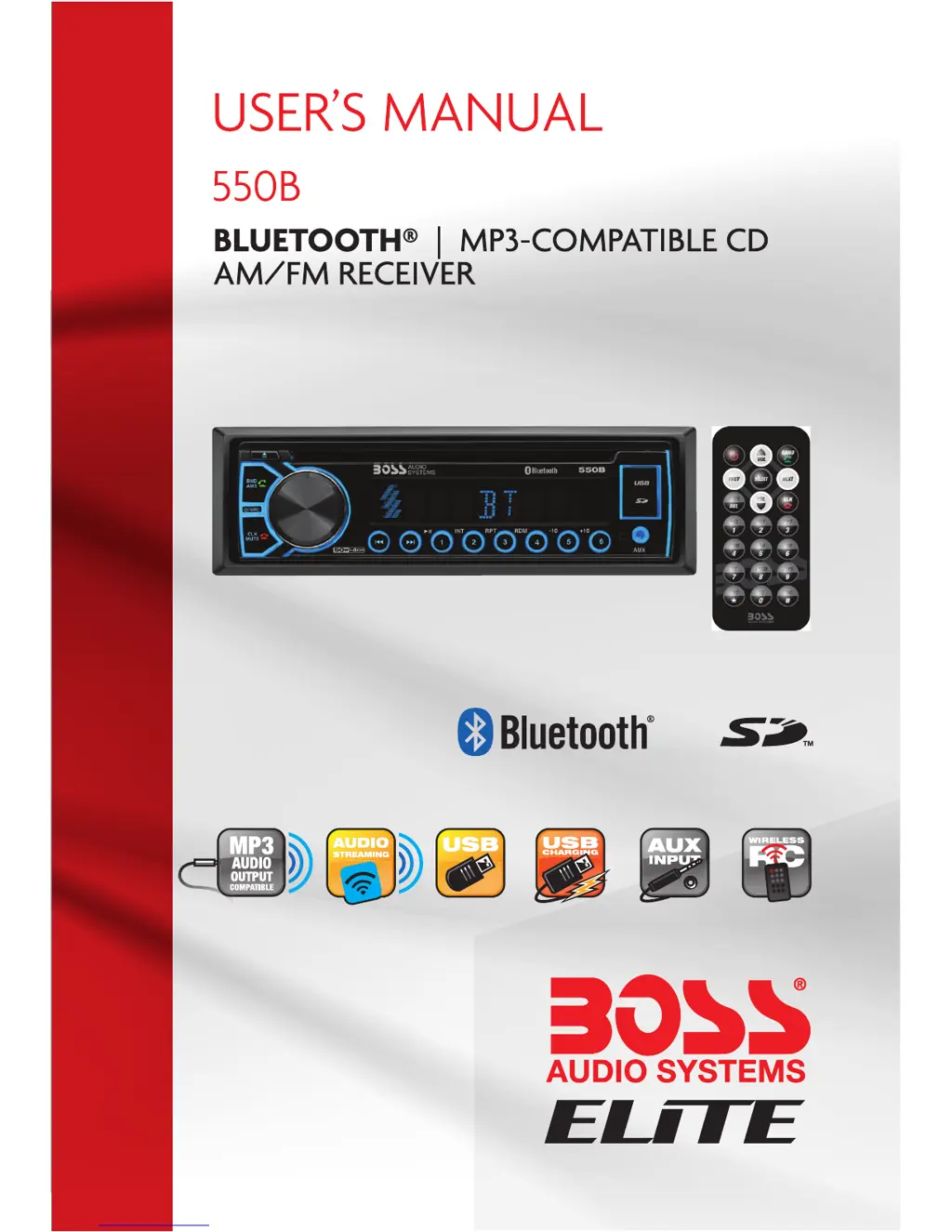
Boss Audio Systems 550B - User Manual

Boss Audio Systems 550B
16 pages
Print Icon
To Next Page IconTo Next Page
Loading...

Questions and Answers

  • C
    Carmen CoxJul 27, 2025
    Why is the automatic radio station selection not working on my Boss Audio Systems Car Receiver?
    • I
      Ian RodgersJul 27, 2025
      If the automatic radio station selection on your Boss Audio Systems Car Receiver isn't working, it might be because the signals are too weak. In this case, try selecting a station manually.
  • W
    websterjacquelineAug 1, 2025
    How to fix a Boss Audio Systems 550B Car Receiver with no power?
    • D
      Danielle MitchellAug 1, 2025
      If your Boss Audio Systems Car Receiver has no power, first ensure that your car ignition is switched to 'ACC'. If the issue persists, check the fuse and replace it if it's blown.
  • S
    stoutdustinAug 6, 2025
    Why is there no sound coming from my Boss Audio Systems 550B?
    • S
      steelerebeccaAug 6, 2025
      If there is no sound from your Boss Audio Systems Car Receiver, first check the volume level and adjust it as needed. If the volume is not the issue, inspect the wiring connections to ensure they are properly connected and repair if necessary.
  • K
    Kent AllenAug 11, 2025
    What to do if my Boss Audio Systems Car Receiver sound skips?
    • M
      Michael OrtegaAug 11, 2025
      If the sound skips on your Boss Audio Systems Car Receiver, it could be due to a couple of reasons. First, ensure that the installation angle is less than 30 degrees. Also, the disc might be dirty or scratched, try cleaning it or using a new one.
  • C
    Chad BeckerAug 16, 2025
    Why are the operation keys not working on my Boss Audio Systems 550B?
    • B
      brandiprestonAug 16, 2025
      If the operation keys on your Boss Audio Systems Car Receiver aren't working, make sure the front panel is correctly installed. Also, if the car interior is too hot, allow the vehicle to cool down before using the player.
  • N
    nrhodesAug 21, 2025
    What to do if my Boss Audio Systems Car Receiver won't load a disc?
    • R
      Richard YoungAug 21, 2025
      If a disc cannot be loaded into your Boss Audio Systems Car Receiver, it might be because another disc is already in the player. Eject the current disc and then insert the new one.

Summary

Precautions

Lithium Battery Cell Warnings

Warnings regarding cell leakage, fire hazards, and keeping batteries away from children.

Installation

Prepare Radio

Steps to prepare the car radio before installation, including disconnecting the battery.

Mount Radio

Instructions for physically mounting the car radio unit into the vehicle's dashboard.

Wiring Connections

Detailed diagram and explanation of how to connect the car radio's wiring harness.

General Operation

Turn Unit On;Off

Instructions for powering the car radio unit on and off using the unit or remote.

Adjust Volume (VOL)

How to control the audio volume using the unit's knob or remote control buttons.

Adjust Menu Options (SEL)

Navigating and adjusting various audio settings like BASS, TREBLE, BALANCE, and EQ.

Change the Source (SRC)

Switching between different audio input modes like RADIO, BT, DISC, USB, and AUX.

Reset System (RESET)

Restoring all system settings to factory defaults to resolve issues.

Disc;USB;Card Operation

Insert Disc;USB;SD

Instructions for inserting discs, USB drives, or SD cards for playback.

Eject Disc;USB;SD

Procedures for safely removing discs, USB drives, or SD cards from the unit.

Play;Pause

Controls for pausing and resuming playback of audio content.

Next;Previous Track

Navigating between tracks or files using dedicated buttons.

Auxiliary Input Operation

Bluetooth Operation

Pair and Connect

Steps to pair a Bluetooth-enabled mobile phone with the car audio system.

Troubleshooting

Common Issues and Solutions

Lists common symptoms like no power, no sound, or skips, with their causes and solutions.

Boss Audio Systems 550B Specifications

General IconGeneral
BluetoothYes
USB PortYes
Aux InputYes
AM/FM RadioYes
Built-in EqualizerYes
TypeSingle DIN
Detachable FaceNo
Remote ControlYes
Compatible with Steering Wheel ControlsNo

Related product manuals