9
7815D&1
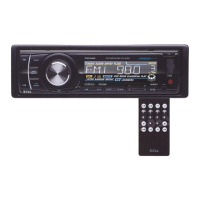
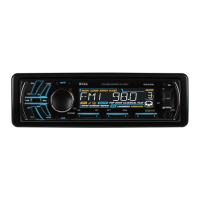
MP3-COMPATIBLE
DIGITAL
MEDIA
RECEIVER
USB/SD
Card
(MP3
Playback) Controls
1 2 3
To
play tracks from a USB drive
or
SO card
insert the drive into the appropriate port/slot
on the faceplate. The display will show "USB
U"
or "CARD C," indicating that the drive is
being read.
The unit will display tracks when ready
by
file name (or, if created with ID3-tag
information, with Song Title, Artist and Album
information) and will begin playing the first
track in the directory.
®
-10
BUTTON
+10
BUTTON
To skip back
or
ahead
10
tracks in the
current folder, press this button.
®
INTRa
SCAN (BAND button)
To audition the first 10 seconds
of
each
track in the current folder, press this
button. To cancel and begin playback
of
a track being auditioned, press again.
1«
and
»1
(Skip back/skip forward,
Fast rewind/fast forward)
Press these buttons
to
skip
back
or
ahead one track.
RDM (Random Play Mode)
Press this button for playback
of
all the
files
in
the current folder in a random
order. "RDM ON/OFF" will be displayed.
Press again
to
cancel.
®
®
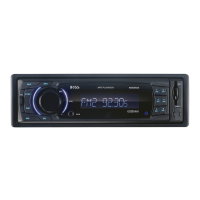
SD CARD slot
Insert SD card in this slot
for playback. Please note
icon on panel which shows
you how
to
orient card
(angled corner goes
to
left
side
of
slot).
® USB port
Insert USB drive
in
this slot for playback.
CD
DIRECT SEARCH
To look for a different folder
of
tracks
on the current USB drive
or
SD card,
press and hold the knob until the display
reads "DIRSEARCH." Then turn the
knob
to
look for another folder
of
tracks.
Press the knob
to
start playing those
tracks.
® PLAY/PAUSE
Files will begin playback automatically
upon insertion. To pause playback,
press this button. Press again
to
resume
playback.
o RPT (Repeat Play Mode)
Press this button
to
repeat the playback
of
all the files
in
the current folder
automatically. "RPT ON/OFF" will be
displayed. Press again
to
cancel.
o STOP
Pressing STOP will stop playback. To
restart playback, press PLAY/PAUSE.
Playback will begin with the first song
of
the current folder directory (NOT the
track that was last playing).
755081 User's Manual - page 8



 To Next Page
 Loading...