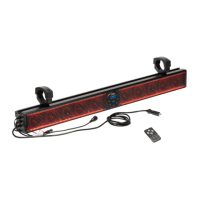
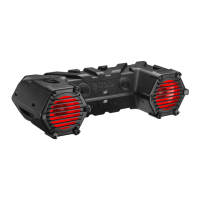
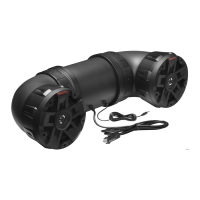
The BOSS Audio Systems BRT25SLR is a 25-inch amplified sound bar designed for installation in ATVs (All Terrain Vehicles) or UTVs (Utility Vehicles). It features a built-in Class A/B amplifier and offers multicolor illumination options, enhancing both audio experience and vehicle aesthetics.
Function Description:
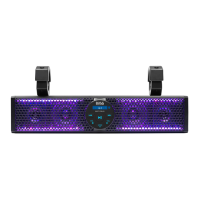
The BRT25SLR serves as a versatile Bluetooth speaker system, allowing audio streaming from mobile devices (iOS or Android) via Bluetooth. It also supports music playback from external devices such as USB flash drives or MP3 players through its USB port or 3.5mm AUX jack. For expanded audio setups, the sound bar can output audio to an external amplifier or powered speakers via RCA outputs. Integrated LED lights provide customizable illumination, controllable via the included remote. The product is designed to be shockproof and water-resistant, making it suitable for outdoor and off-road environments. It operates on a 12V DC vehicle power supply.
Important Technical Specifications:
- Bluetooth:
- Version: 5.0 / EDR
- Profiles: A2DP, AVRCP
- Frequency: 2402 - 2480 MHz
- Transmission Power: <4 dBm
- Transmission Distance: Up to 33 ft / 10 m (line of sight)
- Speakers:
- High Power Speaker Size: (4) 3” / 76.2 mm
- Tweeter Size: (2) 1" PEI dome
- Amplifier:
- Class: A/B
- Input Impedance: 10 KΩ
- Frequency Response: 45 Hz - 22 kHz
- Connectivity:
- USB: USB-A, MP3/WMA playable; mobile device charging (1A)
- AUX: 3.5 mm jack for audio input
- RCA: RCA sockets for audio output
- General:
- Input Voltage: 12 V DC (allowable 10 - 16 V DC)
- Current Draw: Max. 7.8 A
- Fuse: 10 A AGC type
- Clamp Size Range (O.D.): 1.75" - 2"
- Weight: 7.7 lbs / 3.5 kg
- Dimensions:
- Length: 24.02" (610 mm)
- Height: 3.70" (94 mm)
- Depth: 3.29" (83.5 mm)
Usage Features:
- Power On/Off: The sound bar can be powered on or off by pressing and holding the power button on the unit or the remote control.
- Bluetooth Mode: Upon power-on, the sound bar automatically enters Bluetooth pairing mode ("bt" flashes on display). To pair, enable Bluetooth on your mobile device, select "Boss Audio BRT25SLR," and enter "0000" if prompted. Once paired, "bt" will stop flashing and remain lit. To connect a second device, disconnect the current Bluetooth connection by holding the play/pause button for two seconds.
- AUX Mode: Connect an external audio device via the 3.5mm AUX input. The sound bar automatically switches to AUX mode ("AUX" displayed). If not, press the MODE button to select it.
- USB Mode: Connect a USB flash drive to the USB port. The sound bar automatically switches to USB mode ("USB" displayed briefly). If not, press the MODE button to select it. Supports MP3 and WMA files. The USB port also provides 1A current for mobile device charging.
- Playback Control:
- Play/Pause: Press the play/pause button.
- Track Selection: Use the track selection buttons (previous/next).
- Volume Adjustment: Use the volume +/- buttons.
- Illumination Control (via Remote):
- LED Lights On/Off: Briefly press the power button on the remote.
- Mode Selection: Use MODE +/- to select an illumination mode.
- Speed Adjustment: Use SPEED +/- to adjust illumination speed.
- DEMO: Activates lights cycling through red, green, and blue.
- Color Selection: Use COLOR +/- to select an illumination color mode.
- Brightness Adjustment: Use BRIGHT +/- to change illumination intensity.
- SYN: Activates or deactivates lights flashing to music.
- Audio Output: Connect to an external amplifier or powered speakers using the RCA audio output sockets.
- Power Connection Options:
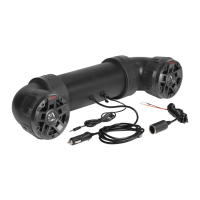
- Cigarette Lighter Socket: Directly insert the cigarette lighter plug into the vehicle's socket.
- Vehicle Battery: Connect the black wire of the cigarette lighter plug adapter to chassis ground and the red wire to the positive terminal of the vehicle battery (requires 12-14 gauge wire, relay, and 15A fuse, not included). Then, connect the sound bar's cigarette lighter plug to the adapter.
Maintenance Features:
- Cleaning: Wash the product with lukewarm water and mild soap or detergent using a clean sponge or soft cloth. Rinse well with clean water. Avoid cleaning in hot weather, using abrasive/alkaline cleaners, gasoline, acetone, carbon tetrachloride, or other aggressive chemicals. Do not scrape with sharp instruments.
- Fuse Replacement: If the power LED indicator does not light up, the 10A AGC fuse inside the cigarette lighter plug may be blown. To replace, turn the front end assembly of the cigarette lighter plug counterclockwise to access the fuse, then replace it with a new 10A AGC fuse.
- Water Resistance: The product is water resistant but should never be submerged in water.
- Battery Preservation: Operating the sound bar consumes vehicle battery power. To avoid battery exhaustion, ensure the vehicle engine is running when using the sound bar.
- Troubleshooting: The manual provides solutions for common issues such as no power (check fuse, ACC switch), no sound (check audio input, volume, playback), Bluetooth connection problems (pairing, device range, existing connections), poor Bluetooth audio quality (device proximity, interference), and no response (power glitch, reconnect power).
- Environmental Care: Dispose of the product at an official collection point for recycling at the end of its life.

 Need help?
 General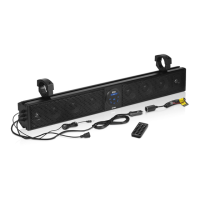



 To Next Page