EasyManua.ls Logo

Boss Audio Systems BRT36A - User Manual

Boss Audio Systems BRT36A
13 pages
Print Icon
To Next Page IconTo Next Page
Loading...
InstructionDisclaimer
Dennis Kirk provides instructions to help our customers better understand how to install the
products we sell. The instructions are exact copies of what the manufacturer includes with the
product being sold.
That means the quality and accuracy of the instructions is solely dependent on what the
manufacturer produces. We do our best to make the text legible and the pictures viewable.
However, the end result depends largely on the quality of instructions the manufacturer
provides.
Therefore, you will find that some instructions are not of the highest quality. Sometimes text is
hard to read and pictures are not easy to see. At times you will find the overall look of the
instructions to be less than professional. However, we feel it is better to provide what we have
rather than provide nothing at all.
To the best of our knowledge the instructions and application information contained in the
instructions is accurate. However, Dennis Kirk assumes no liability related to any errors that
may be contained in the copy of the manufacturer’s instructions we provide. Buyers are solely
responsible to insure that product use is consistent with their application.
If you have any questions please contact us at customerservice@denniskirk.com
or
800-969-7501 so we can further assist you regarding additional product information or any other
business related questions.
Thank you for doing business with Dennis Kirk.
Question and Answer IconNeed help?

Do you have a question about the Boss Audio Systems BRT36A and is the answer not in the manual?

Summary

Information to the User

Package Contents

Lists all items included in the product package for user reference and setup.

Before You Start

Important Safety Precautions

Critical safety guidelines to follow before operating the BRT36A for user protection.

Installation Precautions

Warnings and recommendations for safe and proper installation of the sound bar.

Getting to Know Your BRT36 A

Device Components Overview

Identifies and labels the main components and ports of the BRT36A unit.

Bluetooth Operation

Pairing New Bluetooth Devices

Step-by-step guide for connecting a new Bluetooth device to the BRT36A.

Bluetooth Operation

Reconnecting Bluetooth Devices

Instructions for re-establishing connection with previously paired Bluetooth devices.

Streaming Music

Bluetooth Music Playback Controls

Details on using unit buttons to control Bluetooth music playback functions.

Volume Adjustment

Guidance on how to adjust the audio volume using the device controls.

Aux Input

Auxiliary Audio Connection

Steps for connecting external audio sources via the 3.5mm AUX-IN jack.

Aux Volume Control

Instructions for managing audio volume when using the AUX input source.

USB Input

USB Media Playback

Instructions on how to play music files from a USB flash drive.

Remote Control

Remote Control Functions

Explanation of the functions and operation of the included remote control.

Installation

Mounting the Sound Bar

Instructions on how to securely mount the sound bar using provided brackets.

Summary

Information to the User

Package Contents

Lists all items included in the product package for user reference and setup.

Before You Start

Important Safety Precautions

Critical safety guidelines to follow before operating the BRT36A for user protection.

Installation Precautions

Warnings and recommendations for safe and proper installation of the sound bar.

Getting to Know Your BRT36 A

Device Components Overview

Identifies and labels the main components and ports of the BRT36A unit.

Bluetooth Operation

Pairing New Bluetooth Devices

Step-by-step guide for connecting a new Bluetooth device to the BRT36A.

Bluetooth Operation

Reconnecting Bluetooth Devices

Instructions for re-establishing connection with previously paired Bluetooth devices.

Streaming Music

Bluetooth Music Playback Controls

Details on using unit buttons to control Bluetooth music playback functions.

Volume Adjustment

Guidance on how to adjust the audio volume using the device controls.

Aux Input

Auxiliary Audio Connection

Steps for connecting external audio sources via the 3.5mm AUX-IN jack.

Aux Volume Control

Instructions for managing audio volume when using the AUX input source.

USB Input

USB Media Playback

Instructions on how to play music files from a USB flash drive.

Remote Control

Remote Control Functions

Explanation of the functions and operation of the included remote control.

Installation

Mounting the Sound Bar

Instructions on how to securely mount the sound bar using provided brackets.

Overview

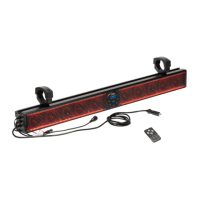
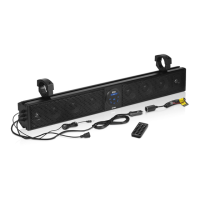
This document describes the BOSS AUDIO SYSTEMS BRT36A All-Terrain Sound System, a 36-inch amplified sound bar featuring a built-in Class A/B amplifier and Bluetooth® connectivity.

Function Description:

The BRT36A is designed to provide audio playback in various outdoor and all-terrain environments. It supports multiple audio input sources, including Bluetooth wireless streaming, a 3.5mm AUX-IN, and a USB input for playing MP3 and WMA music files. The device is equipped with a control panel for direct operation and also comes with a remote control for convenient access to its functions. Its weather-resistant design makes it suitable for use in challenging conditions, though it should not be submerged in water. The system is powered via a cigarette lighter/auxiliary power port or can be hardwired to a vehicle's battery with appropriate fusing.

Important Technical Specifications:

  • Model: BRT36A All-Terrain Sound System
  • Amplifier Type: Built-in Class A/B Amplifier
  • Connectivity: Bluetooth® wireless technology
  • Inputs:
    • 3.5mm AUX-IN
    • USB input (supports MP3 and WMA formats, provides 1A current)
  • Power Source: Vehicle's cigarette lighter/auxiliary power port, or hardwired to battery (requires optional 15A fuse and fuse holder)
  • Ground Cable Length: Should not exceed 18 inches
  • Weather Resistance: Weather-resistant design (not submersible)
  • Remote Control Battery: CR2025 (replacement battery)

Usage Features:

General Operation:

  • Power On: Plug the male cigarette lighter adaptor into a female receptacle.
  • Volume Control: Use the VOLUME UP (10) and VOLUME DOWN (7) buttons on the control panel or the remote control. For optimal audio performance, ensure the connected device's Bluetooth volume is set to a minimum of 75% before stowing.

Bluetooth Operation:

  • Pairing:
    1. Power on the BRT36A.
    2. Press the MODE button (9) to enter pairing mode (indicated by a flashing Bluetooth icon).
    3. On your Android or iOS device, go to Settings > Bluetooth, turn on Bluetooth, and scan for devices.
    4. Select "Boss Audio BRT36A" from the list of available devices.
    5. If prompted, enter the passcode "0000".
    6. Note: You have 2 minutes to complete the pairing process before needing to restart.
  • Reconnection:
    1. Power on the BRT36A and your last paired Bluetooth device.
    2. Press the MODE button (9). The unit will automatically reconnect.
    3. If reconnecting to a previously paired but not last-paired device, ensure no other devices are currently paired, then select "Boss Audio BRT36A" from your device's Bluetooth menu.
    4. The BRT36A will automatically reconnect to the device once back in range after a disconnection.
  • Streaming Music (Bluetooth):
    1. Press the PLAY/PAUSE button (8) on the control panel or your device's touchscreen to start/pause music.
    2. Press the NEXT TRACK button (11) to skip songs or advance.
    3. Press the PREVIOUS TRACK button (6) to select the previous song.

AUX-IN Operation:

  • Selecting AUX Mode: Press the MODE button (9) to select AUX mode.
  • Connecting Device: Connect the integrated 3.5mm AUX-IN cable (1) to your device's headphone jack.
  • Securing Device: Route the wire back to the BRT36A and secure your device.
  • Volume Control: Adjust volume using the VOLUME UP (10) and VOLUME DOWN (7) buttons. For maximum audio performance, ensure your device's headphone volume is set to a minimum of 75% before stowing.

USB Input Operation:

  • Inserting USB: Insert a USB Flash drive into the USB JACK (5). Music will play automatically.
  • Playback Control:
    1. Press the PLAY/PAUSE button (8) to start/pause music.
    2. Press the NEXT TRACK button (11) to skip songs or advance.
    3. Press the PREVIOUS TRACK button (6) to select the previous song.
  • Supported Formats: MP3 and WMA.
  • Power Output: USB port provides 1A current.

Remote Control Operation:

  • The remote control allows access to various functions, including power, mode selection, play/pause, track navigation, and volume control. The remote control receiver window is indicated by (13). The remote uses a CR2025 battery.

Installation:

  • Use the supplied adjustable bracket to secure the sound bar to rails.
  • Always recheck the bracket before every ride to ensure it remains secure.
  • Professional installation is recommended.
  • When hardwiring to the battery, disconnect the negative terminal first. An optional 15A fuse and fuse holder are suggested for the positive battery terminal.

Maintenance Features:

  • Cleaning: Wash with mild soap or detergent and lukewarm water using a clean sponge or soft cloth. Rinse well with clean water.
  • Avoid:
    • Cleaning in hot sun or on very hot days.
    • Using abrasive or highly alkaline cleaners on the main body.
    • Scraping the main body with razor blades or other sharp instruments.
    • Using gasoline, acetone, or carbon tetrachloride.
  • Battery Preservation: To avoid battery exhaustion, occasionally run the vehicle's engine while using the product. Using the product without running the engine can drain the battery.

Safety Precautions:

  • Do not operate mobile equipment while driving.
  • If smoke, strange noises, or odor are detected, immediately turn off the power and consult a dealer or authorized service center.
  • Set volume control at a low setting and gradually increase to a comfortable level without distortion.
  • Do not turn up the volume so high that you cannot hear your surroundings.
  • Use caution or discontinue use in potentially hazardous situations.
  • Servicing by untrained personnel can be dangerous. Contact BOSS Audio Systems for installation or service questions.
  • The BRT36A is weather-resistant but should not be submerged.
  • Use only the provided installation parts.

Boss Audio Systems BRT36A Specifications

General IconGeneral
BrandBoss Audio Systems
ModelBRT36A
CategorySpeaker System
LanguageEnglish

Related product manuals