EasyManua.ls Logo

Boss Audio Systems UTV4B - User Manual

Boss Audio Systems UTV4B
13 pages
Print Icon
To Next Page IconTo Next Page
Loading...
UTV4B

BLUETOOT
 
 
0224
BOSS Audio Systems
3451 Lunar Court • Oxnard, CA 93030



V:1X
Question and Answer IconNeed help?

Do you have a question about the Boss Audio Systems UTV4B and is the answer not in the manual?

Overview

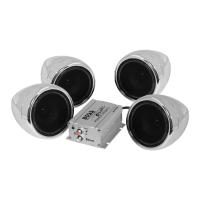
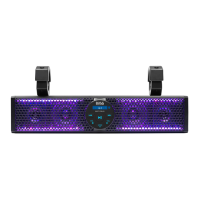
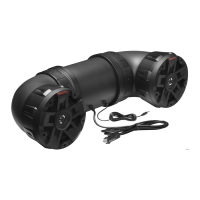
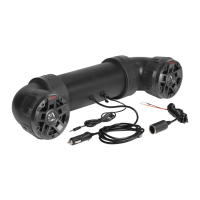
This document is the user manual for the BOSS AUDIO SYSTEMS UTV4B, a Bluetooth® amplified all-terrain sound system featuring 4" marine speakers and 1" waterproof tweeters.

Function Description:

The UTV4B is a Bluetooth speaker system designed for installation in ATVs (All-Terrain Vehicles) or UTVs (Utility Vehicles). It allows users to stream audio wirelessly from a mobile phone via Bluetooth or play music from an external device (e.g., a mobile phone or MP3 player) through a 3.5 mm AUX input jack. The system is shockproof and weatherproof, operating on a 12 VDC vehicle power supply.

Important Technical Specifications:

  • Bluetooth:
    • Version: 5.0 / EDR
    • Profile: A2DP
    • Transmission distance: Up to 33 ft / 10 m (line of sight)
  • Speakers:
    • Dimensions: 4" / 102 mm
    • Cone type: PP carbon + rubber surround
    • Tweeter size: 1" PEI soft dome
  • Amplifier:
    • Class: D
    • Input impedance: 10 kΩ
    • Frequency response: 65 Hz - 22 kHz
  • General:
    • Input voltage/current: 12 VDC (allowable 10 - 16 VDC)
    • Current draw: Max. 6 A
    • Fuse: 10 A AGC type
    • Weight: 8.8 lbs / 4.0 kg
  • Dimensions (drawings):
    • Height: 5" (127 mm)
    • Length: 23.5" (597 mm)
    • Depth: 7.5" (191 mm)

Usage Features:

  • Power Connection:
    • Option 1: Using Power Port: Directly connect the 12V power port plug of the sound system into the vehicle's power port. The power LED indicator illuminates when connected. To prevent battery drain, unplug the cable if the port power is not switched off with the ignition key.
    • Option 2: Using Power Port Plug Adapter: If the vehicle lacks a 12V power port, use the supplied adapter. Connect the black/ground wire to the vehicle's metal frame or negative battery terminal, and the red wire to the positive battery terminal. An in-line 15A fuse (not included) and an on-off switch (not included) are recommended for this option.
    • Option 3: Direct Connection to Vehicle Battery: Remove the plug from the power port plug cable. Connect the negative wire to the vehicle's metal frame or negative battery terminal, and the positive wire to the positive battery terminal. A 15A fuse (not included) and an on/off switch (not included) must be installed in line with the power wire connecting to the positive battery terminal to prevent electrical damage.
  • Bluetooth Connectivity:
    • Ensure the AUX cable is not connected and the system is powered on. The power LED illuminates, and the system enters pairing mode.
    • Enable Bluetooth on your mobile device and select "Boss Audio UTV4B" to pair. If prompted, enter "0000".
    • A confirmation tone indicates successful pairing. Audio streamed from the mobile device will play through the sound system.
    • Only one device can be paired at a time. To change Bluetooth source, disconnect the current connection.
    • The system automatically reconnects to a previously paired device when both are turned on.
  • AUX Input:
    • Connect the 3.5mm AUX input of the sound system to the audio output jack of an external device (e.g., mobile phone, MP3 player) using the supplied 3.5mm audio cable or appropriate adapters (USB-C to 3.5mm, Lightning to 3.5mm, not included).
    • Bluetooth connection will automatically disconnect when the AUX cable is connected.
    • Play audio files on your connected device; audio will play through the sound system.
  • Playback Control:
    • Use the controls on the connected device (Bluetooth or AUX) to manage playback (play/pause, volume, track selection).
    • To maximize audio performance, set the volume of the connected device to a minimum of 75% or the highest volume setting without distortion.
    • Running the vehicle engine is recommended when operating the sound system to avoid battery exhaustion.
    • Operational range for Bluetooth can be reduced by obstacles or distance. The device will automatically disconnect if out of range and re-connect if back within range within three minutes.
  • Mounting:
    • Always consult an expert for installation. Use only supplied mounting accessories (straps and zip ties) to secure the sound system on the rails or roll bars of the vehicle.
    • Regularly check mounting conditions before each vehicle ride to ensure safety. No special tools are required for mounting.

Maintenance Features:

  • Safety Precautions:
    • Avoid excessively high speaker volume to maintain awareness of surroundings.
    • Exercise caution or discontinue use in hazardous situations.
    • Do not make adjustments while driving.
    • Start volume low and gradually increase to a comfortable level without distortion.
    • If smoke, strange noise, or odor occurs, disconnect power and contact technical support.
    • Servicing should only be performed by a technician.
  • Installation Precautions:
    • Always consult a professional installer.
    • Observe safety and operating instructions of connected devices.
    • Use only manufacturer-specified attachments/accessories.
    • Do not modify the product.
    • Disconnect the negative terminal of the vehicle battery before installation to prevent damage, fire, or injury.
  • Care for Your Product:
    • DO NOT clean in hot weather (e.g., hot sunlight).
    • DO NOT use abrasive or highly alkaline cleaners, gasoline, acetone, carbon tetrachloride, or other aggressive chemical solutions.
    • DO NOT scrape with razor blades or sharp instruments.
    • The product is weatherproof but should NEVER be submerged in water.
    • Wash with lukewarm water and mild soap/detergent using a clean sponge or soft cloth, then rinse well with clean water.
  • Fuse Replacement:
    • If the power LED indicator on the power port plug does not illuminate, the 10A AGC fuse (glass cartridge type) inside the plug may be blown.
    • Locate and turn the screw cap on the front end of the power port plug counterclockwise to access the fuse.
    • Replace with a new 10A AGC fuse (not included), ensuring the contact head sticks out when reassembling.
  • Troubleshooting: The manual provides a troubleshooting guide for common issues such as no power, no sound, Bluetooth connection problems, poor audio quality, and unresponsiveness, with corresponding solutions.
  • Environmental Care: Do not dispose of the product with normal household waste; follow local laws for electronic product disposal to help preserve the environment.

Boss Audio Systems UTV4B Specifications

General IconGeneral
BrandBoss Audio Systems
ModelUTV4B
CategorySpeaker System
LanguageEnglish

Related product manuals