EasyManua.ls Logo

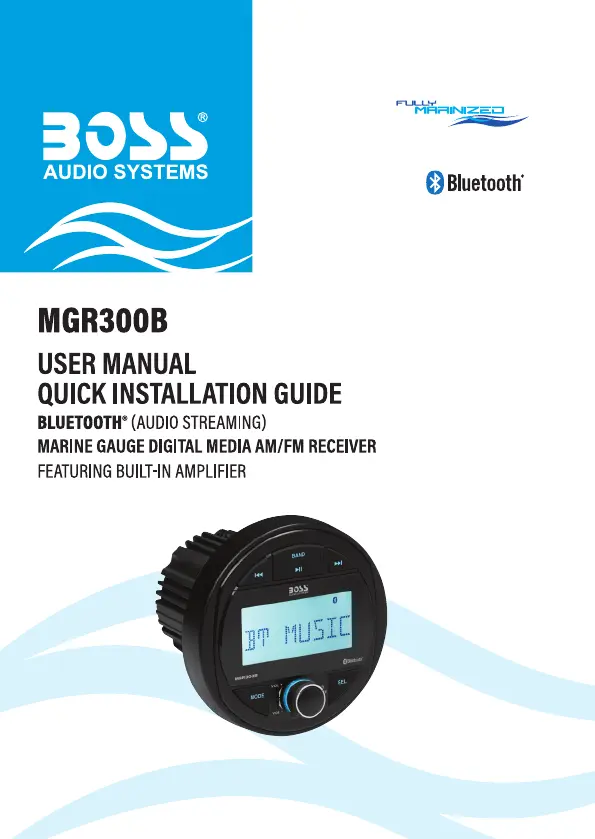
Boss Audio Systems MGR300B - User Manual

Boss Audio Systems MGR300B
17 pages
Print Icon
To Next Page IconTo Next Page
Loading...

Questions and Answers

  • S
    staceyfrazierJul 28, 2025
    How to fix a Boss Audio Systems Receiver with no power?
    • S
      Sydney HornJul 28, 2025
      If your Boss Audio Systems Receiver has no power, first check the fuse. If it's blown, replace it with a new fuse of the same type and rating. Also, ensure that the vehicle's ACC switch is turned on.
  • A
    amanda11Aug 1, 2025
    Why my Boss Audio Systems Receiver cannot connect through Bluetooth?
    • J
      Jeremy HamptonAug 1, 2025
      If your Boss Audio Systems Receiver won't connect via Bluetooth, first ensure that Bluetooth is enabled on your device. Make sure the device is within Bluetooth range. If it still doesn't work, the unit might be already connected to another Bluetooth device; disconnect the current connection.
  • T
    Theresa Jordan MDAug 7, 2025
    What to do if my Boss Audio Systems Receiver has no sound?
    • S
      Sara GrahamAug 7, 2025
      If there is no sound from your Boss Audio Systems Receiver, check if the volume is muted or the playback is paused. Adjust the volume or check the playback status. If that’s not the issue, make sure the correct source input is selected by pressing the MODE button.
  • L
    Leslie NguyenAug 12, 2025
    Why is the Bluetooth audio quality poor on my Boss Audio Systems Receiver?
    • O
      omargrossAug 12, 2025
      If the audio quality from your Boss Audio Systems Receiver's Bluetooth connection is poor, try moving the device closer to the unit. Also, remove any obstacles or sources of interference that might be affecting the Bluetooth reception.
  • T
    Tanya MartinezAug 17, 2025
    How to improve radio reception on Boss Audio Systems Receiver?
    • T
      tiffanytrevinoAug 17, 2025
      If your Boss Audio Systems Receiver has poor radio reception: * Make sure an antenna is connected to the unit. * Fine-tune the radio station. * Set FM radio to “MONO” and “DX” for better radio reception.
  • E
    Erin ClineAug 22, 2025
    Why is my USB device not supported on Boss Audio Systems Receiver?
    • J
      justin48Aug 22, 2025
      Your Boss Audio Systems Receiver might not support the USB device if the files are not playable or the USB device is not compatible with the unit.

Summary

Important Information and Precautions

Important Safety Precautions

Essential safety guidelines for product operation and user well-being.

Installation Precautions

Critical steps and warnings for safe and proper product installation.

Control Panel Layout

Dashboard Mounting Procedure

Wiring Connections Guide

Basic Operations

Power On, Standby, and Volume Control

Instructions for turning the unit on/off, adjusting volume, and muting.

Setting the Clock

Step-by-step guide to setting the current time and format.

Resetting the Unit

Procedure to restore the unit to its default settings.

Bluetooth Audio Streaming

Pairing a Mobile Phone

Steps to connect a mobile device via Bluetooth for audio streaming.

USB and AUX Audio Playback

Audio Output Configuration

Changing Unit Settings

Sound Settings Adjustments

Adjustments for bass, treble, balance, EQ, loudness, and beep tones.

Troubleshooting Common Issues

Boss Audio Systems MGR300B Specifications

General IconGeneral
BrandBoss Audio Systems
ModelMGR300B
CategoryReceiver
LanguageEnglish

Related product manuals