EasyManua.ls Logo

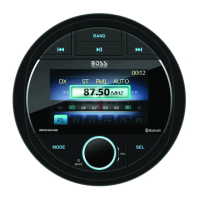
Boss Audio Systems MGV500B - User Manual

Boss Audio Systems MGV500B
20 pages
Print Icon
To Next Page IconTo Next Page
Loading...
0222
BOSS Audio Systems
3451 Lunar Court • Oxnard, CA 93030
www.bossaudio.com
805-751-4853 Customer Service
Tech Support: www.bossaudio.com/support
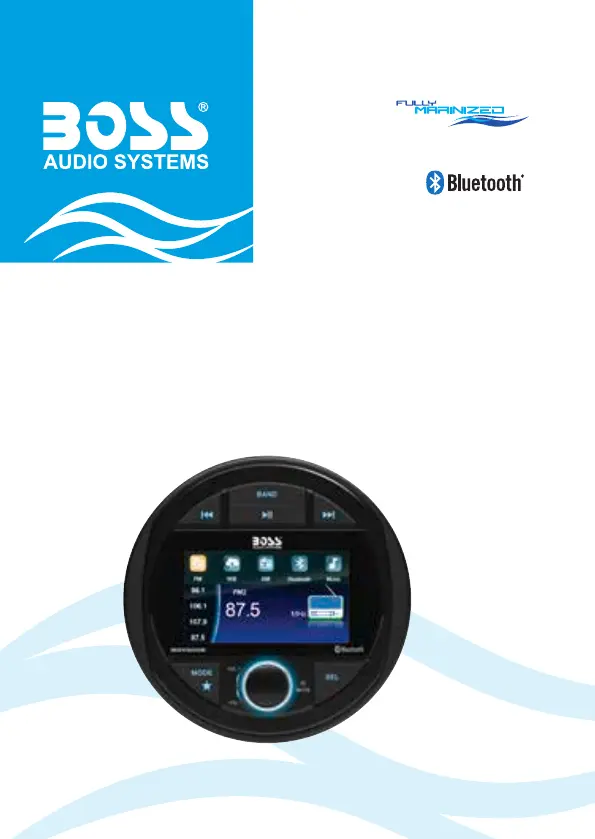
MGV500B
USER MANUAL
QUICK INSTALLATION GUIDE
BLUETOOTH® | (AUDIO STREAMING)
MARINE GAUGE DIGITAL MEDIA AM/FM RECEIVER
iPod® and iPhone® are trademarks of Apple, Inc. registered in the U.S. and other countries.
BOSS Audio Systems is not ailiated with Apple, Inc.
The Bluetooth® word mark and logos are registered trademarks owned by Bluetooth SIG, Inc. and any use of such marks
by BOSS Audio Systems is under license. Other trademarks and trade names are those of their respective owners.

Questions and Answers

  • J
    Jesus JenkinsJul 29, 2025
    How to troubleshoot no power on Boss Audio Systems Receiver?
    • N
      Nicholas DodsonJul 29, 2025
      If your Boss Audio Systems Receiver has no power, first check if the fuse is blown and replace it with a new fuse of the same type and rating. Also, ensure that the vehicle's accessory switch is turned on.
  • L
    Leon ChavezAug 6, 2025
    What to do if there is no sound from Boss Audio Systems Receiver?
    • M
      Misty Adams PhDAug 6, 2025
      If there is no sound from your Boss Audio Systems Receiver, check that the volume isn't muted and playback isn't paused; adjust the volume or check the playback status. Ensure the correct source is selected by pressing the MODE button.
  • M
    Michael PetersonAug 13, 2025
    Why can't I connect to Boss Audio Systems Receiver via Bluetooth?
    • C
      chayesAug 13, 2025
      If you are experiencing issues connecting to your Boss Audio Systems Receiver via Bluetooth, ensure that Bluetooth is enabled on your device and that the device is within Bluetooth range. Also, disconnect any other Bluetooth devices currently connected to the unit.
  • A
    ashleymartinAug 20, 2025
    How to improve Bluetooth audio quality on Boss Audio Systems Receiver?
    • L
      lindaschmidtAug 21, 2025
      To improve poor audio quality from a Bluetooth connection on your Boss Audio Systems Receiver, try moving your device closer to the unit. Also, remove any obstacles or sources of interference that might be affecting the Bluetooth reception.

Summary

Important Safety and Installation

Important Safety Precautions

Safety guidelines for product usage and potential hazards.

Installation Precautions

Guidelines and warnings for product installation.

Control Panel Operations

Main Control Buttons

Buttons for media, radio tuning, band selection, playback, and mode switching.

Rotary Function Knob

Knob for volume adjustment and menu navigation.

Installation Procedures

Mounting On Dashboard

Instructions and precautions for installing the unit on a dashboard.

Wiring Instructions

Guidance and precautions for connecting the unit's wires.

Basic Unit Functions

Power On;Standby Operation

How to turn the unit on, switch to standby, and its behavior.

Unit Reset Procedure

Procedure to reset the unit to factory default settings.

Bluetooth Connectivity

Pairing a Mobile Phone

Steps to connect a mobile device via Bluetooth.

USB Media Playback

Audio Input and Output

Advanced Features

Technical Specifications

Product Dimensions and Troubleshooting

Troubleshooting Common Issues

Common problems and their solutions for the unit.

Boss Audio Systems MGV500B Specifications

General IconGeneral
Power Output50W x 4
BluetoothYes
USB PortYes
Aux InputYes
Video OutputYes
Radio TunerAM/FM
WeatherproofYes
Remote ControlYes
Steering Wheel ControlsNo
Compatible FormatsMP3/WMA

Related product manuals