EasyManua.ls Logo

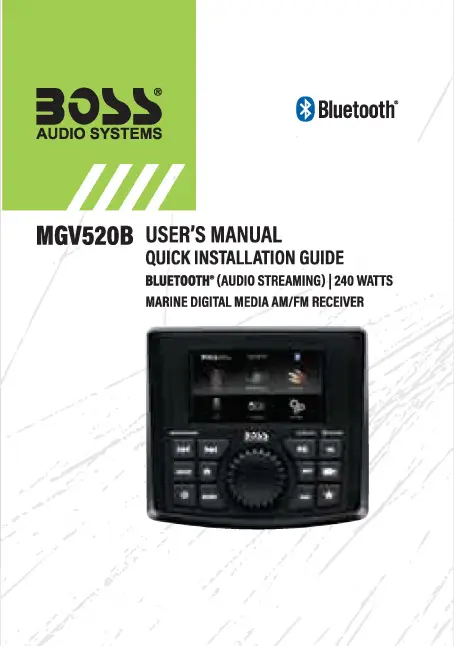
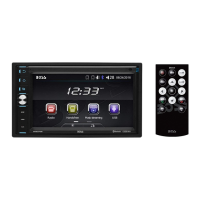
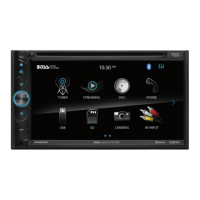
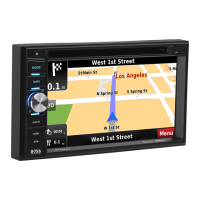
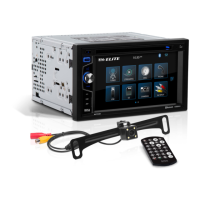
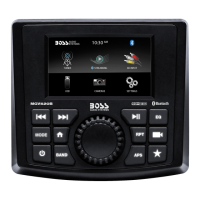
Boss Audio Systems MGV520B - User Manual

Boss Audio Systems MGV520B
35 pages
Print Icon
To Next Page IconTo Next Page
Loading...
ao~s
0
Bluetooth"
AUDIO SYSTEMS
MGV520B
USER'S
MANUAL
QUICK
INSTALLATION
GUIDE
BWETOOTH"
(AUDIO
STREAMING)
I
240
WATTS
MARINE
DIGITAL
MEDIA
AM/FM
RECEIVER

Questions and Answers

  • T
    Tina PhillipsJul 27, 2025
    Why is there no power on my Boss Audio Systems Receiver?
    • A
      Arthur JonesJul 27, 2025
      First, ensure that the power supply is securely and properly connected. Next, check if the fuse is blown and replace it with a new fuse of the same type and rating. Finally, verify that the accessory switch of the vehicle is engaged; if not, turn it on.
  • C
    Cheryl CardenasAug 1, 2025
    What to do if my Boss Audio Systems Receiver has no sound?
    • J
      Jacqueline LeeAug 1, 2025
      First, verify that the volume is not muted and playback is not paused; adjust the volume or check the playback status. If that's not the issue, ensure the correct source input is selected by pressing the MODE button.
  • A
    andrewsisaiahAug 5, 2025
    Why is the audio quality from Bluetooth connection poor on my Boss Audio Systems Receiver?
    • D
      David HarveyAug 5, 2025
      Move the device closer to the unit, or remove any obstacles or sources of interference that might be affecting the Bluetooth reception.
  • V
    Vanessa StevensAug 9, 2025
    What to do if my Boss Audio Systems Receiver volume is too high at startup?
    • V
      vanessayangAug 9, 2025
      The unit memorizes the last shutdown volume as the startup volume. To resolve this, adjust the volume to a lower level before turning off the unit.
  • L
    Leonard BryantAug 13, 2025
    Why is the radio reception poor on my Boss Audio Systems Receiver?
    • R
      Ronald YorkAug 13, 2025
      Make sure an antenna is connected to the unit.
  • R
    rmillerAug 18, 2025
    What to do if the volume is too low or too high on my Boss Audio Systems Receiver despite using the function knob?
    • E
      Elizabeth KingAug 18, 2025
      Check that the audio settings are correctly set. This includes settings such as EQ, bass, treble, balance, and fader settings.
  • W
    Wendy FosterAug 22, 2025
    What to do if there is no camera view when pressing the camera button on my Boss Audio Systems Receiver?
    • S
      sara64Aug 22, 2025
      Check that the rear camera (“CAMERA 1”) or front camera (“CAMERA 2”) is correctly connected. Ensure that you have set rear camera (“CAMERA 1”) or front camera (“CAMERA 2”) as quick access, go to “SETTINGS” > “Camera Select Source” then select “CAMERA 1” or “CAMERA 2”.

Summary

Important Safety Precautions

General Safety Guidelines

Key safety rules for operating the device, including volume, hazardous situations, and immediate shutdown procedures.

Before You Start

Installation Precautions

Guidelines for safe and proper installation, including professional consultation and wiring.

FCC Compliance Statement

Suggested Mounting Methods

Wire Diagram

Getting Started

Button Control Functions

Audio and System Setup

Radio Operation

Radio Operation Details

Instructions for selecting radio mode, advancing stations, and preset functions.

USB Operation

USB Operation Details

Instructions for operating USB mode, including playback, skipping tracks, and previous track selection.

Aux Input

Accessory Functions

Camera Functions

Bluetooth Operation

Pairing and Discovering Connection

Steps for pairing mobile devices via Bluetooth, including Android and iOS instructions.

Reconnection Procedures

How to reconnect previously paired Bluetooth devices and troubleshooting connection issues.

Troubleshooting Guide

Dimensions

Specifications

Boss Audio Systems MGV520B Specifications

General IconGeneral
Display TypeLCD
BluetoothYes
USB PortYes
Aux InputYes
Built-in AmplifierYes
WeatherproofYes
Wireless RemoteYes

Related product manuals