12
Other Functions
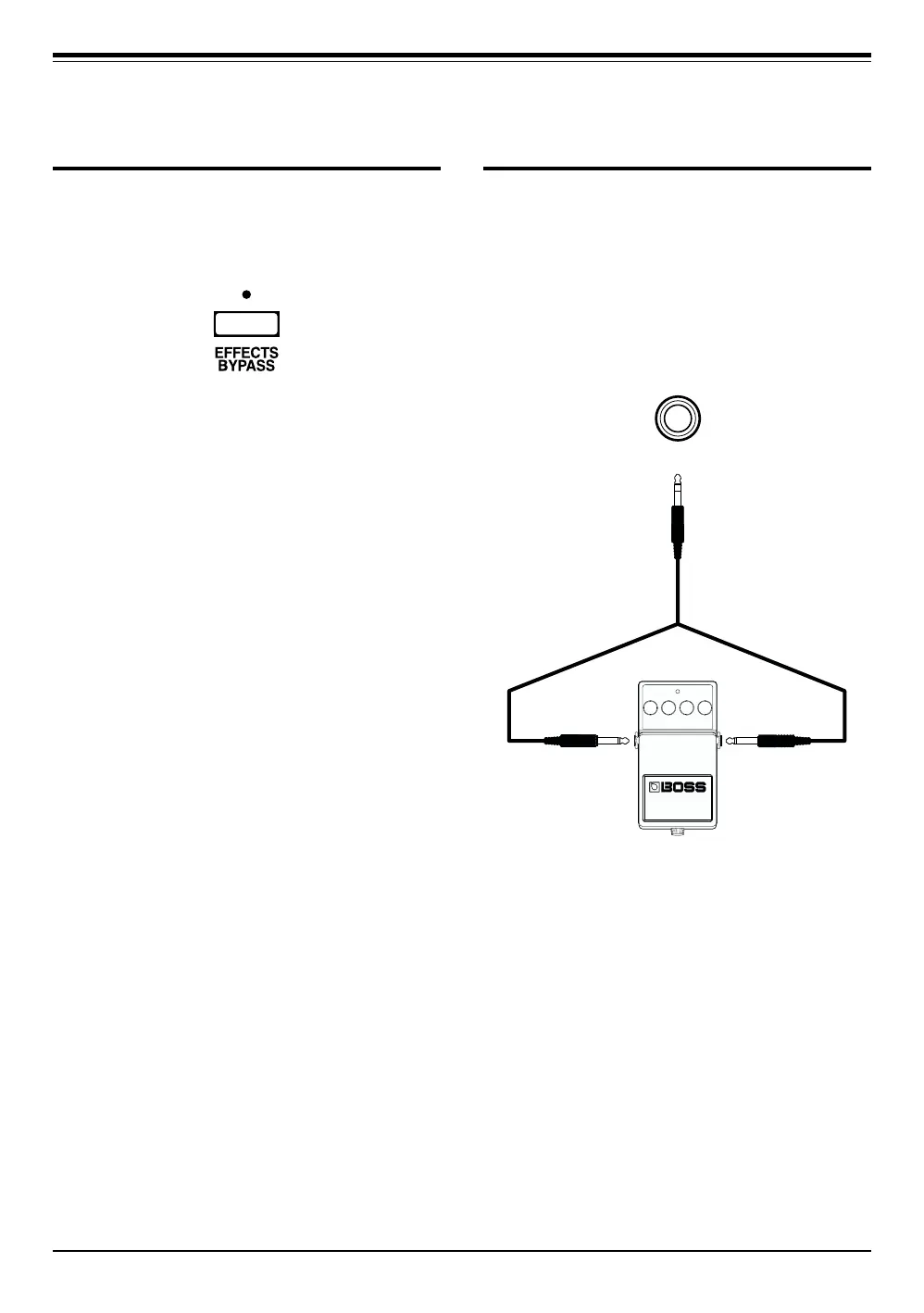
EFFECTS BYPASS
When using the Effects Bypass function, you switch
to “effects bypass” state, whereby the sound right
after the input level stage is routed directly to the
output.
Pressing the EFFECTS BYPASS button turns the
Effects Bypass on and off. The EFFECTS BYPASS
indicator comes on when Effects Bypass is on.
INSERT FUNCTION
When an external effect (such as ones in the BOSS
Compact Series) is connected to the Insert jack, you
can also add this effect when creating sounds. With
an external effect connected via the Insert jack with
a connector cable (Roland PCS-31; optional), the
sound that is mixed by means of the INPUT LEVEL
knobs is sent out through the Insert jack (SEND),
and the sound returned after effects have been
applied arrives back at the Insert jack (RETURN).
INSERT
TIP
:
SEND RING
:
RETURN
INPUTOUTPUT
(Red) (White)
Cord
(Roland PCS-31: Optional)
External Effects Device
* If EFFECTS BYPASS is turned on while an external effect is
plugged into the Insert jack, the sound obtained after the
external effect has been applied to it will be output from the
Output jacks.



 To Next Page