5
Common operations and display items
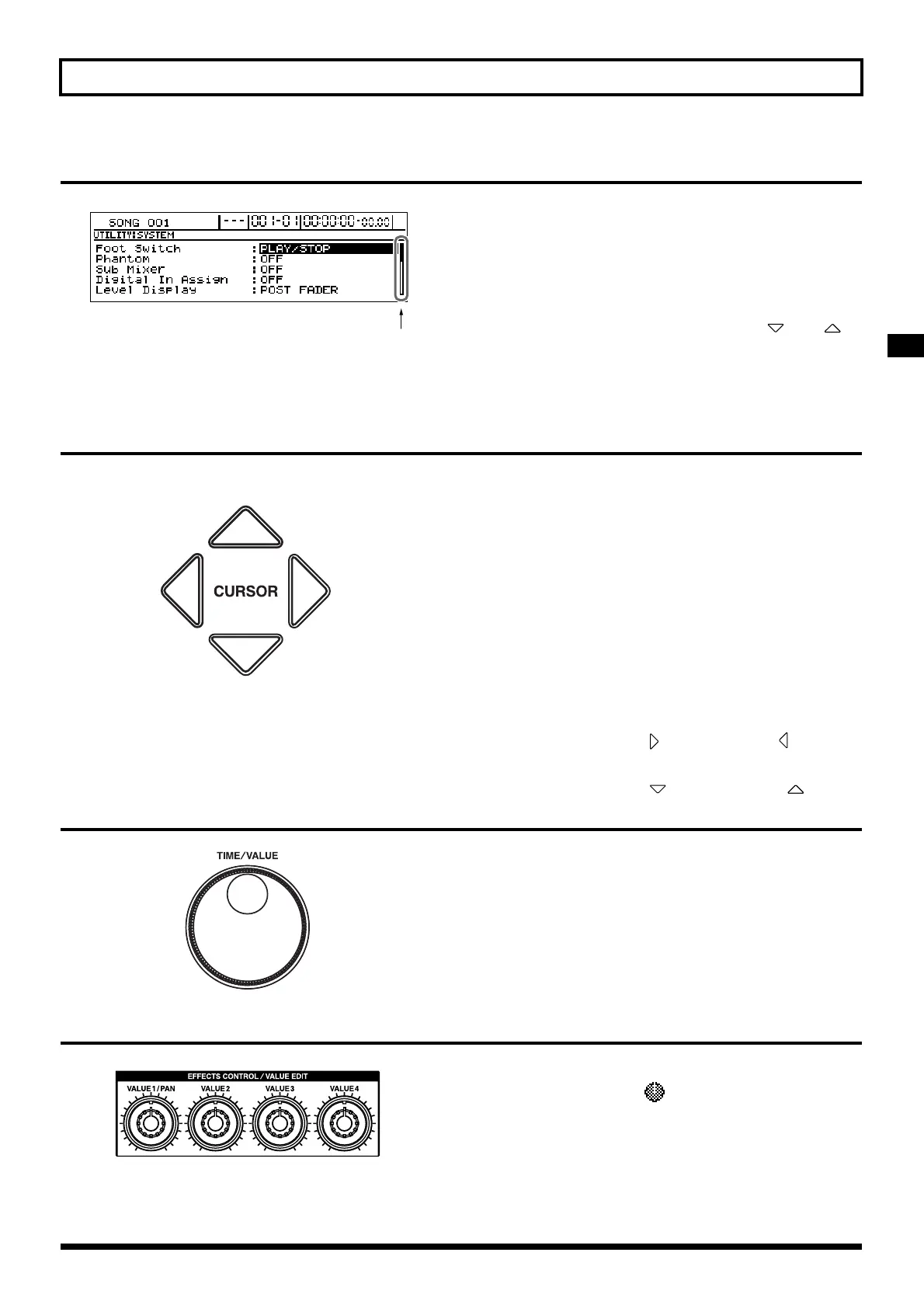
Scroll Bar
fig.06-08
When you see a scroll bar at the right of the screen, it means that the
BR-1600CD could not fit all of the relevant content in one screen,
and there is additional content hidden at the top or the bottom.
The scroll bar itself represents the entire display content, and
the black portion represents the range of that content that is
currently being displayed.
To view the hidden content, press CURSOR [ ] or [ ]
to move the display area up or down respectively.
When the display area is moved up, the black area in the
scroll bar will also move up, and when the display area is
moved down, the black area moves down.
Cursor
fig.06-03
The BR-1600CD’s cursor is represented either as an inverted
character, a frame, or an underline in a section of the screen that
allows settings to be made. When represented as a knob icon, the
knob is shown in black.
If the current screen contains a number of such sections, you can use
[CURSOR] to move between the corresponding setting items. In
addition, when you press and hold down [CURSOR], the on-screen
cursor will move continuously in the corresponding direction. If
you need to speed up the motion of the cursor, press and hold the
CURSOR arrow for the required direction of movement, and then
press the CURSOR arrow for the opposite direction. This action will
cause the cursor to move more quickly around the screen.
Example: To move the cursor quickly to the right
Press and hold CURSOR [ ], and then press [ ].
Example: To move the cursor quickly downward
Press and hold CURSOR [ ], and then press [ ].
TIME/VALUE dial
fig.06-05
The TIME/VALUE dial is used to change the cursor position,
values, or characters. In the case of values, these are
increased when the dial is turned clockwise, and reduced
when the dial is turned counterclockwise.
VALUE 1/PAN, VALUE 2, VALUE 3, and VALUE 4 knobs
fig.06-07
These knobs can be used to change the values of parameters
indicated by knob icons ( ) on-screen.
Turn clockwise to increase a value and counterclockwise to
decrease it.
In addition, you can also use these knobs to make large changes in
pattern and loop phrase numbers when a pattern selection screen
for rhythm patterns, bass patterns, or loop phrases is displayed.
Scroll Bar
(Up)
(Left) (Right)
(Down)



 To Next Page