12
Using the HOLD (Overdubbing) Function
With the HOLD function, you can record up to 40 seconds of your
performance, and then have that content played back repeatedly.
You can also layer this as you perform something else, then record
these together (overdub).
You can keep the recorded content playing continuously as backing
and produce other special eects.
1. Select HOLD
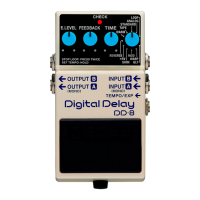
Set the MODE knob to HOLD (the CHECK indicator goes out).
2. Begin recording
Recording starts when you press the builtin pedal switch (the
CHECK indicator ashes red).
* The maximum recording time is 20 seconds for stereo input or
40 seconds for monaural input.
* Recording continues even if you release the built-in pedal
switch.
3. When recording is nished, playback starts
Press the built-in pedal switch a second time to stop recording.
Playback of what you recorded begins simultaneously (the CHECK
indicator ashes green).
4. Overdubbing
Press the pedal switch during playback to start overdubbing (The
CHECK indicator ashes orange).
5. When overdubbing is nished, playback starts
Pressing the built-in pedal switch during overdubbing stops
overdubbing, and playback resumes (the CHECK indicator ashes
green).
6. Adjust the volume
Use the E.LEVEL knob to adjust the volume of the playback sound.
7. Finish playback
To stop playback, press the pedal twice.
* Press the pedal two times in succession, keeping the interval
between presses to one second or less.
* If a footswitch (FS-5U ; optional) is connected to the TEMPO/
EXP jack, you can stop playback by pressing the FS-5U.


 To Next Page