16
Setting the Mode for Stereo Delay
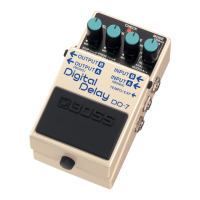
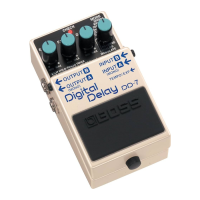
When using the DD-7 as a stereo delay, you can choose among
three dierent operation modes. Each mode provides a dierent
type of stereo delay eect.
* For detailed information on how to make the connections for
stereo delay, refer to “Stereo” (p. 14).
1. Make the connection to the INPUT-A (MONO) jack
and leave nothing connected to the INPUT-B jack
2. Hold down the built-in pedal and insert the plug to
INPUT-B jack
The setting mode for stereo delay is enabled, and the CHECK
indicator lights in orange.
3. Select the stereo delay eect
Use the MODE knob to select the mode for stereo delay.
3200ms: This is a completely independent delay for A and B.
800ms: This is panning delay.
200ms: This is a stereo delay that imparts spatial broadness to
reverberant sound.
4. Save the settings
Press the built-in pedal switch to make the CHECK indicator rapidly
ash in orange and save the settings.
After the settings have been saved, the unit returns to normal
operation.
* Never switch o the power while the CHECK indicator is
ashing rapidly.
* This setting is retained even while the power is turned o.


 To Next Page