17
English
Control Using an Expression Pedal
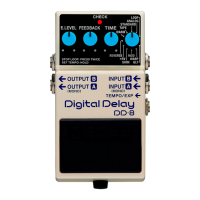
Connecting an expression pedal (Roland EV-5; optional) to the
TEMPO/EXP jack enables you to control the respective parameters
of the E.LEVEL, F.BACK, and D.TIME knobs.
* Use only the specied expression pedal. By connecting any
other expression pedals, you risk causing malfunction and/or
damage to the unit.
Making the Settings for Expression Pedal Functions
1. Hold down the built-in pedal and connect the
expression pedal
The function-setting mode for the expression pedal is enabled and
the CHECK indicator lights in orange.
* The setting mode cannot be entered while HOLD MODE is
selected.
* When connecting an expression pedal to the TEMPO/EXP jack,
set the minimum volume for the connected expression pedal
to the “MIN” position.
2. Make the settings for the parameters
Turn the E.LEVEL, F.BACK, and D.TIME knobs to set the maximum
values of the ranges you want to control. If you don’t want to control
a particular parameter with the expression pedal, set its value to the
“MIN” position.
* You can set only the maximum value of a parameter range
controlled using the expression pedal. Setting the minimum
value is not possible.
3. Save the parameters
Press the built-in pedal switch to make the CHECK indicator rapidly
ash in orange and save the settings.
After the settings have been saved, the unit returns to normal
operation.
* Never switch o the power while the CHECK indicator is
ashing rapidly.
* This setting is retained even while the power is turned o.


 To Next Page