15
Using the WARP Function
The WARP function continues increasing the
feedback on top of regular delay effects to
produce an extraordinary effect. You can also
repeat the warped delay sound to produce an
effect similar to layering sounds on top of
this.
1.
Select WARP
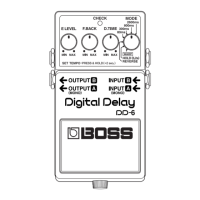
Set the MODE switch to WARP.
2.
Switch the effect on
Press the pedal switch to turn on the effect
(the CHECK indicator lights up)
.
3.
Adjust the delay time
Fine tune the delay time with the D.TIME
knob.
4.
Adjust the feedback level
Use the F.BACK knob to adjust the feedback
level (how much the sound is repeated).
5.
Adjust the volume
Adjust the volume level of the effect
sound with the E.LEVEL knob.
6.
Using WARP
As you hold down the pedal, the feedback
and volume continue to increase. When
you release the pedal switch, the levels re-
turn to the settings corresponding to the
knob positions.
* Oscillation may occur when the knobs are set at
certain positions.
* You can use the pedal merely to switch the effect
on and off by quickly pressing and releasing the
pedal switch, rather than continuing to hold it
down.
* You may be unable to achieve the WARP effect
with the E.LEVEL and F.BACK knob settings
near maximum.
DD-6_e.book 15 ページ 2006年7月25日 火曜日 午後3時37分











 To Next Page