Panel descriptions
4
Panel descriptions
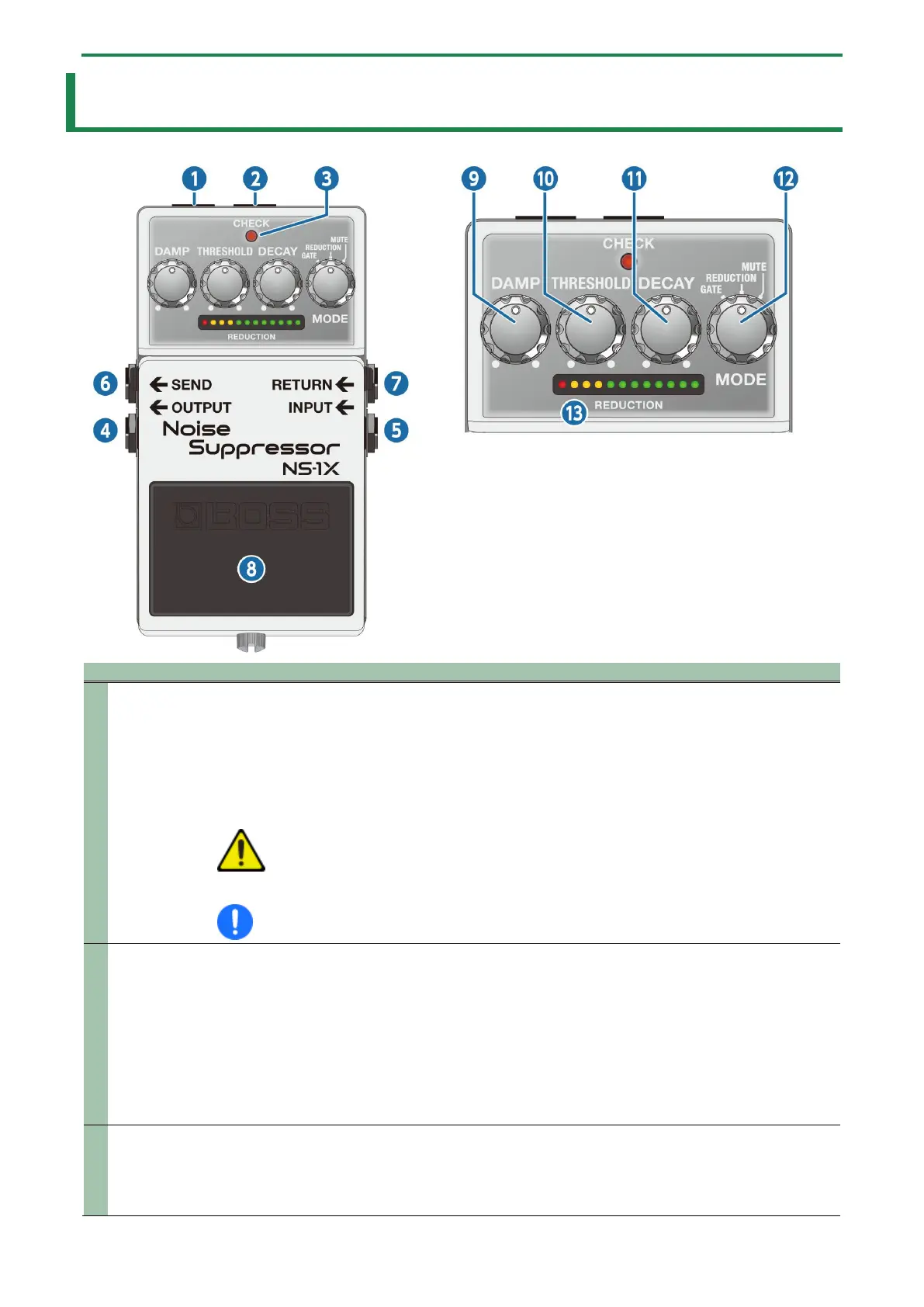
1
When using an AC adaptor, you can connect the PCS-20A parallel DC cord (sold separately) to supply
power from this unit to another 9 V effect unit.
* Power can’t be supplied while you’re using battery power.
* When using the PSA series and the PCS-20A, make sure that the total current draw of this unit and
the other effect unit you want to supply power to does not exceed the maximum output current of
the PSA series.
WARNING
Connect only specified devices to DC OUT jack
Connect only the specified device (PCS-20A) to the DC OUT jack (which provide a supply of power).
2
Accepts connection of an AC Adaptor (PSA series; sold separately). By using an AC Adaptor, you can play
without being concerned about how much battery power you have left.
* Use only the specified AC adaptor (PSA series; sold separately), and connect it to an AC outlet of the
correct voltage.
* If the AC adaptor is connected while power is on, the power supply is drawn from the AC adaptor.
* Connect the cable to this unit’s DC IN jack first, and then connect the plug to an AC outlet.
* Unplug the AC adaptor from the AC outlet if you aren’t using it.
3
This indicator shows whether the effect is on/off, as well as the mute on/off status and battery check
indication.
* The brightness of the CHECK indicator (LED) will dim as the battery lowers. Replace the battery when
the LED is dim or does not light. For details on how to replace, refer to “Changing the batteries(P.9)”.


 To Next Page